

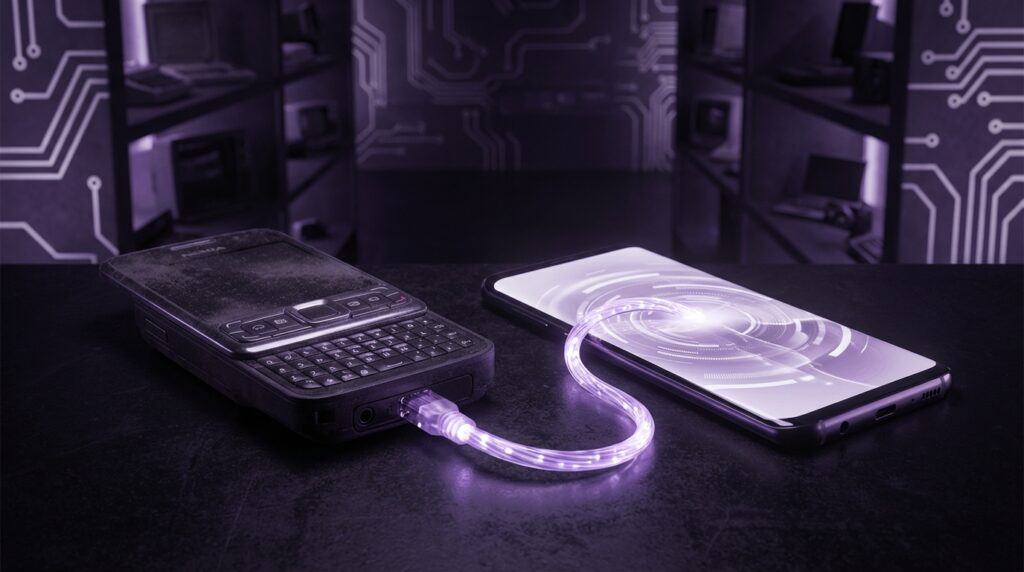
“That soft Nokia startup tone, the faint buzz of a vibrating 6600 on a plastic desk, and the tiny joystick that always felt one swipe away from snapping… you remember that sound, right?”
There is this funny moment that happens when you pull out an old Symbian phone in front of someone who grew up on Android. They look at it like it is an artifact from a parallel universe. It looks kind of modern, it has icons, it runs apps, it has a menu that feels familiar. Yet everything is slightly off. The lag, the keypress delay, the tiny T9 keypad under a screen that somehow felt “big” back then.
And that is the connection most people do not see: the weird in-between world where phones were no longer “just phones” but not quite smartphones in the way we know them today. Android sits on top of that story. If you trace it back far enough, through the Galaxy S line and the first HTC Dream, you end up staring right at Symbian OS.
Not as a direct parent in the code sense. Android did not fork Symbian. But in design, expectations, and user habits, Symbian is that forgotten grandfather sitting quietly in the corner while iOS and Android eat all the cake. A lot of what feels “obvious” in modern mobile came out of experiments on those chunky, plasticky devices with 176 x 208 pixel displays and 32 MB of RAM that somehow ran a browser, music player, and a half-broken version of Opera Mini.
Maybe it was just nostalgia talking, but the first time I held an N95 and then later an early Android phone, I could feel the lineage. The same idea: a pocket computer that also did phone calls. Only now, the pocket computer has grown up, gained a touch screen, and forgotten the ancestor who started teaching us what “smart” could look like in a phone.
The world before Android: when Symbian felt unstoppable
“Retro Specs: Nokia 6600 (2003) – 104 MHz ARM9 CPU, 6 MB internal storage, 2.1-inch 176 x 208 screen, VGA camera, Symbian OS 7.0s. At the time, reviewers called it ‘a portable computer you can put in your pocket’.”
Picture this: it is the early 2000s. Your phone is not an app grid yet. It is a list of options: Messages, Contacts, Call Log, Settings. You press the green button to make calls, the red button to bail out, and the rest is menus stacked on menus.
Symbian OS was the bridge between that world and the one where your phone can install software the way a PC installs programs. This sounds normal right now, but back then, installing an app on your phone felt almost rebellious. You downloaded a .sis file, worried that it might “corrupt” your device, transferred it over via infrared or Bluetooth, and then watched the progress bar crawl while the tiny CPU tried not to overheat.
Symbian did not start on Nokia. It came from Psion, those chunky PDA devices with keyboard clamshell designs. Psion had its own OS called EPOC, which got spun into Symbian OS when Nokia, Ericsson, Motorola, and others wanted a common base for smart devices. The idea was simple: build an OS that could run on low power, low memory, with long battery life, and still give you multitasking and apps.
So while early Windows Mobile devices were trying to shrink the desktop PC, Symbian phones tried to expand what a phone could do without killing your battery in three hours. Those devices used ARM processors at clock speeds that sound ridiculous today: 52 MHz, 104 MHz, 220 MHz. Yet they ran an OS that could multitask. You could leave the music player running, jump back to messages, and then return to the browser that had not completely died in the background. That felt like magic.
The plastic bodies told another story. These phones were not delicate slabs of glass. They had weight, but not a brick-like heaviness. A Nokia N70 in your hand was about 126 grams, slightly chunky, with a camera bulge on the back that slid open with a click. The keys had a soft resistance. You could almost type by feel.
And on top of all of that sat Symbian Series 60, or S60, with its grid of icons that, if you squint, already looks like the ancestor of the Android home screen.
What made Symbian “smart” before we used the word so much
“User Review from 2005: ‘Once you get used to installing apps and changing themes, it is hard to go back to a normal phone. The 6630 does everything my PDA used to do, only I can actually put this in my pocket.'”
Symbian was not pretty by modern standards. Fonts were jagged. Icons were small and almost cartoon-like. Animations were sparse. Yet under that simple exterior was a set of features that signal where Android would head later.
1. True multitasking on ridiculous hardware
Symbian let apps run in the background long before people complained about iOS “pausing” apps. You could have a music player, browser, messaging app, and a game all open at once, and the system tried to juggle them with about as much RAM as a cheap smartwatch has now.
Of course, that came with trade-offs. You remember the moment your N73 would refuse to open the camera because “Memory full. Close some applications and try again.” Symbian had to be strict with memory. Android, years later, would adopt a similar idea with background process limits and aggressive task killing, but with much more RAM to play with.
2. App installation with side-loading culture baked in
There was no app store at first. You hunted for apps on forums, warez sites, or developer blogs. You downloaded .sis or .sisx files. You sent them over Bluetooth, infrared, or through a cable that used a chunky proprietary connector that always felt one tug away from breaking.
In a sense, the side-loading culture that Android still supports feels like a distant relative of this behavior. People installing APKs from random sources today are doing a more polished version of the same “let me just install this thing I found online and hope it does not break my phone” pattern Symbian users followed.
3. Themes, personalization, and early “launchers”
Symbian users changed icons, wallpapers, fonts, and often the overall look by installing themes. You could have the same Nokia model as someone else, but your phone felt different because the menu, colors, and even the softkey labels looked changed.
That focus on personalization shows up in Android with launchers, icon packs, widgets, and theming engines. The idea that “my phone should not look like your phone” grew strong on Symbian and never really let go in the Android world.
4. A real OS architecture built for phones, not mini PCs
Symbian was built with power consumption at its core. It had a microkernel design, strong separation of system components, and an event-driven model to keep the CPU idle as often as possible. It used capabilities and permissions for system access, which in a loose way prefigured Android’s permission system.
There were rough edges. Developer experience was painful. C++ APIs were complex, and the learning curve was steep. A lot of devs who later embraced Android hated Symbian development because of that. But the idea that phones need an OS designed for limited power and strict hardware constraints fed into the creation of Android and iOS. They did not just shrink desktop operating systems; they rethought them for mobile use.
Symbian vs Android: different roads to the same “smartphone” idea
You can think of Symbian and Android as two different attempts to answer the same question: what should a pocket computer that makes calls look like?
Android came later and got to learn from Symbian’s problems. Touch screens were better. CPUs were stronger. RAM was bigger. And Google did not have to support so many form factors or legacy code paths at first.
Still, when you compare them directly, the grandparent vibes show up.
| Feature | Symbian OS (circa 2005-2008) | Android (modern, e.g. Android 15) |
|---|---|---|
| Primary input | T9 keypad, D-pad / joystick, some resistive touch on later models | Capacitive touchscreen, gesture navigation, on-screen keyboard |
| Multitasking style | True multitasking, with strict memory limits and “Memory full” warnings | Preemptive multitasking with background limits, auto process management |
| App distribution | .sis/.sisx files via websites, early stores like Nokia Download! | Google Play Store, OEM stores, sideloaded APKs |
| Security model | Capability-based, signing important for deeper access, but confusing | Permission-based, sandboxed apps, clearer prompts to the user |
| Hardware targets | Low MHz CPUs, small RAM (often 16-64 MB), small screens | Multi-core GHz CPUs, GBs of RAM, large HD/2K/4K screens |
| UI paradigm | Menu lists and icon grids, softkeys, small fonts, non-touch-first | Touch-first, gestures, full-screen apps, floating UI elements |
| Customization | Themes, ringtones, some UI mods | Launchers, icon packs, widgets, deep system theming |
| Web experience | WAP, basic HTML, Opera Mini for compression | Full desktop-class browsers, PWAs, WebView inside apps |
The core idea is similar: an OS that sits between low-level hardware and user-facing apps, with permissions and a store for software distribution. But where Android arrives already thinking “touch first, internet first,” Symbian was still walking away from “phone first, calls and SMS first.”
Icon grids before home screens: daily life on a Symbian phone
“User Review from 2006: ‘The N73 camera is amazing, but sometimes the phone just freezes when I open the gallery. I still love it. I carry a charger, but it is worth it for the photos and music.'”
If you used a Symbian device day-to-day, the rhythm felt different from Android, yet some parts feel oddly familiar.
You hit the menu button and a grid of 9 or 12 icons pops up. You press the joystick to go into “Messaging”, then into “Inbox”, then open an SMS. Each step is another menu layer. On Android, those same patterns survive, only wrapped in touch: tap an icon, open an app, slide a pane, open a view.
Symbian did not really push widgets on the home screen in the same way Android later did. You often got a simple wallpaper, a clock, signal, battery, and maybe a shortcut bar. Yet even then, some devices offered “active standby” where you could see calendar entries and shortcuts on the main screen. Feels a bit like a primitive version of modern Android’s widgets.
And there were the sounds. The SMS beep, the “message received” notification, the polyphonic ringtones that slowly got replaced by MP3 snippets. The way vibrate felt on those plastic bodies, slightly rattly. When you held the phone to your ear, the earpiece sometimes crackled. These little physical cues glued the software to the hardware.
Cameras were a big part of that daily experience. Symbian powered early “camera phones” that tried to be real cameras: N90 with its twisting lens, N93 like a camcorder, and of course the N95 with its 5 MP sensor and Carl Zeiss branding. The camera app on Symbian was slow, but feature-packed for the time. Shooting video, zooming, fiddling with white balance felt almost professional on a device you could keep in your jeans pocket.
If you look at Android today and the way camera apps rule social use, you can see how those camera-focused Symbian devices shaped what people expect. A phone is not complete without a good camera. That expectation grew in this era.
The many faces of Symbian: UI layers and confusion
One thing that held Symbian back while Android surged was its fragmentation at the user experience level.
Symbian OS itself was the core. But on top of it, manufacturers put different user interface frameworks:
– Series 60 (S60) from Nokia
– UIQ from Sony Ericsson and others
– Series 80 and Series 90 for more niche devices
Each flavor looked and worked slightly differently. An app built for S60 2nd Edition might not run on S60 3rd Edition. UIQ had stylus support and touch before iPhone, but it did not feel unified with other Symbian phones.
Android went through its own flavour explosion later with OEM skins like TouchWiz, Sense, and MIUI, but there was still a central Android version underneath with more consistent APIs and Google Play as a common target. Developers had frustrations, but compared to Symbian’s device matrix, Android felt more approachable.
For the everyday user, Symbian’s UI maze meant one thing: your friend’s Nokia might behave very differently from yours, even though both “ran Symbian.” Navigating menus, camera options, or connectivity settings became brand-specific puzzles. That fractured world made it harder to build a strong, shared identity for the OS.
Why Symbian faded while Android rose
From the outside, it can look like Symbian just “lost” when the iPhone arrived and Android followed. Reality is less dramatic and more about timing, design choices, and developer experience.
1. Touch came late and felt bolted on
Symbian was designed in a world of keypads and small screens. When capacitive touch became the new default, Symbian had to adjust. Devices like the Nokia 5800 XpressMusic brought touch to Symbian, but you can feel the tension. Menus were still tiny. Options were built around d-pad navigation. The OS did not feel touch-native.
Android, in contrast, arrived already thinking in touch. Even the earliest versions had UI elements sized for fingers, not stylus tips or tiny joystick selections.
2. Complexity for developers
Symbian C++ was powerful, but heavy. Memory management was strict. Error handling patterns were unusual. Documentation had gaps. Developers who wanted to ship software easily found more comfort in Java on Android. Google offered a cleaner SDK and a single dominant store. That attracted talent and apps, and apps attract users.
Symbian tried to respond with tools like Qt later on, but by that time, Android and iOS had built momentum.
3. Web and services shift
Symbian grew up in a world where “mobile data” meant kilobyte counting and WAP pages. As the web became richer and cloud services more central, having a browser that felt close to desktop quality mattered more and more.
There were efforts like Opera Mobile and later better Nokia browsers, but Android, backed by Google and Chrome, came in with a stronger web stack. Services like Gmail, Maps, YouTube ran better on Android. The OS became not only about local apps, but about how smoothly it plugged you into online services.
4. Design narrative and brand perception
Nokia and other Symbian brands still marketed devices like “phones plus extra features” for too long, while Apple and later Google leaned into “computers in your pocket.” The design language of Symbian stayed closer to feature phones. Android, though clunky at first, moved quickly toward fluid touch gestures, live wallpapers, and smoother transitions.
In the mind of the user, Symbian started to feel like the old guard. Even when some late Symbian devices had serious camera hardware and clever UI ideas, Android and iOS already owned the narrative.
Then vs now: from Nokia 3310 and N95 to modern glass slabs
Let us pull back and compare where we started and where we are now. The Nokia 3310 is often used as the meme phone of that era, but the N95 is the more honest “grandfather of Android” type device: GPS, Wi‑Fi, camera, apps.
| Spec / Feature | Nokia N95 (Symbian, 2007) | Modern Android Flagship (e.g. 2025-era) |
|---|---|---|
| OS | Symbian OS 9.2, S60 3rd Edition | Android 15 (or later) with OEM skin |
| CPU | ARM11, 332 MHz, single-core | Octa-core 64-bit CPU, 3+ GHz big cores |
| RAM | 64 MB | 8-16 GB |
| Storage | 160 MB internal, microSD up to 2 GB | 256-1,000+ GB internal, fast UFS storage |
| Screen | 2.6-inch, 240 x 320, ~154 ppi | 6.5-7.0-inch, 1440 x 3200 or higher, 500+ ppi |
| Input | Numeric keypad, physical navigation keys, no touch | Capacitive multi-touch, in-display fingerprint, face unlock |
| Camera | 5 MP, Carl Zeiss optics, single LED flash | 3-5 cameras, 50+ MP sensors, optical zoom, night mode |
| Connectivity | 3G, Wi‑Fi b/g, Bluetooth 2.0, GPS | 5G, Wi‑Fi 6/7, Bluetooth 5.x, multiple GNSS bands, NFC, UWB |
| Battery | 950 mAh removable | 4,500-6,000 mAh, fast charging, often non-removable |
| Weight and feel | ~120 g, slider mechanism, tactile keys, plastic with metal parts | 180-220 g, glass and metal slab, almost all screen |
Holding an N95 today is almost surreal if you live on Android devices. It feels small, almost toy-like, but when you remember that it ran a GPS navigation app, played music, browsed the web, and took photos that people were proud to print, it starts to resemble a shrunken ancestor of your current phone.
The weight distribution is different. An N95 sits high in the hand because of the slider and camera bump. The plastic warms quickly to your skin. Modern Android phones are cold glass plates at first touch, heavy and flat. You tap; you do not press. That changes your whole relationship with the OS.
Symbian DNA hiding in Android habits
If you strip away the glossy UI and higher specs, some of your Android habits feel straight out of the Symbian era.
Installing beyond the store
Side-loading APKs, toggling the “Install unknown apps” permission, and hunting for older versions of software to avoid bad updates. That spirit existed in .sis hunting days. Forums are still full of users sharing builds, patches, and tweaks much like they did for Symbian.
Task switching and background play
Listening to Spotify or YouTube Music while messaging, or keeping Maps running in the background. That felt novel on Symbian when you could play MP3s and still write an SMS or check your calendar. The concept stuck, only scaled up with more power.
Custom launchers and icon packs
Android launchers are like turbocharged versions of Symbian themes. They not only change icons and colors, but shape how you move around the phone. Back then, you changed your S60 theme to get new icons and maybe a new font. You were already saying, “I want my phone to look my way.”
System permissions and security prompts
Granting apps permission to “access contacts” or “use location” echoes Symbian’s capability system where apps needed capabilities to hit certain APIs. The execution is different and clearer now, but the core idea is the same: not every app should be able to touch every part of the system.
Why calling Symbian the “forgotten grandfather” fits
Android’s direct parent from an origin story angle is the green robot project that started at Android Inc. and was bought by Google. But the phone world where Android landed was shaped by Symbian’s strengths and mistakes.
Symbian showed that:
– People will treat a phone like a small computer if you give them apps, themes, and storage.
– Battery life and low-level power control matter when you live in your pocket.
– Multitasking has to exist, but it needs to be managed to avoid slowdowns.
– Developers need sane tools and a stable target or they drift away.
Android stepped in and re-ran that playbook with better timing, better hardware, and a firmer grip on how to support developers and services. Along the way, the Symbian brand, and then the OS itself, slipped quietly off the stage.
What we lost when Symbian disappeared
There is a temptation to say “good riddance” because Symbian could feel slow and confusing. But some pieces of the old experience still feel valuable today.
Removable batteries, for one. Swapping a BL-5C cell into your phone and going from 2 percent to 100 percent in under 30 seconds is something modern Android devices cannot replicate. Power banks replaced that ritual, but not with the same elegance.
Physical keys are another. You could send a text under the table without looking. The clicky feedback is nothing like glass taps. Accessibility for some users was better with tactile keys. Modern Android phones try with haptics, but the feel is different.
And that sense of ownership. When you spent half an hour tweaking themes, organizing folders in the S60 menu, cleaning up old apps to free a precious 2 MB of phone memory, you built a tighter bond with the device. Phones today are stronger, but they also abstract away many low-level decisions. That is nicer for most people, but a bit less satisfying for tinkerers.
“Retro Specs: Nokia N95 (2007) – 332 MHz CPU, 64 MB RAM, 160 MB internal memory, 5 MP camera, Symbian OS 9.2 S60 3rd Edition. Review quote: ‘Possibly the most powerful smartphone in the world right now.'”
Symbian is not coming back, and Android will not suddenly adopt T9 or slider designs again for the mainstream. But if you peel back the glass on your Android phone and look at the patterns behind it, the idea that your pocket object should be both personal and programmable comes straight out of that older world of clunky yet charming Symbian devices.
