

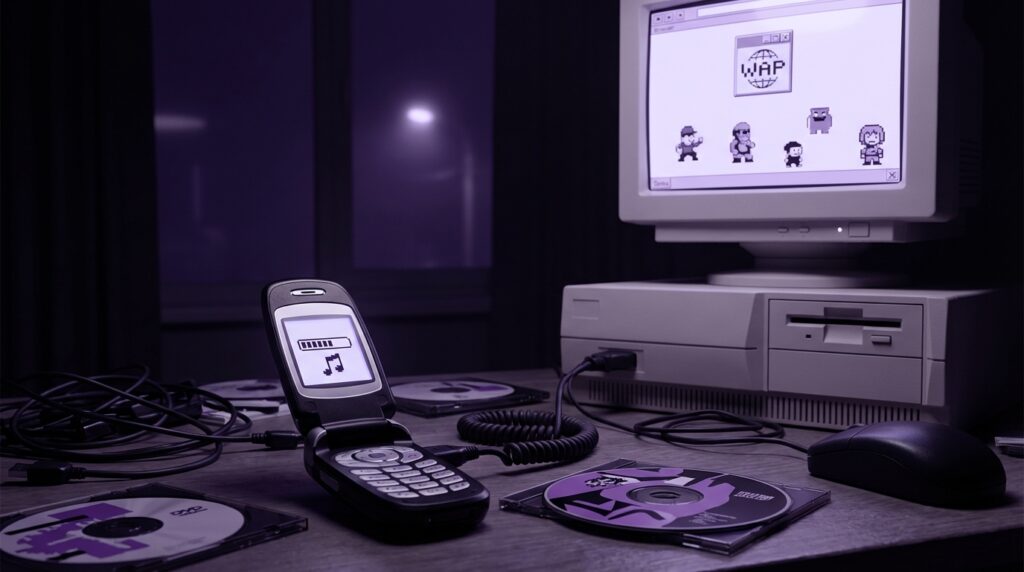
“The first time that polyphonic ringtone hit my Nokia speaker, it felt like magic coming out of a 128×128 screen.”
You remember that sound, right? That thin little speaker struggling to play a 16‑ch tone version of “Yeah!” by Usher while your phone vibrated like it might rattle itself apart on the table. Today you tap an icon in the App Store or Google Play and in seconds you get full tracks, Dolby Atmos, streaming, widgets, apps on apps on apps. Back in 2005, the whole “mobile content” story lived in a completely different world: WAP portals, premium SMS, operator logos, Java games that took forever to download over GPRS, and bills that made your parents stare at you across the kitchen table.
The thing is, the habits you have now with the App Store started way before icons on a home screen. The pricing tricks, the dark patterns, the subscription traps, the carousel of “Featured” content. All of that has roots in how we were buying ringtones, wallpapers, and little J2ME games on tiny plastic bricks with monochrome or low‑color screens. The current “download button” is just the clean, grown‑up version of a world where everything ran through your carrier and one wrong keypress sent three dollars to some random content provider.
Back then, your phone felt heavy in a different way. A Nokia 6600 had this chunky, solid curve in the palm, with a slightly rubbery keypad and a D‑pad that clicked like a mouse. The screen was small, about 176 x 208 pixels, washed out in sunlight, but to us it was color, which meant: content. Buying something for that screen meant patience, risk, and a lot of trust in cryptic text messages that said “To download, go to http://wap.operator.com/xyz and enter PIN 7349.” Maybe it was just nostalgia talking, but that whole ritual made a tiny 64‑kilobyte game feel like treasure.
Back in 2005, there was no single icon to tap, no centralized “store” that curated everything. There were portals, side doors, SMS codes printed on TV, shady banners, and that one classmate who knew the “secret site” where you could get real MP3 ringtones instead of MIDI. To understand where modern app stores came from, you have to start with this messy world of operator control, slow networks, and content that barely fit in your phone’s memory.
The World Before the App Store
In 2005, your mobile universe had a few anchor points:
– Your carrier’s portal
– Manufacturer sites
– Third‑party content providers
– Your friends with data cables, infrared, or Bluetooth
iPhones did not exist yet. Android was a Google project nobody had seen. “Apps” were mostly Java MIDlets or Symbian SIS packages, and you did not “install from a store.” You hunted them down in whatever way your device and your carrier allowed.
Phones ran on GPRS or, if you were lucky, EDGE. That meant roughly dial‑up speeds, sometimes worse. Latency felt like snail mail. You would click “Download” on a 50 KB game and just stare at a progress bar for 20, 30, 40 seconds, wondering if hitting “Cancel” would still charge you.
The relationship between you and content had a third wheel: your carrier. In 2005:
– The carrier controlled which sites loaded fast or at all.
– The carrier usually operated the default “store” inside the browser.
– Billing ran through your SIM, tacked onto your monthly bill or prepaid credit.
You were not a “user” of an ecosystem. You were a phone number attached to a billing system, and every ringtone, wallpaper, and Java game was just another premium charge waiting to happen.
How Carrier Portals Worked
On most phones, there was a special button or a preconfigured soft key labeled something like:
– “Services”
– “Web”
– “Vodafone live!”
– “T‑Zones”
– “O2 Active”
– “Orange World”
Tap that and your phone’s WAP browser would open directly to your carrier’s walled garden. No visible URL bar, no indication that you were paying per kilobyte. Just a home page full of things the carrier wanted you to buy.
These portals were the proto App Stores. They had:
– Categories like “Ringtones,” “Logos,” “Games,” “Chat”
– “Top downloads” lists
– Featured placements the content providers paid decent money for
– Direct integration with billing
But while App Store pages today talk about API calls, storage permissions, privacy labels, back in 2005 you got vague descriptions like:
“Retro Specs: Ringtone ‘CRAZY FROG’ – polyphonic, up to 16 chords, 30 sec. Compatible with most polyphonic phones. Price: 2.99 + data charges.”
You had no screenshots. Sometimes a tiny icon. Maybe the name of a phone brand as a compatibility label: “Nokia,” “Samsung,” “Sony Ericsson.” That was it.
WAP, WML, And Why Everything Looked So Bare
The web you know today ran on HTML, but early mobile internet often ran on WML (Wireless Markup Language) through WAP (Wireless Application Protocol). Pages were text heavy, with almost no images. Plain fonts. No fancy layout. On a Nokia 3510i, the WAP browser felt like a very stripped down email client.
This meant content stores had to do everything with:
– Short text labels
– Simple menus
– Possibly a 1‑bit or 2‑bit icon
Which also meant more confusion. You could not see the wallpaper in full resolution before buying. You read “sexy girl wallpaper” and hoped it would not look like a mush of big pixels and bad colors on your 128 x 128 screen.
Premium SMS: The Original In‑App Purchase
Outside carrier portals, one of the biggest content channels was premium SMS. If you watched TV in 2005, you saw this:
“Text ‘POLY 1234’ to 84242 for the latest chart hit ringtone! Only £2.50 per tone plus standard SMS cost.”
That was the whole funnel. No login, no email, no password reset. Just:
1. You send a code to a premium short code.
2. The content provider charges you.
3. You get a reply with a WAP link or a binary SMS payload.
That is how millions of people downloaded ringtones, logos, and even small games.
“User Review from 2005: ‘I texted for the ringtone and my dad’s bill had like 15 dollars of extra charges. He banned me from ‘those numbers.’ But the song was cool while it lasted.'”
A lot of what later became “in‑app purchases” was born here:
– Impulse purchase, triggered by emotion
– Simple call to action
– Billing abstracted away behind one action
– Confusing small print at the bottom of the screen
The missing part was the “app” itself. Your phone did not host a store app. Instead, SMS, WAP, and your carrier’s billing engine did the job.
How The Download Actually Happened
When you texted that code, the content came to your phone in a couple of ways:
1. **WAP Push SMS**
You received an SMS with a hyperlink. On supported phones, this appeared as “Service message.” Click it, your browser opened, and the phone tried to fetch the content.
2. **Binary SMS**
For simple items like monophonic ringtones or small logos, the content could come embedded directly inside the SMS as binary data. The phone parsed it and asked “Save ringtone?” or “Save operator logo?”
3. **PIN + Web Portal**
Some providers responded with “Go to http://wap.xyz.com, enter code 7832 to download.” You would manually key in that PIN on their WAP site.
All this happened on tiny screens with maybe two soft keys and a D‑pad. One wrong click and you were off into a random menu. Maybe it was just nostalgia talking, but getting a file successfully onto your phone felt like hacking the Matrix.
Ringtones: The First Killer Mobile Content
Before games, before streaming, ringtones were the hot product. They were the first mass‑market digital content on phones. There were a few stages.
Monophonic Ringtones
Early Nokias like the 3210 or 3310 supported monophonic tones. These were essentially notes played through the phone’s buzzer one at a time. People:
– Used built‑in composers to punch in notes from music sheets shared on forums.
– Copied codes from magazines: long sequences of “C3 C3 G3 G3 A3 A3 G3..”
You could trade them with IR or by retyping.
Polyphonic Ringtones
By 2005, many phones supported polyphonic ringtones up to 16, 32, even 64 voices. That meant multiple notes at once, closer to actual music, still in MIDI format.
These were premium content gold. Charts looked something like:
– “Crazy Frog”
– “Axel F”
– “Dragostea Din Tei”
– 50 Cent or Usher MIDI versions
“Retro Specs: ‘Polyphonic engine: 16‑ch; ringtone formats: MIDI, SP‑MIDI, iMelody; download via WAP or SMS; speaker: 1 x 15mm, max volume around 80 dB at 10 cm’.”
You could hear the phone across a noisy bus. The sound was thin, but distinctive. Your pocket vibrated along with those choppy digital horns pretending to be a full band.
Realtones / TruTones / MP3 Ringtones
Higher‑end devices like some Sony Ericsson Walkman phones or Nokia Series 60 models allowed AMR or MP3 clips as ringtones. That was a huge shift:
– Files were larger, often 200 KB or more.
– Downloads took longer over GPRS.
– Storage became an issue. Many phones had 4 to 8 MB internal memory, sometimes with small memory cards.
This was where side‑loading from a PC started to compete with carrier portals. If you had:
– A USB cable or infrared dongle
– A CD ripping app
– Some patience
You could create your own ringtone from any track, then move it to the phone without paying a per‑tone fee. It was clunky, but it felt free and in your control.
Wallpapers, Logos, And The Look Of Your Phone
Before themes and launchers, you had:
– Operator logos on monochrome phones
– Static wallpapers on color phones
– Little animated GIFs
People wanted their phone to look unique, even when everyone owned the same Nokia or Sony Ericsson model.
Operator logos replaced the carrier name at the top of the screen. On a Nokia 3310, that meant a small 84×48 bitmap. You could buy national flags, cartoon characters, or basic text.
Wallpapers really took off with color screens. Typical specs:
– Resolution: 128×128, 128×160, 176×220
– Color depth: 12‑bit or 16‑bit
– Storage per image: 10-30 KB
For today’s eyes, these looked blocky, with banding and weird color shifts. Back then, having a Dragon Ball Z wallpaper or a photo of your favorite singer, even in 120 x 120, made your phone feel personal.
Again, downloads often happened via WAP portals or premium SMS. The process mirrored ringtones:
1. Choose wallpaper in portal.
2. Confirm purchase.
3. Get a WAP Push SMS or direct download.
4. Save to gallery.
If the resolution was wrong for your device, you ended up with stretched faces or black bars. Compatibility lists mattered.
Java Games: J2ME And The Pre‑App Era
If ringtones were the first big content category, Java games were the first “apps.” The tech behind them was J2ME (Java 2 Micro Edition), running MIDlets.
Phones like the Nokia 6600, Sony Ericsson K700, and Siemens S65 supported:
– CLDC 1.0 or 1.1
– MIDP 1.0 or 2.0
– Max JAR size often capped at 64-128 KB
– Simple 2D graphics
Games like “Snake EX,” “Prince of Persia,” “Asphalt,” “Tetris,” and countless puzzle titles appeared everywhere.
How You Got Java Games
There were three main routes:
1. **Carrier portals**
Games were listed under “Games & Apps.” You picked your device model. The portal verified compatibility and offered a download for a fixed price, often 2 to 5 dollars.
2. **Third‑party WAP sites**
Some popular independent portals offered free or cheap games directly. You typed in their WAP address manually, then browsed a very simple grid of titles.
3. **Side‑loading from PC**
With a data cable, IR, or Bluetooth, you could move JAR and JAD files from your computer onto the phone. Many enthusiasts downloaded from web forums, then installed by browsing to the file in the phone’s file manager.
There were no reviews inside the phone. No ratings filters. You either knew the title from friends or you gambled your credit on a generic “Racing 3D” that might be barely playable.
DRM And Subscription Traps
DRM on J2ME was usually very basic:
– Some games were tied to your phone’s IMEI number.
– Some required a key sent via SMS.
– Many checks relied on the portal delivery system.
Content providers began pushing subscription models. Instead of a one‑time fee, you would see:
“Text ‘GAMECLUB’ to 84242. Receive 3 games per week for only 4.99 / week.”
Buried in small text, there was “To unsubscribe, text STOP.” Many people did not read that part. Bills exploded. Parents panicked. Regulators started asking questions.
Fast‑forward to today: you see the familiar pattern in:
– Free apps with recurring subscriptions
– Confusing cancellation flows
– Kids spending hundreds in‑app
The psychology of mobile billing did not start with Candy Crush. It started with ringtones and Java game clubs.
Then vs Now: A Quick Spec Comparison
To really feel the gap, compare something like a Nokia 3310 to a current flagship. Let us call it iPhone 17 here, just to highlight the jump.
| Feature | Nokia 3310 (2000 era) | iPhone 17 (mid‑2020s era, approx) |
|---|---|---|
| Display | 84 x 48 monochrome, no backlight color | ~2556 x 1179 color OLED, 120 Hz |
| Storage | About 1 MB for OS and apps, tiny space for SMS and tones | 128-1024 GB internal flash |
| Network | GSM, SMS, no data | 5G, Wi‑Fi 6/7, full IP stack |
| Content delivery | Monophonic tones via binary SMS, operator logos | Apps, streaming, cloud sync, push updates |
| Billing model | Premium SMS, per‑text charges, carrier services | App store billing, subscriptions, one‑time purchases |
| User control | Carrier controlled everything, few settings | User accounts, app permissions, multiple stores (on some platforms) |
| Typical content size | 1-10 KB (tones), 10-30 KB (wallpapers), 50-100 KB (games) | 10-500 MB per app, GBs of media files |
This is why that old ringtone download felt like a big deal. With so little capacity, every kilobyte mattered. Your phone could only hold a few games, a small set of ringtones, maybe a couple of wallpapers. Choosing and downloading content felt more like curating a tiny museum than scrolling an infinite feed.
Manufacturer Stores And Side Channels
While carriers owned the main portals, phone makers tried their own systems.
Nokia: Club Nokia And Beyond
Nokia ran services like Club Nokia, which offered:
– Ringtones
– Logos
– Small applications
– Wallpapers
Access often ran through a WAP site. You could enter your model number and get content tailored for your device. Integration was never as tight as the later Ovi Store, but it set a pattern:
– Account‑like profiles
– Device awareness
– Bundled marketing with new models
Some regions saw carrier pushback, as they did not want manufacturers going around their billing systems.
Sony Ericsson, Siemens, And Others
Sony Ericsson pushed its image as music and style focused. Official sites promoted:
– Exclusive artist wallpapers and tones
– Games tuned for their screens and joystick controls
– Themes that changed icons and colors
Still, every path usually dropped you back into either:
– A WAP download
– A PC Suite style program that side‑loaded content over cable
In parallel, a black market of content sites grew:
– Forums with free JARs and wallpapers
– Early mobile content “warez” scenes
– People sharing zipped tone packs on P2P tools
The App Store later centralized all of this under one trusted icon. In 2005, you had to know where to look or who to ask.
Connecting Cables: PC To Phone
For more technical users, PC side‑loading felt like cheating the system. Why pay $3 per ringtone when you could plug your phone into your computer?
Common setups in 2005:
– Nokia phones with DKU‑2, DKU‑5, or Pop‑Port cables
– Sony Ericsson phones syncing through proprietary USB cables
– Infrared dongles stuck on the side of a laptop
– Bluetooth USB sticks
The dance went like this:
1. Install PC Suite or similar.
2. Let Windows fumble its way through drivers.
3. Connect phone and wait for that beep.
4. Drag tones, images, JAR files into the right folder.
5. Eject device or just unplug and hope nothing broke.
It felt clunky, but it opened the door to:
– Full MP3 ringtones
– High‑quality wallpapers
– Bigger J2ME games obtained from the wider web
You learned about file formats. You knew your phone took 128 x 160 PNGs, not 176 x 220 JPEGs. You knew AMR ringtones were smaller but sounded scratchy. You knew JAR files had to be under your device’s size limit or the install would fail silently.
This was not an “ecosystem.” It was a patchwork.
Symbian And Early Smartphones
While most people in 2005 used feature phones, some had Symbian smartphones like:
– Nokia 6600, 6630, N70
– Siemens SX1
– Sony Ericsson P910
These ran more advanced OSes with:
– Multitasking
– More RAM (still tiny by today’s standards)
– Installable apps via SIS packages
App discovery still did not happen through a single store icon. Instead:
– You downloaded SIS files from web forums or developer sites.
– Some portals specialized in Symbian apps, listing them with minimal screenshots.
– Carriers sometimes rebranded Symbian apps inside their own catalog.
Security was loose. Many apps were unsigned. You might get a warning, but often the phone just installed the thing. The biggest friction point was not malware; it was storage. Many devices shipped with 32 or 64 MB memory cards. You chose carefully.
Content categories for Symbian looked familiar to today’s app sections:
– Browsers
– Email clients
– File managers
– Media players
– Navigation
Gaps in the stock OS drove demand. Want a better MP3 player? Download a third‑party one. Need a file explorer that sees system folders? Someone had a SIS file for that.
The mental model, though, was still “download a file from a site” not “open store, search name, tap install.”
Billing: From Carrier To Platform
In 2005, almost all mobile content money flowed through carriers:
– Premium SMS
– WAP billing
– Monthly “clubs”
Your credit card rarely entered the picture. You paid with phone credit or a bill. The content provider had a commercial deal with your carrier, which took a large slice.
This setup shaped:
– Pricing: high per‑item cost, often $2-$5 for tiny files.
– Marketing: heavy TV and print advertising with short codes.
– User patterns: fear of hidden charges, stories of kids overspending.
Fast‑forward to app stores:
– Billing shifted to account level (Apple ID, Google account).
– One‑click payments mirrored premium SMS simplicity, but with clearer UI.
– Revenue shares resembled the carrier/content split, only now controlled by platform owners instead of carriers.
The mechanics of quick, painless digital payment on phones came from that 2000s premium SMS world. The App Store cleaned up the UI, standardized receipts, and put it under one icon. The psychology remained: tap, buy, enjoy, forget the smalldollar amounts stacking up.
The User Experience: Clunky, But Memorable
If you pick up an old 2005 phone now, you feel:
– The weight of thicker plastic casing.
– The click of a physical keypad under your thumb.
– A small screen with chunky pixels and slow refresh.
Navigation to “content” was a journey:
1. Menu button.
2. Scroll to “Services” or “Fun & Games.”
3. Launch WAP browser.
4. Wait while the GPRS icon flickers.
5. Stare at “Loading…” text.
6. Finally land on a stripped page with a few options.
Every step was another chance for the connection to drop. If that happened after purchase but before full download, you had a real worry: did I just pay for nothing?
Yet, when the ringtone played correctly or the game launched, it felt earned. You had gone through friction, risk, and waiting. That MKV‑style 64 KB car racing game got more playtime than many modern 3 GB mobile titles, simply because you cared about it.
“User Review from 2005: ‘Downloaded a football game over GPRS, cost like 3 euros and took forever, but now me and my friend pass my phone back and forth at lunch. Graphics look like Lego, but we don’t care.'”
The modern App Store experience strips away that friction. Instant gratification, clear install status, cloud backups, restore on new devices. From a usability standpoint, that is progress. But if you want to trace the story, that friction is the missing chapter between “no mobile content” and “tap to install.”
From WAP Menus To App Icons
By the time the first App Store launched in 2008, a lot of groundwork was already in place:
– Users were used to paying for content on phones.
– Carriers had normalized downloading games and ringtones.
– Developers were used to fighting device fragmentation, file size limits, and weird input methods.
What changed was centralization and trust.
In 2005:
– You worried about shady SMS services.
– You prayed your device was compatible.
– You had no rating system beyond word of mouth.
By centralizing:
– Installation moved from WAP/SMS to a single curated client.
– Billing moved from carrier to platform owner.
– Discovery moved from TV ads and tiny banners to search bars and featured sections.
If you look at a 2005 carrier portal screenshot next to a modern app store home, you can see the family resemblance:
– Category tiles.
– Top lists.
– Promo banners.
The real jump came from integrating that whole thing into the OS with one icon, rather than hiding it behind a cryptic “Services” menu.
The Hardware Feel That Shaped Our Habits
Mobile content did not live in the abstract. It lived in:
– Slightly raised keys that wore shiny in the middle from heavy use.
– Joysticks on Sony Ericsson devices that scrolled through rows of downloadable games.
– Side volume buttons that doubled as shortcut keys for media players.
Holding a Sony Ericsson K750i, for example, you had:
– A noticeable weight from the metal frame and camera module.
– A 176 x 220 screen that felt sharp at the time.
– A dedicated camera shutter key that gave it a “real camera” vibe.
Downloading a new game made you re‑experience the device again. New key combos to learn. New sound effects. That strong little vibration at game over. Every piece of content changed how you touched the phone.
Phones now are mostly glass slabs, differentiated more by software than feel. In 2005, the physical design and the content worked hand in hand. A phone with a better D‑pad felt better for games. A louder speaker made you proud of that new ringtone.
Why 2005 Still Matters For How We Download Today
The App Store did not appear out of thin air. It emerged from this earlier period where:
– Carriers monetized small digital items.
– Users learned to accept digital goods they could not hold.
– Phones slowly gained the hardware to handle richer media.
2005 sits in the middle:
– Enough data capability to move files.
– Enough color and sound support to make content appealing.
– Still fragmented enough that everything felt like an experiment.
Those ringtones and tiny games were not just novelty. They were the training ground for an entire generation to think of the phone as more than a calling device. Once people paid for MIDI tones and 100 KB football games, paying for full apps a few years later felt less strange.
The modern tap‑to‑install, progress‑circle, and “Open” button are clean, polished descendants of that GPRS bar crawling across a 128 x 160 screen while you wondered if your new ringtone would actually sound like the song on the radio.
