

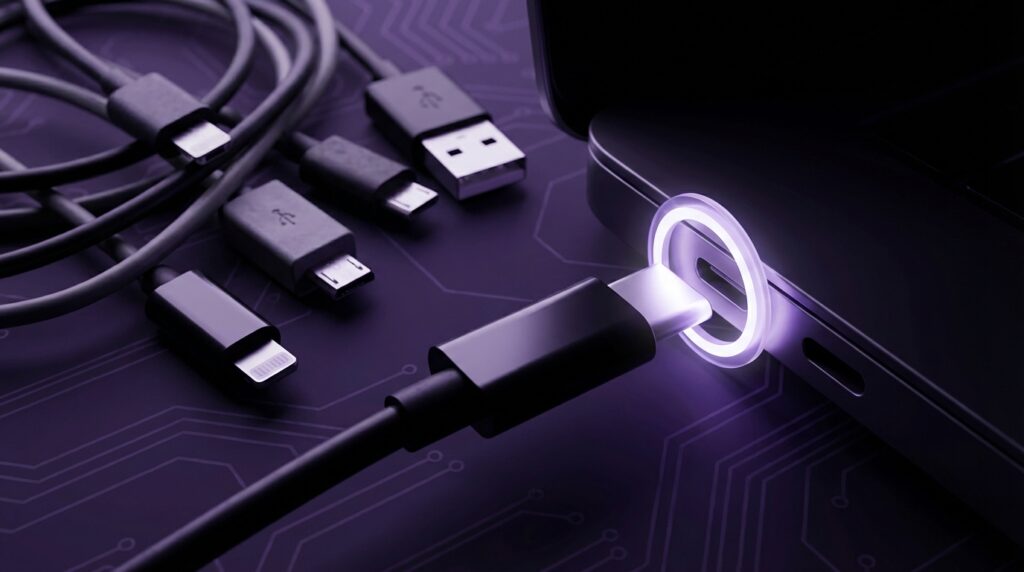
“The first time I plugged in a USB cable the wrong way, flipped it, then somehow still got it wrong, I thought: this port hates me.”
You remember that feeling, right? Sitting at a beige desktop tower, wrestling with a chunky rectangular plug that looked symmetrical but apparently lived by its own secret rules. Now you pick up your phone, your laptop, your earbuds case, your handheld console, and the cable just slides in. Any side. Any device. One small, oval-shaped connector quietly running almost everything you own. That jump, from “please fit” to “ok, that just works,” is the story of USB-C.
USB-C feels new, but it sits on top of a long history of messy ports, weird adapters, and cables that only did one thing and did it slowly. The modern promise is simple: one port, one cable, for charging, data, video, audio, networking. Your phone, your tablet, your laptop, even your monitor and dock sharing the same connector like some tech version of a universal socket. The query behind “USB-C: The One Port to Rule Them All” is not just about specs. It is about whether this one tiny connector can really replace that entire drawer of tangled cables and random chargers we used to hoard.
Before USB-C, every gadget had a personality that showed up in its ports. Old Nokias with their skinny barrel chargers, mini USB on early cameras and MP3 players, micro USB on Android phones that always felt a bit fragile, 30-pin dock connectors on iPods that looked like they came from a sci-fi prop shop. You knew the device by the shape of the plug. You also knew the moment you forgot the right cable that you were out of luck.
Now, the shape is almost always the same: a small, rounded rectangle that clicks in with a soft, muted feel. It does not wobble like micro USB. It does not care about “upside down.” It is just there, quietly promising “I can handle this” whether “this” is powering a gaming laptop or syncing a keyboard.
The bad old days of weird ports and weirder cables
“Retro Specs: USB 1.1 on my first PC meant 12 Mbps. The box said ‘High speed.’ The external CD burner laughed at that speed every time I tried to back up anything.”
If you grew up before USB-C, your desk probably looked like a museum of connectors.
Big parallel ports that needed screws tightened by hand. Serial ports for mice and modems. PS/2 connectors with those purple and green color rings. VGA with its 15 pins that always bent when you were in a hurry. Then the early USB ports arrived, like a rescue mission, but they came with their own quirks.
USB Type-A looked simple: a flat rectangle, one direction, done. Underneath that, though, there was a mess of versions.
“User Review from 2005: ‘My new USB 2.0 flash drive is blazing fast. 256 MB and I can move my PowerPoint in, like, seconds.'”
You had:
– USB 1.1: 12 Mbps
– USB 2.0: 480 Mbps
– USB 3.0: 5 Gbps, with blue plastic inside the port
– USB 3.1: 10 Gbps
– Then the renaming games started: USB 3.0 became USB 3.1 Gen 1, then USB 3.2 Gen 1, and it felt like the spec sheet writers wanted to troll everybody
The connector stayed Type-A most of the time, but the actual capability behind it kept shifting. That led to this weird reality: the same shape on your laptop could be slow or fast, could charge a phone or barely keep a mouse alive. You had to read tiny labels or know the difference between a blue port and a black one.
On the mobile side, it was even more fragmented. Mini USB, then micro USB. There was always that little fear that too many wrong insertions would loosen or break the port. The connector had those thin plastic tongues that wore out. Charging speeds were limited. And you could not plug in a display or serious storage easily without dongles that felt like science experiments.
Meanwhile, laptops started to grow more ports: VGA for monitors, HDMI later, Ethernet RJ45, headphone jack, SD card slot, power barrel jack. Each one had a job. Each one had its own cable type. If you traveled, you carried half a kilo of copper and plastic just to be “ready.”
Why USB-C looks simple but is not
When USB-C showed up, it did not look special. A small, oval connector, usually silver, sometimes black inside. No colored plastic to scream “I am fast.” No lock. No screws. Just this calm little shape.
Then you read what it can carry:
– Up to 40 Gbps data on some versions
– Enough power for phones, tablets, and full laptops through USB Power Delivery
– Display output: DisplayPort, HDMI (via adapters), even VR headsets
– Audio for some devices
– Networking and docks through a single cable
It is like taking all the parts of an old back panel tower PC and sliding them into one port format.
The tricky part is that USB-C is just the connector shape, not the feature set. Behind that shape you might have:
– USB 2.0 speeds on a cheap charger
– USB 3.2 for decent external SSD performance
– Thunderbolt 3 or 4 on higher end laptops, which ride on USB-C but add more bandwidth and features
– USB4 on newer hardware, which folds Thunderbolt-like performance into the USB spec
To your fingers, every USB-C cable feels similar: light, flexible, small plug. To your data, they are wildly different. That is why you plug a USB-C cable between a laptop and a monitor and get nothing, then swap the cable and suddenly you have 4K at 60 Hz.
So, the “one port to rule them all” story is not just about the port. It also needs the right cable and the right internal wiring.
From charging bricks to one charger in your bag
Remember carrying separate chargers for everything?
– That chunky square brick for your laptop, with its barrel plug that was always slightly loose
– A micro USB cable and wall plug for your phone
– A different tip for your camera battery charger
– Maybe even proprietary connectors for older music players or handheld consoles
Now, you can walk out the door with a single 65 W or 100 W USB-C charger and a couple of cables. Phone? USB-C. Tablet? USB-C. Many Windows laptops? USB-C. Nintendo Switch? USB-C. External battery pack? USB-C. Even some smart home hubs and speakers are joining the club.
This works because of USB Power Delivery, or USB PD. Instead of a fixed 5 V output, the charger and device “talk” over the cable. They negotiate voltage and current: 5 V, 9 V, 15 V, 20 V at different amp levels. If the device only wants a small amount of power, it gets that. A laptop that can use 65 W or more will ask for it. Your earbuds do not get fried because they negotiate a tiny sip, not the full blast.
It feels simple: plug in and it charges. Underneath, it is a small protocol handshake that replaces a whole shelf of incompatible charging bricks.
Then vs now: the port zoo vs the USB-C hub
To see how massive the shift is, compare something like a legendary old phone to a current flagship.
| Feature | Nokia 3310 (2000) | Modern Flagship with USB-C |
|---|---|---|
| Charging Connector | Proprietary 3.5 mm barrel plug | USB-C, shared with almost all new Android phones, many tablets, laptops |
| Data Transfer | None on port, required special cable and software, very slow | USB-C with USB 3.x or USB4, fast enough for 4K video files and backups |
| Outputs | Just audio through a separate headphone jack | Display output, audio, peripherals through adapters or hubs |
| Charging Speed | Charges small battery in a couple of hours at low wattage | Fast charging through USB PD, sometimes above 60 W for laptops |
| Cable Reuse | Only worked with that model family | Works across phones, tablets, laptops, consoles, accessories |
Now imagine that kind of jump on laptops, too.
| Feature | Old Laptop (circa 2005) | Modern Laptop with USB-C / USB4 |
|---|---|---|
| Power | Dedicated barrel plug, brand-specific, single use | USB-C power through PD, can use third-party chargers, same port shares data and video |
| Ports | VGA, Ethernet, USB-A, ExpressCard, proprietary docking port | USB-C / Thunderbolt ports that can handle displays, storage, docks, power |
| Docking | Large, brand-specific dock using custom connector | Small USB-C dock or hub that works across many brands |
| External Displays | Separate VGA or DVI port | DisplayPort or HDMI over USB-C |
The old approach was “one port per job.” USB-C flips that into “one port, many jobs.”
Why the EU cared enough to force USB-C on phones
When regulators started pushing for a common charging port, it was not just about lowering confusion. It was also about reducing electronic waste.
Every proprietary charger creates a mini island: brand-specific plugs, weird voltages, plastic shells, and cables that end up in drawers or trash once you switch devices. Moving almost everything to USB-C brings:
– Fewer chargers shipped by default
– More reuse of existing chargers
– Less plastic and metal going into production
From a user side, this saves you from the “I forgot my special charger” problem. Your friend’s Android charger probably works on your tablet. Your laptop charger can fast charge your phone. Your power bank can handle everything.
Apple held onto Lightning on the iPhone for a long time. Lightning had its perks: slim, reversible before USB-C was mainstream, decent durability. But it was limited in power and speed compared to what USB-C with modern USB versions and PD can do. Now that iPhones have shifted to USB-C, that last big holdout is gone. The “one port” story is closer to reality than ever.
Thunderbolt, USB4, and the naming chaos
The part that trips many people up is the difference between the connector and the standard.
USB-C: the physical shape. Tiny, reversible, 24 pins. This does not guarantee speed or features.
On top of that, you can have:
– USB 2.0 over USB-C: still used on cheap chargers and some low-cost devices
– USB 3.2 Gen 1 or Gen 2 over USB-C: mainstream for modern drives and laptops
– USB4 over USB-C: newer spec that tries to unify speed and capability, borrowing from Thunderbolt
– Thunderbolt 3 and 4: Intel’s high-speed standard, also carried over USB-C, with 40 Gbps bandwidth and more strict feature requirements
If you plug a Thunderbolt dock into a USB-C port that does not support Thunderbolt, it might just act like a simple USB hub or not fully work. The logos on the side of the port matter:
– A small lightning bolt usually means Thunderbolt
– A trident-style USB logo is standard USB
– Some ports show a battery icon to mark that they support charging in or out
This is the messy middle era. The connector is unified. The capabilities are catching up.
“User Review from 2016: ‘My new laptop just has two USB-C ports. No HDMI, no USB-A. I am carrying three dongles now. So I lost ports but gained… one new way to feel confused.'”
Early USB-C laptops treated the port like some magic wand while removing everything else. That created a wave of dongles and hubs. The result felt more like “one more port to adapt from” instead of truly “one port for everything.”
We are finally hitting a point in 2024 where that starts to settle down. Many laptops ship with multiple USB-C ports alongside at least one USB-A and maybe HDMI. Monitors with USB-C inputs can power the laptop and carry video and USB data with a single cable. Docks have matured and get more reliable. The connector is the same, and the underlying tech is getting more consistent.
The physical feel: why USB-C is nicer
Think back to micro USB for a second. Thin metal shell. That little trapezoid shape. You had to check: “Is this the right way up?” Press too hard at the wrong angle and you risked flexing the port on the phone. Over time, the port loosened, charging became flaky, and you started “propping” the cable at weird angles to keep it connected.
USB-C feels different:
– The plug is slightly thicker and more solid
– The port has a central tongue with contacts on both sides
– The connector slides in with low resistance until that final gentle click
– It feels more stable when devices hang from a cable, like a phone connected to a power bank
From a mechanical engineering point of view, it is designed for more insertion cycles than earlier connectors. It is not indestructible, but for daily use on phones, tablets, and laptops, it holds up well.
There is also something oddly calming about not having to check orientation. That half second of micro USB flipping has disappeared from daily life. Maybe that sounds small. Over tens of thousands of plug-ins across years, it adds up mentally. “Just plug it in” is more real now.
USB-C in the home: from phones to smart homes
Your house has probably turned into a USB-C habitat without you fully tracking it.
– Your phone: USB-C
– Your wireless earbuds or noise-canceling headphones: USB-C
– Your tablet or e-reader: USB-C
– Your laptop charger: USB-C
– Your power bank: USB-C
– Some routers, smart home hubs, and even desk lamps: USB-C power in
Smart home gear is especially interesting. Before, every little hub or bridge came with its own barrel plug or micro USB adapter and a random wall wart. Lose the brick, and you had to match voltage and polarity carefully.
Now, more of these devices are powered through USB-C at 5 V. That means if the original charger dies, you can often drop in any solid USB-C power adapter and you are back up. Less downtime. Less hunting for an exact match.
You also see USB-C on:
– Portable monitors
– Docking stations
– External SSDs
– Microphones and audio interfaces
– Webcam upgrades
One cable from laptop to dock can feed a monitor, Ethernet, USB accessories, and even charge the laptop. That kind of single-cable desk setup used to require brand-specific docking connectors and expensive corporate gear. Now it is consumer-level, shared across brands.
Speed: from “USB 2.0 is enough” to external SSDs that feel like internal drives
In the early 2000s, copying a 700 MB CD image over USB 1.1 was painful. You could go make a drink and come back. USB 2.0 felt like a life upgrade. For a while, 480 Mbps seemed large compared to the files we moved.
Fast forward to streaming 4K, RAW photo workflows, and games that weigh 150 GB. External storage had to grow up. USB-C helped because it made fast standards easier to standardize on mobile and laptop ports together.
With USB 3.2 and USB4 over USB-C, external SSDs now hit speeds that approach internal SATA drives or even entry-level NVMe speeds. That means:
– You can edit video directly off an external drive
– Game libraries can live on a compact SSD that moves between PCs and consoles
– Backups run in minutes, not hours
The difference between plugging a slow USB 2.0 drive and a modern USB-C SSD into a laptop is night and day. Same general idea: storage on a cable. Completely different experience.
The lingering problem: cable confusion
USB-C as a connector is clean. USB as an ecosystem of cables is not.
Here is what can vary between two visually similar USB-C cables:
– Power capacity: 15 W, 60 W, 100 W, or higher with new extended power range
– Data speed: USB 2.0 only, 5 Gbps, 10 Gbps, 20 Gbps, 40 Gbps
– Video support: some carry full DisplayPort Alt Mode, some do not
– Thunderbolt capability: certified or not
A cheap, thin USB-C cable that came with a low-cost gadget might:
– Charge a phone slowly
– Fail to power a high draw laptop
– Not work at all for a 4K monitor
– Throttle speeds for an external SSD
Meanwhile, a high-quality, certified USB4 or Thunderbolt cable can handle almost anything you throw at it.
Manufacturers started adding small icons to cables and ports, but the story is still half-baked. For many users, USB-C is “one port to rule them all” but also “one giant guessing game when something does not work.”
The practical takeaway: it helps to label your cables or at least keep “known good” high-spec ones in a specific place. That way your main dock and drives always run at full speed.
Where audio and USB-C intersect
Losing the headphone jack on phones caused some frustration. USB-C stepped in as part of the answer.
There are two main ways USB-C handles audio:
1. Analog audio over USB-C
Some phones support analog output over USB-C with a simple passive adapter. The phone contains the DAC (digital to analog converter), and the adapter just maps pins to a 3.5 mm jack.
2. Digital audio over USB-C
Other setups use a USB DAC inside the adapter or headset. The phone sees a USB audio device, sends digital audio, and the adapter converts it to analog.
That means not all USB-C headphone dongles work the same way. Some only work properly with certain phone brands, because they rely on analog output pins that not every manufacturer wired up.
For laptops, USB-C audio often happens as part of docks and monitors that expose 3.5 mm jacks. One cable from laptop to dock, then speakers or headphones plug into the dock. Again, one connector fans out into multiple uses.
Why governments, manufacturers, and users converged on USB-C
You can think of USB-C as a rare point of agreement between three very different groups:
– Users wanted less cable chaos and more reuse
– Manufacturers wanted one connector that could scale from phones to desktops
– Regulators wanted less electronic waste and more standardization
By giving USB-C a rich set of capabilities and a reversible, compact shape, it became easy to justify on almost every device bigger than a smartwatch. The economies of scale kicked in. Port controllers, connectors, and cables got cheaper. Third-party accessories exploded. Car makers started putting USB-C ports in dashboards and seatbacks.
Not every standard gets this kind of traction. You can probably name five failed connector types from the early 2000s alone. USB-C worked because:
– It did not lock you into one brand
– It arrived at a time when many devices needed higher power and bandwidth
– It could stretch across categories: phones, laptops, monitors, docks, networking, storage
The end result on your desk is simple: fewer unique cables, more reusability, more flexibility.
The future: will USB-C stay the one port?
USB-C will not last forever. Nothing in tech does. But it has enough headroom to stick around for years.
On the roadmap you will see:
– Higher power levels under USB PD with extended power range, feeding more power-hungry devices
– USB4 versions pushing bandwidth while still using USB-C connectors
– More displays using USB-C as a primary input, merging power and video
Wireless charging and wireless data transfer keep growing too, but cables are not going away. Wired connections still give:
– Predictable power
– Lower latency
– Higher sustained speed
– No interference issues
So your future phone might charge on a pad most of the time but still have a USB-C port for fast charging, recovery, and serious data tasks. Your laptop might get thinner, but the USB-C ports will stay until there is a strong reason to move to something else.
For now, USB-C really is as close as we have come to “the one port to rule them all.” It will sit in that sweet spot where nostalgia for old connectors blends with the relief that, at least for a while, you no longer need to carry half a dozen different cables just to get things done.
“Retro Specs: Somewhere in my closet, a tangle of VGA, mini USB, micro USB, 30-pin, and barrel chargers is quietly aging. The USB-C cable on my desk replaced almost all of them without making a sound.”
