

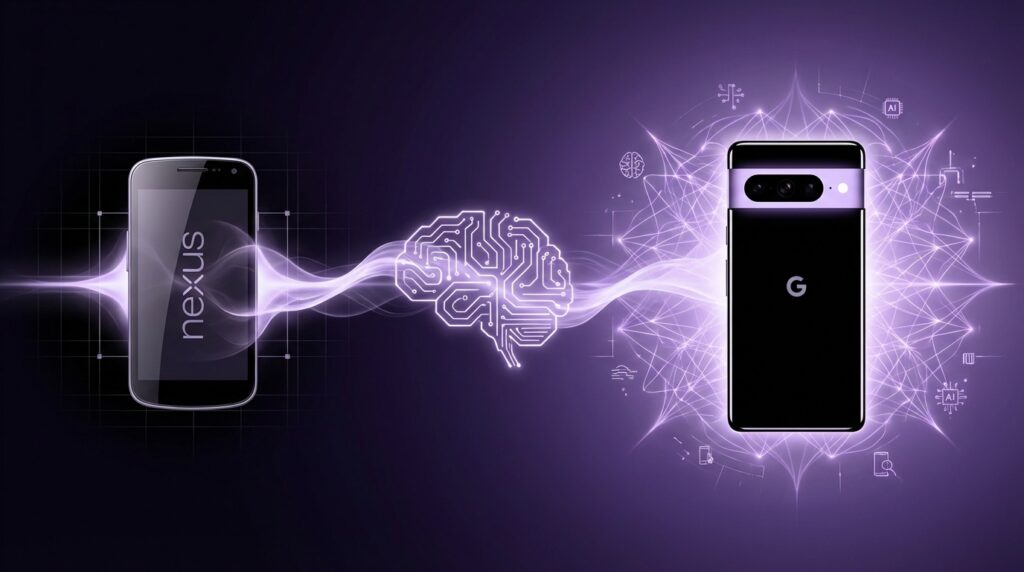
“The soft buzz of a capacitive Android button, the faint warmth of a plastic back, and that first clean stock launcher staring at you like, ‘So, are we going to flash a custom ROM or what?'”
You remember that feeling, right? That first Nexus phone in your hand felt almost too light, too simple, like a blank canvas. No heavy skins, no neon icons, just Android in its raw form. Fast forward to the Google Pixel line and suddenly that same philosophy is wearing a new outfit: AI everywhere. Your camera guessing the perfect shot, your phone cleaning your audio in real time, your photos sharpening after the fact like you changed history.
The jump from Nexus to Pixel is not just “better phones over time.” It is Google slowly shifting from “here is Android, do what you want” to “here is what your phone should do for you before you even think to ask.” And the funny part is, you can see that shift right in your hand: from the soft plastic shell of a Galaxy Nexus to the glass and metal sandwich of a Pixel 8 Pro quietly running machine learning models on-device while you scroll.
The Nexus Origin Story: When Google Just Wanted a Reference Phone
“Retro Specs: 2010 Nexus One – 3.7 inch AMOLED, 800 x 480 pixels, 512 MB RAM, 1 GHz Snapdragon S1, 5 MP rear camera, trackball for notifications.”
The Nexus line started out like a tech nerd’s secret handshake. If you had a Nexus One or a Nexus S in your pocket, you were not chasing brand prestige. You wanted fast Android updates, bootloader unlocks, and a clean interface. The hardware was nice, but it was never the headline. The real perk was control.
The Nexus One felt almost toy-like by today’s standards. Around 130 grams, curved plastic back, that tiny 3.7 inch screen that looked big at the time. Capacitive buttons along the bottom, a glowing trackball that pulsed with notifications like a tiny RGB beacon. That phone was not built to win camera shootouts or battery tests. It existed so Google could say to developers and partners, “This is how Android should look.”
Google did not manufacture those phones alone. They treated Nexus as a partnership badge. Nexus One with HTC. Galaxy Nexus with Samsung. Nexus 4 and 5 with LG. You could feel each partner’s DNA in the details. Samsung’s glossy plastic. LG’s glass back on the Nexus 4 that felt premium but cracked if you looked at concrete the wrong way.
The operating system was the star. New Android versions landed first on Nexus, and for early adopters that mattered. The devices were reasonably priced, not luxury items. A Nexus 4 or Nexus 5 gave you high value for the cost, especially if you cared about speed and software purity more than camera tricks.
Back then, Google’s view of “smart” was very different. Voice search existed, but it felt like a party trick most of the time. Google Now cards tried to guess what you needed, surfacing boarding passes and commute times. The intelligence lived mostly in the cloud. Your phone was a portal to Google’s servers, not a brain on its own.
Maybe it was just nostalgia talking, but that gap between hardware and software felt charming. The phones were lean, a little barebones, and that left room for tinkering. If something annoyed you, you flashed a ROM, rooted the device, tweaked kernels. Nexus was a playground.
Why Nexus Had to Grow Up
By the time Nexus 5X and Nexus 6P came out, the market was different. Apple was deep into the “iPhone is a lifestyle” narrative. Samsung had carved out its own identity with Galaxy S and Note lines, pushing curved screens and camera features. Android itself had matured. OEM skins such as TouchWiz and Sense were less chaotic, more polished.
Nexus phones started to feel a bit out of place. Great for enthusiasts, but not really household names. People said, “Is that a Samsung?” or “Is that a Nexus… what is that exactly?” Google wanted something more than a reference device. They wanted a brand.
That shift showed up in a few ways:
– Branding: Nexus logos were big, Google logos were small. That flipped later with Pixel.
– Priorities: Camera quality lagged behind the best from Samsung and Apple. Nexus owners tolerated it because they valued software.
– Strategy: Selling Nexus at aggressive prices made it hard to position them as hero phones for everyone.
Google started to see the phone not just as a delivery system for Android, but as a core Google product, similar to Chrome for the web or Chrome OS for laptops. If you are going to bake AI and services deeply into hardware, you need more control: over design, sensors, and especially over how long you can support the device.
Nexus, as a shared banner with partners, was not built for that. Pixel would be.
The Birth of Pixel: From Developer Toy to Google Flagship
“Retro Specs: Google Pixel (2016) – 5.0 inch 1080p AMOLED, Snapdragon 821, 4 GB RAM, 32/128 GB storage, 12.3 MP rear camera with HDR+, thick top bezel and glass ‘visor’ on the back.”
When the first Google Pixel and Pixel XL landed in 2016, they felt different the moment you picked them up. The weight distribution, the mix of aluminum and glass, that half-glass “visor” on the back. In pictures it looked odd, almost like two phones stacked together. In hand, it served a purpose: radio transparency for antennas and a visual signature.
Google’s logo sat proudly at the back. No more “Nexus” text running vertically. The branding was clear: this is Google’s phone.
The messaging changed too. Instead of “the pure Android device,” the tagline said “Phone by Google.” Marketing leaned heavily on one feature: the camera. HDR+ processing, powered by computational photography, suddenly placed Pixel in the same conversations as iPhone cameras and Samsung’s flagships.
You probably remember those early Pixel camera samples. Nighttime city shots with controlled noise, bright faces inside dim rooms, balanced highlights without a huge sensor. That was software magic more than hardware. The sensor was good, but the real range came from Google’s image pipeline, stacking multiple frames and blending them.
That was the first clear sign of where Google wanted to go: a phone where smarts sit at the center, not as an afterthought buried in a submenu.
From Stock Android to Pixel Experience
The UI stayed mostly close to stock, but small tweaks started to appear:
– Pixel Launcher with that distinct bottom search bar and date/weather widget.
– New animations, rounded icons, and a more playful feel.
– Exclusive features tied to Google Assistant and Pixel.
Instead of giving all Nexus-like perks to every Android manufacturer on day one, Google ring-fenced some around Pixel. Call screening. Better photo backup with Google Photos. Assistant’s deeper hooks. If you wanted the full Google experience, Pixel was the ticket.
Google had moved from “Android for all” to “premium Google for some,” and Pixel users became early testbeds for new AI and software tricks.
Pixel Hardware Grows Up: From Camera Champion to System Brain
The early Pixels leaned heavily on Qualcomm chips for both CPU and AI workloads. Snapdragon neural processing was helpful, but not enough for Google’s more advanced models. A lot of smart features still needed the cloud. Upload photo, process on Google’s servers, then send it back.
Over time, that model clashed with privacy concerns and latency. You do not always have strong network coverage. People care about who sees what, and photos are personal.
If Google wanted live language translation, real-time audio cleanup, on-device photo magic, and offline Assistant features, it needed something more specialized.
Enter the Tensor era.
Google Tensor: The Shift From Phone to AI Device
When Google introduced its custom Tensor chip with Pixel 6, it changed the conversation. Instead of saying “This phone has the fastest benchmark score,” the pitch was closer to “This phone can do things in real time that older phones just cannot.”
Tensor focused on machine learning performance and specialized accelerators. The idea: let the phone run heavy models locally. Speech recognition, photo processing, video tweaks, live translation, all without sending as much raw data to the cloud.
You could feel that difference in daily use:
– Live Translate overlaying translated text on videos and chats.
– On-device voice typing that felt much closer to natural speaking.
– Camera features like Magic Eraser, which used segmentation models to identify and remove unwanted objects from photos.
Maybe it was just nostalgia talking, but it felt like a modern echo of what Nexus used to be for pure Android: Pixel turned into the pure Google AI testbed.
The Camera: Single Sensor, Many Tricks
For years, Pixel stuck with a single main camera while competitors added more lenses. Wide, ultra-wide, macro, telephoto. Pixel stayed stubbornly focused on one good sensor and very strong software.
“User Review from 2017: ‘Pixel’s camera just embarrasses my friend’s phones in low light. One lens. How?'”
HDR+ captured multiple frames with different exposure levels and combined them. Super Res Zoom used frame stacking and motion data to improve digital zoom. Night Sight practically ignored the rule that phones could not take usable photos in near-darkness.
From an archivist point of view, that approach says a lot about Google’s mindset. They treated the sensor as input data for algorithms. The goal was not just clarity, but meaning. Separate subject from background, understand edges and faces, detect sky versus ground.
This kind of understanding is the foundation of later Pixel features like Magic Editor and Photo Unblur. To adjust a photo in a believable way, the phone needs a rough mental model of the scene. Where is the person? What is the background? How should lighting behave?
The camera became the place where Google’s AI ambitions were most visible to regular users.
Then vs Now: How Far We Have Come
To see the arc from early mobile to AI-focused devices, it helps to place a classic “indestructible” phone against a modern Pixel-style flagship. So let us compare something like a Nokia 3310 from the early 2000s with a hypothetical future iPhone 17 class device that sits in the same era as the latest Pixel AI phones.
| Feature | Nokia 3310 (Then) | iPhone 17-class Flagship (Now) |
|---|---|---|
| Display | Monochrome, 84 x 48 pixels, around 1.5 inches | 6+ inch OLED, ~2778 x 1284 or higher, high refresh rate |
| Input | T9 keypad, physical navigation keys | Capacitive multi-touch screen, gestures, haptics |
| Processor | Simple microcontroller-class chip | Multi-core CPU, GPU, neural engine for AI tasks |
| Connectivity | 2G GSM, SMS, voice calls | 5G, Wi-Fi 6/7, Bluetooth, satellite features |
| Camera | None | Multi-lens system, advanced computational photography |
| Storage | Enough for SMS and a few ringtones | Hundreds of gigabytes for apps, photos, video, offline models |
| Battery life | Days of standby, simple usage patterns | Full day under heavy load, smart power management |
| Software updates | Fixed firmware, no OS updates | Years of OS and security updates, feature drops |
| AI features | None | On-device ML for photos, voice, personalization |
That same kind of gap exists between the Nexus era and the modern Pixel line, just not as obvious at first glance. The form factor looks similar: slab of glass, touch screen, cameras on the back. The difference now lives inside: in silicon tuned for machine learning and in software designed to predict and assist.
AI Features That Define the Modern Pixel Generation
Google promotes AI everywhere now, and Pixel is where that promise lands in your hand. The journey from “Google Now cards” to “phone as an active assistant” shows up in several key areas.
Voice and Language on the Device
Earlier Android phones relied heavily on cloud-driven voice recognition. You said “Ok Google,” your audio went up to servers, got processed, then came back with a response.
Newer Pixel models with Tensor take a different approach. Many parts of speech recognition run locally:
– Faster voice typing that keeps up with natural pace.
– More accurate punctuation and phrase prediction.
– Offline commands for core tasks, so you do not need a signal.
Live Translate features overlay translations directly on top of text in apps or videos. That means running language models that can handle context, slang, and varied accents. Old Nexus devices simply did not have the compute power to do this kind of work on the phone itself.
Audio Magic: Noise, Echo, and Clarity
For video calls and recordings, Pixel taps AI models to clean up sound. Background chatter fades, keyboard clacks shrink, your voice comes through more clearly. Again, these are neural networks trained to separate signal from noise.
From a historical view, this is a direct leap from basic noise suppression filters on early smartphones to context-aware audio processing. A Nexus-era mic would just capture everything and maybe apply a simple filter. Newer AI phones try to understand “voice vs environment” as distinct things.
Photos That Keep Changing After the Shot
“User Review from 2023: ‘I fixed a blurry face in a photo I took three years ago. That feels like cheating.'”
Google’s Magic Eraser, Photo Unblur, and similar tools push the camera past simple capture. The raw image becomes raw material.
Magic Eraser finds people or objects that stand out as “unwanted” and lets you remove them. That needs segmentation models that know where edges reside and how to inpaint missing regions. Photo Unblur analyzes motion blur and focus softness, then sharpens key parts of the frame.
These tools run more and more on the device with each generation of Pixel. That lines up with the evolution of Tensor chips that carry larger, faster accelerators for vision tasks.
Design Language: The Feel of an AI Phone
The physical shape of Pixel tells part of the story. Compare a Galaxy Nexus to a newer Pixel model.
– Galaxy Nexus: light, curved plastic side, slight contour to the display, removable back on some models.
– Modern Pixel: flatter front and back, camera bar forming a ridge, glass and metal with a more solid weight.
That camera bar is not just aesthetic. It houses larger sensors, more complex optics, and helps with heat spread. The visual message is simple: this bar is the eye and brain of the phone.
Color choices stayed playful: mint, coral, soft pastel tones. Pixel rarely leans fully into “serious black slab” messaging. The idea seems to be “smart tech that feels friendly.” The AI is not something hidden in the background, it is something you interact with all the time.
Even the haptics feel more precise. Older Nexus devices had buzzier, less refined vibration motors. Pixel phones moved towards crisper taps that feel more like clicks, which help when using gesture navigation, typing, or interacting with system UI.
Software Support: Long-Term AI, Not Just Short-Term Specs
One of the quiet but crucial changes from Nexus to Pixel is update policy. Nexus phones got fairly fast Android updates, but support lengths were shorter than what we now see from top Android and Apple devices.
Modern Pixel generations promise longer OS and security support windows. That matters when your phone carries AI features that evolve over time through model updates and new feature drops.
Google has been rolling out “Pixel Feature Drops” that bring new AI tricks to existing phones: improved camera modes, new Assistant features, better call screen functions. Rather than leaving new capabilities only for fresh hardware, Pixel turns updates into an ongoing subscription of extra intelligence, delivered over months and years.
That linking of hardware, custom chips, and long support windows is a key break from the Nexus identity. Nexus said: “Here is Android, fresh and early.” Pixel says: “Here is a Google AI device that will keep learning.”
From Single Device to Connected Home Node
Remember the days of setting up Bluetooth on a Nexus phone and hoping it would not flake out with your car stereo? Pairing was often clunky, and “smart home” meant maybe a Wi-Fi speaker or a Chromecast on the TV.
Pixel lives in a different world. Phones now act as central controllers for entire smart home networks: lights, cameras, thermostats, doorbells, sensors.
The role of AI here is subtle but deep:
– Recognizing which device or room you are referring to with vague voice commands.
– Suggesting routines based on repeated behavior, like dimming lights around your usual sleep time.
– Using camera and audio on Nest and Pixel devices together, so you can get package detection or visitor notifications with smarter filters.
Pixel has become one of the key pieces in that web, both as interface and as part of the sensing mesh. A phone in your pocket now affects and responds to the environment around you in ways that early Nexus models simply could not.
The feel of the device reflects that new role. Always-on display, quick settings filled with smart device controls, media routing across speakers and displays with less friction. The phone is not just a self-contained gadget, it is a remote brain that talks to other hardware.
Privacy and AI: From Cloud-First to Hybrid
Back in the Nexus era, the assumption was that Google’s real power lived in the cloud. Search, Maps, Gmail, all tied to data stored and processed on servers. Phones just pulled from that well.
As AI features expanded, concerns about privacy pushed Google to shift some intelligence on-device. Features like Now Playing, which identifies songs playing in the background automatically, live locally. The model sits on the phone and uses a database stored offline to match audio fingerprints. That way, your environment is not constantly streamed up to the cloud.
Tensor and newer software frameworks made it possible to move more AI workloads onto the device, while still syncing models and data over time. The hybrid approach combines the breadth of server side knowledge with the immediacy and privacy of local processing.
From a digital archivist perspective, this is a fascinating middle stage. Early phones were mostly dumb terminals. Future devices might run even larger models fully locally. Current Pixel phones sit in between, bridging the two modes.
What Changed in Google’s Mindset
If you look at Google’s journey from Nexus to Pixel and focus only on specs, you see faster chips, better screens, more cameras. But the deeper change is in Google’s view of what a phone is supposed to do.
Nexus:
– Show “pure Android.”
– Help developers build apps and manufacturers build devices.
– Deliver updates quickly.
Pixel:
– Show “pure Google.”
– Act as a host for AI models and experiments.
– Serve as the showcase for new features in photos, voice, and smart home.
You can still feel that original “clean Android” vibe on Pixel, but the priority order flipped. AI capabilities drive design decisions, silicon choices, and software focus. That is why so much marketing highlights AI phrases: better spam call detection, context-aware Assistant responses, more advanced photo edits.
“Retro Specs: Galaxy Nexus (2011) – 4.65 inch 720p Super AMOLED, TI OMAP 4460, 1 GB RAM, 5 MP camera, curved glass, shipped with Android 4.0 Ice Cream Sandwich.”
Compare that Galaxy Nexus with a modern Pixel. The Galaxy Nexus introduced on-screen buttons, a bigger display, and the first real taste of Holo design. It was a big step for Android’s visual identity, but not really for intelligence.
Newer Pixel phones speak in a different language: “real time,” “on-device,” “personal,” “context.” The defining features are less about UI and more about how much your phone can understand what you are doing and help without making you ask every single time.
The Human Side: How It Feels to Use These Generations
Holding a Nexus 5 today, the first thing you notice is the weight and size. It feels small, almost fragile, even though it was pretty sturdy at the time. The soft-touch plastic has that slightly chalky feel. The bezels frame the display like a picture in a thick border.
Notifications are simpler. No smart summaries, no bundled “AI suggestions,” fewer toggles. The camera UI is basic. You open, you tap, you get a photo. No smart suggestions to shift to Night mode or toggle portrait automatically.
Switch to a modern Pixel. The glass feels cool at first touch, then warms with usage. The camera bar catches your index finger as you hold it horizontally. The display stretches close to the edges, bright even in daylight. You half expect some smart suggestion on every screen.
You aim at a document. The phone recognizes it, nudges you to crop and scan. You record an interview. It offers live transcription with speaker labels. You open Photos. It finds dogs, sunsets, receipts, and surfaces “Best Take” options from similar frames.
Maybe it is just nostalgia talking, but that shift from “I tell the phone what to do” to “the phone guesses what might help” is the real story behind Google’s move from Nexus to Pixel.
The early devices captured a snapshot of mobile history where power users ruled, bootloaders were king, and AI felt like science fiction. The modern Pixel line sits in a world where AI quietly edits your memories, translates your conversations, and shapes how you interact with every other device in your life.
