

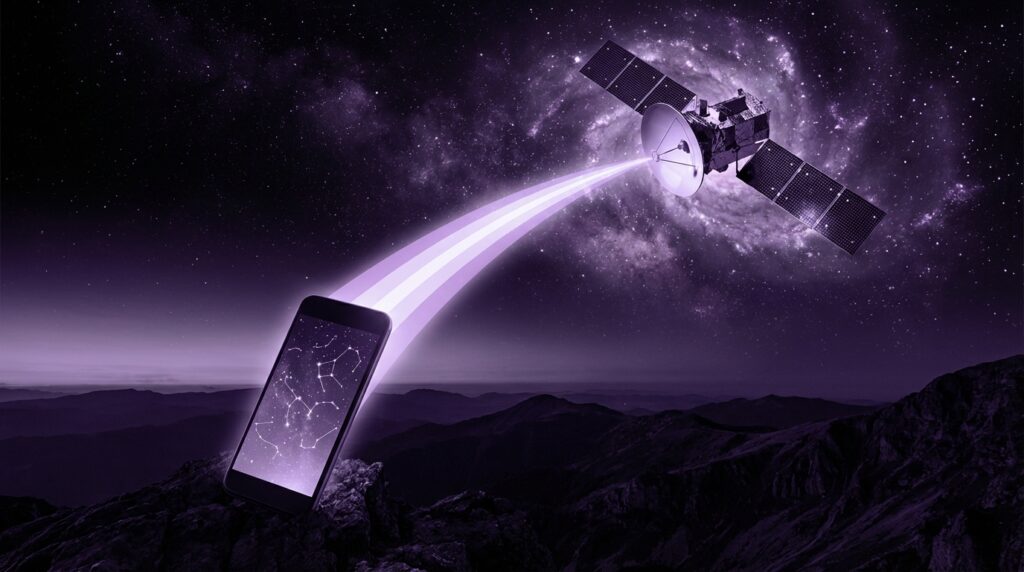
“That faint hiss in your wired earbuds right before a call connected over 2G… and the way the signal bars felt like your lifeline.”
You remember watching those bars climb and drop like your mood depended on them. Back then, losing coverage meant walking to the window and raising your phone like a tiny, plastic offering to the signal gods. Fast forward to now, and we are talking about your phone pinging satellites hundreds of kilometers above the planet, even when there is no cell tower for miles. Same obsession with signal, totally different sky.
Satellite connectivity on smartphones sounds like sci-fi if you grew up with polyphonic ringtones and monochrome screens. Yet here we are, with iPhones texting through satellites and Android brands racing to match them. The core feeling is still the same: “Will this message get through?” The tech stack behind that hope just moved from rusty rooftop antennas to orbiting constellations.
You can almost feel the weight difference. The old Nokia in your pocket was a stubby brick, dense plastic with a chunky battery that creaked a little when you pressed the back cover. The current flagship in your hand is a slab of glass and aluminum, wafer thin, trying to talk not only to 5G towers but to satellites crossing the sky at thousands of meters per second. Maybe it is nostalgia talking, but there is something wild about seeing “SOS via satellite” on a device that once just needed “GPRS” to feel advanced.
From Dead Zones To The Sky: How We Got Here
Before we talk about where satellite connectivity for phones is going, it helps to remember how crude mobile networks used to feel. If you had a candybar phone in the early 2000s, coverage was a patchwork. Basements were black holes. Country roads were “No service” territory. International travel? That meant praying your tri-band phone would latch onto some random foreign operator.
“Retro Specs: Nokia 3310, 2000. 84 x 48 pixel monochrome screen. 900 mAh battery. GSM 900/1800. No Wi-Fi. No GPS. No satellite anything. But it had Snake II.”
The radio in that phone spoke to big cell towers. Those towers were spaced out based on population, not geography. So if you were hiking, driving through the desert, or stuck in a storm offshore, your phone was more camera and flashlight than communication device.
Now compare that to the first modern attempts to “fix” dead zones using satellites. We are talking Iridium and Globalstar in the late 90s and early 2000s: clunky satellite phones with antenna stubs you had to pull out like a car’s radio whip. They were heavy, expensive, and felt more like props from a spy movie than consumer gadgets.
“User Review from 2005: ‘My Iridium phone works in the middle of nowhere, but it’s like carrying a cordless phone from the 90s. Try fitting this thing in your jeans.'”
The idea was there: stop depending only on towers and bring the sky into the network. The problem was that you needed a separate device, separate plan, and a clear view of the sky. That did not fit into the regular smartphone story yet.
The turning point came when smartphones got so thin and power efficient that adding new radios and antennas became less painful. At the same time, companies like SpaceX, OneWeb, and others started launching swarms of satellites into low Earth orbit (LEO). The distance shrank, latency dropped, and the dream of a normal-looking phone talking to space got real.
Then vs Now: From Brick Phones To Satellite SOS
We will ground this with a direct comparison, because the difference between “then” and “now” is the heart of this story.
| Feature | Nokia 3310 (2000) | iPhone 17 (Hypothetical, mid-2020s) |
|---|---|---|
| Network | 2G GSM only | 5G, Wi-Fi 7, satellite text / SOS |
| Screen | 84 x 48 monochrome LCD | High refresh OLED, millions of colors |
| Weight | About 133 g | About 190 g with multiple radio systems |
| Battery | 900 mAh removable | 4,000+ mAh integrated, optimized for many radios |
| Emergency Connectivity | Voice/SMS only where GSM coverage exists | Emergency SOS messages routed through satellites |
| Antenna Design | Simple internal plus external stub in some variants | Complex multi-band array including tuned satellite paths |
You can almost picture sliding that Nokia into your pocket. The plastic shell had a slight texture, and the rubbery number keys gave a soft “thock” under your thumb. Compare that to the glass slab in your hand now: smoother, heavier, packed with antenna segments hidden in the frame so you do not have to deal with metal whips or screw-on accessories.
Yet, inside this sleek frame, the phone is starting to behave like a tiny ground station. It is switching between 5G, Wi-Fi, Bluetooth, GPS, ultra wideband, and now satellite.
So What Does Satellite Connectivity On A Phone Actually Mean?
Satellite connectivity for smartphones today is not about Netflix in the middle of the ocean from your normal phone. Not yet. Right now, it usually means:
1. Emergency Texts Outside Cell Coverage
Current mainstream satellite features on flagship phones focus on low-bandwidth messaging. Think short emergency texts, location sharing, maybe pinging a rescue center with your status.
You hold the phone, point it toward a part of the sky the interface shows, and the phone locks onto a passing satellite using a narrow radio beam. The link is weak compared to a cell tower, so speed is slow. You answer guided questions like “What is your emergency?” The phone compresses and encodes your responses, then sends them in bursts.
It feels different. You are not scrolling Twitter. You are watching a progress wheel as your message fights its way through the sky.
2. Basic Location And Status Sharing
Some phones are starting to support “I’m safe” check-ins. You press a button, the phone negotiates a satellite link, then sends your GPS coordinates and a quick status update to loved ones or emergency services.
This sits in an odd space between old-school SMS and modern location sharing. Instead of relying on networks of towers and fiber, your pin on the map hops off the planet first.
3. Potential For Two-way Messaging
Manufacturers and satellite operators are now testing two-way non-emergency messaging. Think very slow, basic text chat over satellite inside your normal messaging app. No images, no videos, no giant attachments. Just text, maybe some emojis, moving at a few kilobits per second.
It is more like messaging on a mid-90s pager than iMessage over fiber. Yet the novelty is that your everyday smartphone is doing it.
“User Review from the future (but feels like 2005): ‘Texting from a mountain ridge with no bars felt unreal. My phone told me where to point it, and 30 seconds later my message ticked through.'”
How Your Phone Talks To A Satellite
Strip away the marketing and you are left with some interesting RF engineering.
Radio Bands And Power
Satellites and phones have to agree on:
– Which frequency bands to use
– How much power to push
– How to handle interference and noise
Regular cell towers are much closer, so your phone can speak softly and still be heard. LEO satellites are hundreds of kilometers up. That is still closer than old geostationary satellites, but space is a long way for a smartphone antenna.
So engineers pick bands with good propagation through the atmosphere and design the phone’s antenna paths so they can send a focused signal upward without frying your battery in minutes.
Antenna Design In A Thin Slab
Remember those phones with retractable antennas? That is what you would expect for satellite, yet modern phones hide everything under glass and metal. This requires clever work:
– Using segments of the metal frame as antennas
– Tuning PCB traces and ground planes for multiple bands
– Creating special satellite-tuned pathways that work when you hold the device in certain orientations
That little instruction on screen telling you “Keep pointing at the satellite” is not just UX. The phone genuinely needs a reasonably clear line of sight, and your hand placement changes the radio pattern.
Protocols And Compression
Because bandwidth is tiny, software has to squeeze messages hard. That includes:
– Compressing text
– Bundling data into compact packets
– Retransmitting smartly when packets are lost in noise
You are not aware of all this. You just see a “Sending…” indicator. Underneath, the system is grinding through signal strength readings, satellite position updates, and error correction.
The Role Of LEO Constellations
Traditional satellite phones often talked to geostationary satellites about 36,000 km up. That distance gave you higher latency and made it harder to support small antennas in handsets.
LEO constellations sit much closer, often between 500 and 1,500 km above Earth. They orbit fast, so your phone is not clinging to a single satellite; it is catching opportunities as they pass overhead.
From a user perspective, this brings:
– Lower latency compared to geostationary links
– Better chance that a small phone antenna can connect
– A need for smart, automated handoffs between satellites
That last part is where network operators and phone makers have to coordinate. Your device needs updated orbital data and beam maps to know what to reach for, and the network needs to recognize billions of potential handhelds without melting down.
Who Is Building What: Apple, Android Brands, And Satellite Operators
Different players are taking different paths.
Apple’s Emergency SOS Via Satellite
Apple was early in turning satellite connectivity into a consumer-facing feature on mainstream phones. They wrapped a complex background system with:
– A guided interface to help users craft short emergency messages
– Predefined questions to reduce text length
– Integration with local emergency call centers or relay hubs
From the outside, it looks like a simple wizard. Underneath, there is a routing layer, satellite link management, and sometimes a human relay center converting your text into a voice call to local responders.
The interesting part is not just the tech. It is the willingness to tuck an entirely new radio path into a phone and pay for satellite capacity on behalf of users for specific use cases.
Android Manufacturers And Direct-to-Device Experiments
Some Android brands are working with satellite companies promising “direct-to-cell” services. These aim to let regular phones connect using modified LTE or 5G waveforms without huge changes to the phone.
The idea:
– Satellites act like very tall cell towers
– Phones reuse existing hardware with some tweaks
– Firmware and software updates let devices talk to orbital base stations
In practice, this is hard. The power, timing, and Doppler effects from fast-moving satellites make old LTE assumptions wobble. Yet the appeal is strong: if it works at scale, billions of existing devices could gain at least basic satellite access with smaller hardware changes.
Satellite Operators Shifting Toward Phones
Earlier satellite operators focused on pricey terminals: ship antennas, truck-mounted dishes, specialized satphones. Now, with smartphone makers knocking, they are:
– Designing beams that can reach low-power handsets
– Working on new modulation schemes that squeeze more bits into limited spectrum
– Negotiating with mobile carriers to share or extend coverage
The endgame looks like a hybrid: your SIM might talk to both towers and satellites through the same subscription, switching where needed.
What You Can And Cannot Do Over Satellite Today
To keep expectations real, it helps to draw a line between science fiction and current reality.
Practical Today
– Emergency SOS text from remote areas
– Short “I’m OK” check-ins
– Limited two-way text in some pilot programs
– Low bandwidth IoT-style telemetry in special devices
These use cases rely on compressing and prioritizing signals. You are not streaming. You are whispering.
Unlikely On A Phone Right Now
– Full-resolution video calls over satellite on a standard handset
– High-speed gaming over satellite with tower-like latency
– Mass-market satellite data plans that work like unlimited 5G for the same price
Could this change later? Maybe. That will depend on spectrum, satellite density, ground infrastructure, and power management on phones. For now, your phone treats satellite like a backup safety net, not a everyday highway.
Why Satellite Connectivity Matters For The Next Wave Of Phones
This is where the geek in me gets really interested. Satellite connectivity shifts the story of what a smartphone is.
Phones As Always-On Safety Devices
In the early 2000s, parents worried when kids had no signal. Those dead zones were accepted as part of life. With satellite in the mix, vendors can pitch phones as “harder to disconnect.” If your teenager is hiking, or your parents are driving through rural areas, that little satellite icon gives a different kind of comfort.
You can see how this might shape buying decisions. Instead of “Does this phone have the best camera?” the question becomes “Will this phone still send help if there are no towers for 100 km?”
New Apps Built Around Sparse, Global Connectivity
Developers love new pipes. Even if bandwidth is small, persistent global coverage opens up niches:
– Adventure apps that log your route and send sparse check-ins through satellite
– Logistics tools that keep basic contact with drivers beyond tower reach
– Low-bandwidth messaging apps tuned to satellite constraints, maybe with delayed delivery baked into the UX
These are not flashy features, but they change how “offline” gets defined in app design.
Pressure On Carriers To Rethink Roaming
If your phone can talk to a satellite partner from anywhere, classic roaming might feel less central. Carriers may:
– Bundle satellite SOS in premium plans
– Offer pay-per-use satellite messages in travel packs
– Partner with satellite networks to cover remote national areas where building towers is expensive
The economic model is still fuzzy. Bandwidth from orbit is not cheap at scale. Yet the direction is clear: coverage maps will start to include sky segments, not just tower icons.
Technical Tradeoffs Inside The Phone
Every new radio has a cost. Your phone is a balancing act between battery life, heat, size, and features.
Battery Drain And Duty Cycle
Satellite connections are hungry. To keep them from wrecking your battery:
– Phones keep satellite radios off most of the time
– Satellite use is limited to emergency or explicit user requests
– Background satellite sync is avoided
Maybe later we will see more passive satellite listening or periodic low-power pings. Right now, the mode is “only when needed.”
Thermal Management
Cranking a phone’s transmitter harder so a satellite can hear it generates heat. In thin metal frames, that shows up as a warm patch under your fingers.
Manufacturers handle this with:
– Short bursts rather than long, continuous uplinks
– Smart link adaptation: if signal is poor, the phone might ask you to adjust position rather than simply frying itself trying harder
– Integrating satellite bursts into existing thermal budgets with camera, CPU, and 5G
If you have ever felt a phone heat up while tethering on 4G, imagine that, then add a radio trying to talk beyond the horizon.
Design Constraints: Antennas Fighting For Space
Inside the phone, antenna engineers are juggling:
– 5G sub-6 bands
– mmWave segments in some markets
– Wi-Fi, Bluetooth, GPS, NFC
– Satellite bands
Each needs its own tuned structure. They interact. Your hand is a variable. Metal camera rings, MagSafe-style magnets, and cases all tweak performance.
This is why you do not see random phone brands quietly slip satellite support in as a last-minute checkbox. It affects the entire RF layout.
Regulation, Spectrum, And Ground Infrastructure
Phones do not just talk to satellites in a vacuum. There is an entire policy and ground layer.
Licensing And Interference
Satellite operators need:
– Rights to use certain bands in different regions
– Coordination with terrestrial carriers to avoid interference
– Approval for direct-to-device services that blur lines between space and tower-based networks
This slows down rollouts. You might see a phone with satellite hardware ready, but features restricted or region-locked because of regulatory status.
Ground Stations And Routing
Data from your phone does not leave the satellite and fall straight into your friend’s phone. It often:
– Hops from phone to satellite
– Travels from satellite to a ground station
– Enters terrestrial networks
– Reaches emergency services or messaging servers
Latency depends on how many satellite hops and ground routes are in the path. If inter-satellite laser links are used, packets might travel across the sky before dropping down to ground stations far from you physically but close to your destination network-wise.
Then vs Now: Coverage And Experience
We can frame this shift with another simple comparison.
| Aspect | Early 2000s Phone | Mid-2020s Smartphone With Satellite |
|---|---|---|
| Dead Zones | Accepted; total loss of contact | Possibility of emergency contact via satellite |
| Roaming Mindset | “I will have no signal outside cities” | “I might still send a message from remote areas” |
| Emergency Flow | Find coverage, call 911/112 | Use guided SOS via satellite when no coverage |
| Hardware Look | Stubby, plastic, visible antennas on some models | Sleek slabs with hidden multi-band antennas |
| User Awareness | Bars for GSM only | Bars plus satellite indicators and prompts |
“Retro Specs: Motorola RAZR V3, 2004. Quad-band GSM, VGA camera, 13.9 mm thin. That metallic flip snap felt futuristic, but it still cried ‘No service’ in the countryside.”
Back when that RAZR snapped shut in your palm, the coolest radio trick it pulled was hopping between GSM 900 and 1900 bands. Today, your phone might be mapping satellites it cannot even see yet, getting ready to nudge you to rotate a few degrees so it can whisper for help.
Where Satellite Connectivity Could Head Next
Now we get speculative, but still grounded in current experiments and physics.
Better Speeds For Text And Light Media
We might see:
– Faster text exchanges, making satellite chat feel less like email and more like messaging
– Support for tiny images or compressed thumbnails
– Automatic fallback from rich chat to “satellite-safe” versions when towers vanish
This will depend on:
– Satellite density overhead
– Spectrum allocations
– How much power phones can safely spare for longer bursts
Hybrid Apps That Abstract Away The Network Type
Apps might start to say “online is online,” and hide whether they used 5G or satellite. Behind the scenes they would:
– Compress more when on satellite
– Delay non-essential syncs
– Prioritize core messages, coordinates, and critical data
You might only notice a little indicator: “Sent via satellite” showing up next to certain messages.
Wearables And Satellite
Once phones prove the path, you can imagine:
– Hiking watches with basic satellite ping
– Emergency beacons baked into smartwatches
– Tiny wearables for lone workers that piggyback on the same constellations
They would not be full chat devices, but they might send small bursts of data to say “alive,” “location changed,” or “emergency.”
The Emotional Side: Signal Anxiety In A New Era
There is a human angle here that feels familiar if you grew up counting bars on a tiny green display.
Early phones taught us to equate bars with safety and connection. No bars meant isolation. Over time, coverage got better and phones became less about “Can I call?” and more about “Can I scroll?”
Satellite brings that primal question back, but with a twist. You could be off-grid, no towers, yet still have this complex machine trying to scrape out a path to help above your head. The UI shows you a little satellite icon instead of bars. It feels both comforting and slightly eerie.
Maybe it is just nostalgia talking, but that takes us back to an older, rawer definition of what a phone is for. Less about viral clips, more about “Will this message reach another human if I really need it to?”
The gear changed, the networks moved to space, the screens sharpened from 84 x 48 pixels to millions. Yet somewhere between that Nokia 3310’s squeaky plastic cover and your current phone’s glassy weight, the core dream stayed the same: no matter where you are, you tap a few keys, and your signal finds a way.
