

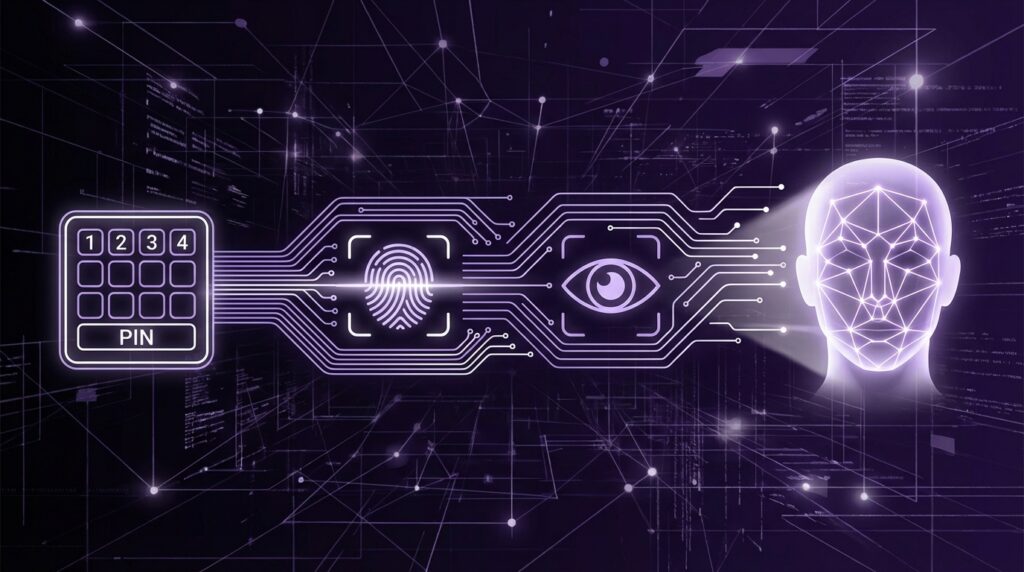
“The soft beep of the ATM, the plasticky feel of the card, and that four-digit PIN you swore you would never forget… until you did.”
You remember that little flash of panic, right? Standing at the ATM, the green LCD screen staring back at you, cursor blinking, your fingers hovering over those chunky rubber keys. Four digits. Your secret code. Your proof that you were you. Back then, identity fit inside a number. Today, your phone stares at your face for half a second and just decides, “Yeah, that’s you, come on in.”
The jump from punching PINs on a keypad to Face ID on a glass slab in your pocket did not happen overnight. It is a long story of cheap sensors, grainy cameras, fingerprint smudges on home buttons, and security researchers trying very hard to break everything. It is also a story about how our bodies turned into login credentials: fingers, faces, voices, even the way we hold the phone. Maybe it feels natural now, but this whole idea once felt like science fiction, the kind of thing you saw in movies where a steel door opened after a glowing red scanner read someone’s eye.
Back when ATMs ruled the cash world and Nokia bricks ruled the bus ride, the most advanced “biometric” most of us touched was probably the ink on our actual paper fingerprint taken for a government ID. Phones did not care who you were; they just wanted a charged battery and maybe a SIM PIN. The idea that your personal device would scan your face every time you wanted to pay for pizza would have sounded strange, maybe a bit creepy, maybe kind of cool.
And yet, the path from numeric codes to Face ID feels almost obvious in hindsight. As our gadgets shrank and screens took over, typing passwords on tiny glass keyboards became annoying. People reused the same weak codes everywhere. The more services moved into our pockets, the more tempting those pockets looked to thieves and hackers. The solution was hiding in plain sight: we already carry the most unique identifiers with us every second of the day. Our bodies.
“Retro Specs: 1999 security review – ‘Fingerprint readers are neat, but who is going to put that on a home PC? Passwords work fine.'”
Still, this shift did not start with iPhones or Android phones. Long before Face ID, banks, governments, and airports were experimenting with biometric systems that ran on beige towers under chunky CRT monitors. The hardware was heavy, the interfaces clunky, and the algorithms far from what we have now. But the core idea was already there: use something you are, not only something you know.
The Age Of Numbers: PINs, Passwords, And Plastic Keys
Before biometric authentication showed up in phones, the digital world ran on three main things: something you know (PINs, passwords), something you have (cards, tokens), and for a while, that was enough.
Those first ATM PIN pads felt solid. The keys had a noticeable travel, a soft but clear click, often backed by a high-pitched beep that you can probably still hear in your head. The display was low-resolution, green or amber, text blocky and slightly fuzzy around the edges. Security was simple: remember four digits, do not tell anyone, shield the pad with your hand.
Home computers joined the game with login passwords. Think about the old Windows XP login screen: that blue background, the user icons, the little password box with its row of dots. No fingerprint icon, no “use your face instead.” Just keys and memory. Maybe a sticky note on the side of the monitor, if we are being honest.
Phones copied the same pattern. Early mobile phones, especially those Nokia and Sony Ericsson models, let you set a SIM PIN or phone lock code. Numeric only, usually four to eight digits. You would punch them in on that T9 keypad, each press a little plastic click under your thumb.
“User Review from 2005: ‘I put a security code on my phone but it is annoying, I turned it off. If I lose it, I will just call the carrier.'”
Security often lost to convenience. A code that is too long is a code people do not use. A password that is too complex is a password that ends up written on paper or reused everywhere. That gap between what is safe and what is easy is exactly where biometrics started to sneak in.
Early Biometrics: Science Projects And Security Labs
Biometrics Before They Were Cool
Biometric tech did not begin on phones. It lived in controlled environments: border checkpoints, research labs, high-security buildings with those red glowing fingerprint readers mounted next to heavy doors.
Early fingerprint scanners were chunky, cold to the touch, often with a glass surface that felt like the top of an old flatbed scanner. You would press your finger and watch the operator frown at a grainy grayscale image on their monitor. Edges of the print looked washed out. Smudges created artifacts. Algorithms tried to match the arches, loops, and whorls to an existing file, often taking a few seconds to think.
Iris scanners looked even more futuristic. A big camera, sometimes mounted on a metal arm, pointed almost directly in your face. A ring of infrared LEDs around the lens cast a faint warmth. You leaned in, stared at the glowing ring, and waited for the software to highlight your iris pattern. It felt more like a medical device than a simple lock.
This tech worked, but it was slow, expensive, and mostly locked inside government or enterprise projects. No one was putting that into a phone that slipped into a jeans pocket.
Laptops Try First: The Fingerprint Experiment
The first mainstream brush with biometrics for many users did not come from phones, but from laptops. Business-grade laptops in the mid-2000s started to ship with narrow fingerprint sensors on the palm rest, a slim rectangular strip with a tiny metallic shine.
You dragged your finger across that surface in a steady motion. Too fast, and it failed. Too slow, and it failed. Slightly off-center? Failed again. The texture was smooth but with a hint of friction, almost like a credit card magnetic strip. The driver software looked dated even back then, full of gray dialog boxes and progress bars.
Still, when it worked, it felt magical. No password, just a swipe. Some users loved it. Others disabled it within a week and went back to typing.
“Retro Specs: 2006 laptop brochure – ‘Biometric fingerprint security for peace of mind. Just swipe to log in.'”
These early experiments taught an important lesson: if biometric auth is more annoying than typing a password, people will ignore it. Hardware had to shrink, software had to speed up, and accuracy had to improve a lot before phones could even consider this route.
Smartphones Enter The Game: From Slide To Unlock To Touch ID
Lock Screens Before Biometrics
Before fingerprints hit phones, lock screens were simple. Remember sliding to unlock on the early iPhones? That little ridged slider graphic at the bottom of the screen, the satisfying swipe from left to right. No numeric code, unless you went into settings and turned on a passcode manually.
Android tried pattern locks. A 3×3 grid of circles on a slightly grainy touchscreen. Your finger traced a custom path: up, right, down, diagonal. Over time, the glass collected subtle streaks that, under the right light, practically drew your pattern for anyone looking closely. Security researchers loved pointing that out.
PINs and passwords were still there, layered under these gestures, but they were optional. Many people just slid or tapped. Convenience won again.
Touch ID: Fingerprint Scanners Grow Up
Then came capacitive fingerprint sensors that actually felt ready for daily life. Clean circular metal rings integrated into a home button, flush with the glass around them, no visible moving parts. Touch ID on the iPhone made fingerprint unlocking feel natural.
Instead of swiping over a skinny strip, you simply rested your finger. The sensor read tiny differences in electrical charge patterns created by the ridges and valleys of your fingerprint. It did not capture a photo of your finger. It created a mathematical model stored in a secure enclave chip on the device.
The important shift was this: biometric data stayed on the device, not in the cloud. That design slightly eased one of the biggest fears: no global database of fingerprints being shipped across networks every time you unlocked your phone.
Most important for users, it was fast. Place thumb, click, you are in. The satisfying click of the home button combined with the silent, invisible work of the sensor. You remember the habit: press once to wake, let the finger rest a bit longer, watch the icons snap into place.
Android makers quickly followed with their own fingerprint readers. Some placed them below the screen, some on the back, some on the side power button. Plastic, ceramic, metal, square, circular. Under the finger, the sensor felt like any other small surface, but you could sometimes feel a slight temperature difference or texture change.
Fingerprint biometrics had finally reached a point where they did not feel like a lab demo. They felt like a feature you used hundreds of times a day without thinking.
From Touch To Face: Cameras Become Keys
The First Face Unlock Attempts
Before Face ID made headlines, Android experimented with face unlock using the regular selfie camera. You held the phone in front of your face, let the front camera capture your features, and the software tried to match that against a stored image.
It was clever for its time, but it had flaws. Lighting changed everything. In a dim room, the camera sensor struggled. Sunlight washed out detail. Some early versions could be tricked with a printed photo. The experience felt fragile. Many people tried it for fun, then went back to PINs or fingerprint sensors.
The problem was not the idea of face recognition. It was the limitations of standard 2D cameras and basic algorithms. Your face is three-dimensional. Lighting creates shadows and highlights. Glasses, facial hair, and hats change the picture. A 2D photo cannot fully capture that complexity.
Face ID And Depth Maps
Face ID changed that equation by turning the front of the phone into a grid projector and depth scanner. Hidden above the screen, next to the selfie camera, sits a collection of small components: an infrared camera, a dot projector, a flood illuminator. You cannot see the dots, but they are there.
When you raise the phone, the flood illuminator throws infrared light across your face. The dot projector beams thousands of tiny infrared dots, creating a pattern that bends around your facial features. The infrared camera records how that pattern warps, building a depth map. That depth map, combined with a 2D image, creates a detailed mathematical representation of your face.
All of this happens in a fraction of a second. You just see a padlock icon pop open and the app icons move. Maybe it is nostalgia talking, but the first time you saw that happen, it felt like watching the future.
Again, your face data is stored on the device inside a secure enclave, not on some random server. The system adapts over time. Grow a beard, change your hairstyle, wear glasses, and it slowly updates the template.
Android Face Systems Catch Up
Android phones took a more varied route. Some relied on simple camera-based face unlock. Others added infrared sensors or time-of-flight cameras. High-end models started to pair front cameras with depth sensing, though not always in the same way or with the same security guarantees.
Some Android phones blended face unlock with fingerprint sensors, giving users choice. You pick what feels right: tap the back sensor blindly with your index finger while pulling the phone from your pocket, or raise it and let front sensors scan your face.
This diversity meant experiences varied widely. Some phones could be fooled with a photo. Others were closer to Face ID in capability. For users, the line between “convenience unlock” and “secure unlock” was not always clear.
Then Vs Now: Biometrics In Your Pocket
To see how far we have come, it helps to compare an old-school classic with a hypothetical modern flagship running advanced biometric tech.
| Feature | Nokia 3310 (Early 2000s) | iPhone 17 (Modern Flagship) |
|---|---|---|
| Primary Lock Method | Optional 4-digit PIN | Face ID with depth sensing |
| Biometric Options | None | Face, fingerprint (under-display), behavior-based hints |
| Screen | 1.5 inch monochrome, 84×48 pixels | 6+ inch OLED, high refresh, dense resolution |
| Input | Physical T9 keypad, firm plastic keys | Capacitive multitouch glass, haptics |
| Security Chip | Basic SIM authentication | Dedicated secure enclave for biometric templates |
| Use Cases | Calls, SMS, Snake game | Banking, digital ID, health data, smart home control |
| Unlock Speed | Manual PIN entry every time | Automatic within ~0.5 seconds on wake |
| Offline Security | Limited, few local secrets stored | Large amount of encrypted personal data on device |
Holding a Nokia 3310 today feels like carrying a plastic pebble. Light but solid, thick enough to fill your hand. The tiny monochrome screen glows a pale green. No front camera. No fingerprint reader. Just number keys, a D-pad, and two soft keys. Security is an afterthought, partly because there is not much sensitive info on it.
Now pick up a modern flagship with Face ID. The device is a slab of glass and metal, heavier, cooler to the touch. The front is almost all screen, pixels packed so tightly you cannot pick them out. A tiny notch or pill cutout hides sensors that watch you. Your face is the gatekeeper to banking apps, email, health data, smart home controls, everything.
That shift in what the device holds explains why biometric security grew so quickly. Once your phone became your wallet, ID, and house key, a simple four-digit code started to feel thin.
Beyond Fingers And Faces: The Wider Biometric Toolbox
Fingerprints and faces get most of the attention, but they are not the whole story. Over the years, many other biometric approaches have surfaced, some still experimental, some already baked into products around you.
Voice Recognition
Voice is one of the oldest biometric ideas. Banks experimented with voice prints, asking customers over the phone to “say your name” or repeat a phrase. Microphones capture frequency patterns, pitch, rhythm, and subtle vocal tract quirks.
In the smart speaker world, devices like Alexa or Google Home try to recognize different household members. The speaker’s plastic body hides multiple microphones that listen across the room, even over TV noise. LEDs flicker when they think they heard a trigger word. Models run on top of that audio stream to match who is speaking.
Voice biometrics face challenges: background noise, recording spoofing, sickness that changes your tone. They often serve as one piece of a bigger puzzle, not the single lock.
Iris And Eye-Based Systems
Iris scanners on phones had a brief spotlight when a few manufacturers put small infrared cameras along the top bezel. You raised the device, looked at it, and a ring warmed your eyes with gentle IR light.
The iris pattern is incredibly rich in detail and stable over time. Algorithms analyze the radial textures around your pupil. The hardware had to be precise, and the experience could feel a bit strange to some users, staring that directly into a sensor.
These systems competed with fingerprint readers and face systems at the same time. They never fully dominated the mobile space, but they still live in border checks and high-security contexts.
Behavior Biometrics: How You Move, Type, And Swipe
Modern phones carry a pocket full of sensors: accelerometers, gyroscopes, magnetometers, sometimes barometers. They measure motion and orientation constantly.
Behavioral biometrics tap into that stream. How you hold the phone, how fast you type, the rhythm of your taps, the slight tilt of your wrist when you scroll. Over time, a pattern emerges. It is not used as a visible “unlock” method most of the time. Instead, it acts in the background, raising or lowering trust scores.
Typing a password from a new location, with a different motion profile, might trigger a step-up check. Entering the same password in your usual style, from your usual device, might slide through silently.
This quiet layer fits into the move from single-factor checks to blended ones: something you know, something you are, something about how you act.
Security Behind The Scenes: Matching, Spoofing, And Trust
How Matching Works
Biometric systems do not store raw images of your face or fingerprints. They store templates. A template is like a compressed summary. For fingerprints, that might be the locations of ridge endings and bifurcations, plus relative angles. For face recognition, it could be distances between key facial landmarks, depth relationships, and feature vectors produced by neural networks.
When you enroll, the system captures several samples, cleans them up, and builds this template. When you authenticate, it captures a new sample, builds another feature set, and compares the two. Instead of asking “is this identical,” it asks “is this similar enough above a score threshold.”
That threshold is where trade-offs live. Raise it, and the system rejects more legitimate users (false negatives). Lower it, and it risks letting impostors in (false positives). Phone makers tune this threshold carefully, often aiming for a balance where everyday unlocks feel smooth but attacks with photos, masks, or fake fingerprints are extremely unlikely to succeed.
Spoofing Attempts
Every time a major biometric launched, researchers tried to break it.
Fingerprints have been faked with lifted prints from glass surfaces, then turned into molds using materials like wood glue, latex, or silicone. Modern sensors look for signs of “liveness”: slight changes in capacitance, micro-sweat, even pulse signals.
Face systems, especially 2D ones, have been attacked with high-resolution photos, videos, or masks. Depth-based systems counter by checking for 3D structure, micro-movements, and infrared patterns that are hard to match with flat images.
Iris scanners have faced tests with printed eye images and contact lenses. Voice systems have been targeted with replay attacks, feeding recorded audio into the microphone.
These cat-and-mouse games push hardware and algorithms forward. Each new generation adds checks: texture analysis of skin, blink detection, gaze tracking, or random prompts that require user action.
Local Storage And Secure Enclaves
One of the quiet heroes of modern biometrics is the secure enclave or trusted execution environment baked into the chip. When your phone enrolls a fingerprint or face, the template is stored within this area, isolated from the main operating system.
The OS cannot just read out your biometric template like a normal file. Instead, it sends requests: “Here is a new scan; does it match the stored template above your threshold?” The enclave replies with a yes or no. This separation limits what malware can do, even if it gains some control of the regular OS.
That design choice responds to one of the biggest concerns users have: “What if someone steals my biometrics?” You can change a password. Changing your face or fingerprints is a bit more complicated.
Biometrics In The Wild: Payments, Borders, And Smart Homes
Paying With Your Face Or Finger
One of the clearest signs that biometrics moved from gimmick to core feature is payment. When you double-click a button on the side of your phone and stare at the screen to approve a transaction, you connect your face directly to money movement.
Your finger on a home button or under-screen sensor can sign off on a credit card transaction, an in-app purchase, or a transfer. The plastic card with embossed numbers starts to feel like a backup rather than the main player.
Those little contactless terminals with tiny screens and simple beeps are just part of the pipeline. The real authentication step already happened on your phone, through that local biometric check.
Airports And Border Control
Airports now mix old and new. Physical passports still exist, with their stiff covers and laminated photo pages. At the same time, automated passport gates scan your face, compare it to the photo chip in your passport, and open glass gates without a human officer saying a word.
Some countries experiment with full digital identities on phones, mixing biometrics at registration with phones as carriers of those credentials. The phone becomes both the ID and the verifier, tying back again to your body as the root of trust.
Smart Homes And Personal Devices
In living rooms, voice assistants respond to voices but might adapt behavior per recognized user. In cars, seat positions and driving profiles link to faces or fingerprints on the start button. On laptops and tablets, fingerprint readers on power keys or IR face cameras on top of the screen remove password prompts almost entirely for daily logins.
You touch a sensor, the hinge creaks slightly as the laptop opens, the screen wakes, and you are already at your desktop. The biometric step happens between that hinge movement and the pixels settling.
Privacy, Consent, And The Human Side
Biometrics feel personal because they are. Fingerprints, faces, voices, irises, behavioral quirks, these are not random tags. They are tied to your physical presence. That closeness brings convenience, but also serious questions.
Who controls biometric records? On a phone, templates live in secure enclaves and rarely leave. In other contexts, like large databases for border control or corporate access, templates might sit on servers. Breaches shift from “someone got my password” to “someone got a representation of my body.”
Consent matters more here. A password can be shared intentionally. A face can be captured at a distance. Some systems might enroll people without their clear awareness if rules are weak.
Biometrics also change the social dynamic. You can refuse to share a password. You can claim to forget. Your face, though, is visible in every interaction. Legal systems across countries still wrestle with questions around whether someone can be forced to unlock devices with biometric traits.
None of that means biometrics should vanish. It just means that the tech that started as a neat way to skip typing has grown into something bigger, something that touches law, ethics, and daily behavior.
From PINs To Face ID: A Moving Target
Think back to the early ATM days. Four digits, chunky keys, and that tiny moment of tension, wondering if you typed it right. Then jump to now: you raise a slab of glass, it reads the tiny topography of your face in infrared, and silently opens access to an entire digital life.
The plastic feel of old Nokia keys, the grain of early fingerprint strips on business laptops, the slight hum from an iris scanner at an airport gate, and the quiet click of a power button with a sensor under it, all of these are timestamps on the path from simple codes to complex biometrics.
Maybe it is just nostalgia talking, but each of those steps carried a specific sound and texture. Security moved from something you typed, to something you touched, to something you are, and it did it one small hardware tweak and one software update at a time.
“User Review from 2023: ‘I barely remember my banking password now. My face does the remembering for me.'”
