

“The hollow clack of a plastic battery cover snapping off a Nokia 3310 still lives somewhere in your fingers.”
You remember that movement, right? Thumb on the tiny groove, slide, pop, and suddenly the whole phone was in pieces on your desk. Battery, SIM, maybe a scratched 16 MB memory card that felt like a treasure chest for grainy photos and three pirated ringtones. Back then, “upgrading” meant moving that SIM to a new device and tossing the old one into a drawer, a box, or a shoebox under the bed.
Fast forward to the phone in your pocket now. Glass, aluminum, cameras that rival actual cameras, face unlock, all sealed in like a tiny spaceship. No removable battery, no sliding cover. When you upgrade today, the phone you retire is not just plastic and a bit of metal. It is lithium, rare earth elements, trace gold, cobalt, solder, glue, and data. So when we talk about tech recycling and how to dispose of old phones, we are not just talking about getting rid of junk. We are talking about what happens to yesterday’s “premium device” once it stops living in your pocket and starts living in a box, a landfill, or a shredder.
The weird part is that the emotional script did not change much. We still hang on to old devices because “it might be useful someday.” That cracked Android from 2015? Could be a backup. That iPhone 8? Maybe a media player. Maybe a camera for the kids. Maybe you will fix it. Or maybe it will just sit in that drawer next to the AA batteries, the old router, and a tangle of 30-pin cables that fit nothing you own.
While those phones sit, the materials inside age, batteries swell, and software security goes stale. In the early 2000s, nobody around you was talking about e-waste. Now, every retired smartphone is part of a global pile of discarded tech that has real weight, real chemistry, and real consequences. The good news is that your choices for what to do with an old phone are much better than they were in the era of polyphonic ringtones and 128×128 pixel screens.
So let’s treat your old phones like the tiny mineral mines and data vaults they are, not like glorified paperweights.
Retro Specs: “Nokia 3310, circa 2001: 133 g, 84 x 48 pixel monochrome screen, swappable front covers, battery you could pull with two fingers. If you got bored, you changed the shell instead of the phone.”
From Junk Drawer Relics to E-Waste: How Old Phones Piled Up
There is a reason so many of us still have a drawer full of old phones. The upgrade cycle accelerated faster than our habits did.
When phones were simple, there was not much inside worth recovering. Plastics, basic metals, a small monochrome display. Recyclers existed, but the infrastructure around phones was basic. You traded in your device at a shop, or you handed it down to a cousin, or it simply vanished under a stack of instruction manuals.
By the time the first iPhone and early Android devices took over, phones had become dense slabs of components. Under that glass: lithium-ion batteries, copper, gold-plated connectors, rare earth elements for speakers and haptics, indium tin oxide in the display, and PCB assemblies glued together. The bill of materials got more complex, and so did the recycling story.
Yet the user behavior stuck. Upgrade every two or three years. Box the old one. Forget about it.
User Review from 2005: “Just upgraded from my Nokia 6610 to a Sony Ericsson K750i. The camera is insane, 2 megapixels! Keeping the old Nokia as backup, it might come in handy if this one dies.”
Now we know those “backups” often never see light again. Individually, one phone sitting in a drawer feels harmless. Multiply that by hundreds of millions of people, and you get a huge stockpile of idle devices full of recoverable material and rechargeable batteries that will not age gracefully.
So when we talk about tech recycling, phones sit near the top of the list. They are compact, valuable to recycle, very data-heavy, and full of components that you do not want in a landfill. The path from your pocket to a responsible end-of-life process has some steps, and each step actually matters.
The Hidden Stuff Inside Your Old Phone
You feel the screen, the aluminum frame, the camera bump. What you do not usually feel is the chemistry. Inside an old smartphone, you are looking at:
– A lithium-ion battery with flammable electrolyte.
– Metals like copper, nickel, cobalt, sometimes small amounts of gold and silver.
– Rare earth elements in speakers and vibration motors.
– Solder and small components that may contain trace hazardous materials.
– Plastics, adhesives, and glass.
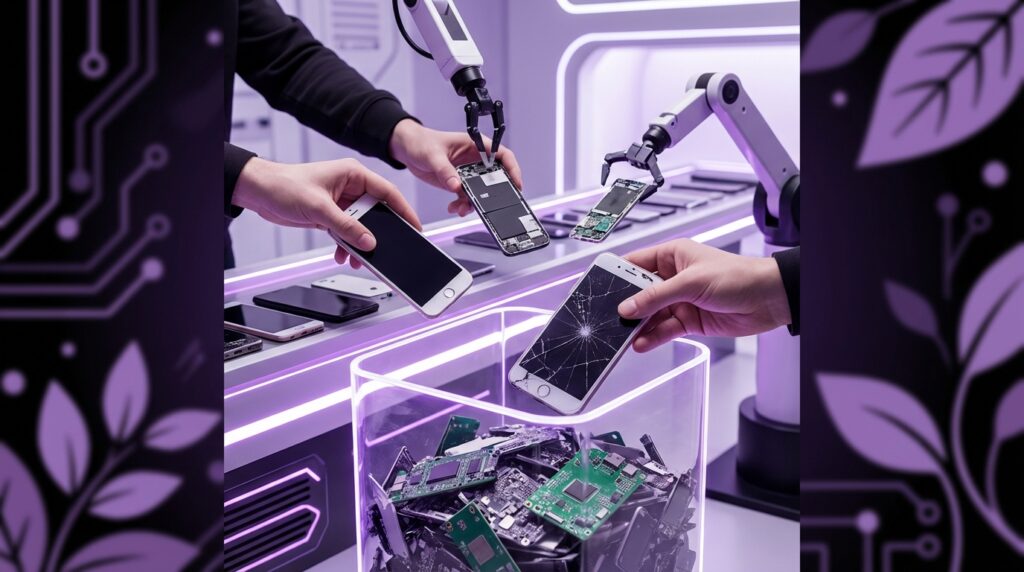
From a recycler’s point of view, an old phone is a tiny ore sample. From an environmental point of view, it is a mixed bag: useful material if processed correctly, toxic risk if it ends up burned improperly or dumped.
And from your point of view, it is still a little computer full of your life.
Step One: Data Before Disposal
Before the phone ever leaves your house, the most important part is not the plastic or the metal. It is your data.
Back Up What Still Matters
Think through what lives on that device:
– Photos and videos that never synced to the cloud.
– Authenticator apps for 2FA.
– Old messaging threads and contact info.
– Local notes or voice recordings.
– Downloads folder with PDFs, bills, or ID scans.
Connect the phone to Wi-Fi and power, and:
– For iOS: run a final iCloud backup or an encrypted backup to a computer through Finder or iTunes.
– For Android: run a cloud backup through your Google account, and double-check your photos are synced to Google Photos or another service.
If the screen is broken but the phone still powers on, a simple USB-C to HDMI adapter or a USB hub and mouse can sometimes give you enough control to move your data out. That extra 20 minutes now can save you hours of digging later.
Sign Out and Unlink Accounts
Modern phones sit inside a web of services: Apple ID, Google account, Samsung account, maybe others.
– Sign out of your main cloud account.
– Turn off “Find My iPhone” or “Find My Device” style services.
– Remove the device from any multi-device apps where it is registered.
This step matters if the phone will be reused or resold. If you skip it, someone who tries to boot it up later can hit an activation lock screen.
Factory Reset the Right Way
A factory reset wipes data and settings, but the method matters:
– For iOS: Settings → General → Transfer or Reset → Erase All Content and Settings. That triggers secure erase and unlinks the device from iCloud.
– For Android: Settings → System → Reset options → Erase all data. On some vendor skins, the wording changes, but the idea is to wipe internal storage.
On very old phones with removable storage, take the microSD card out before you reset. Wipe or physically destroy that card if you are not going to reuse it.
If you are extra cautious, you can load the phone back to a simple setup screen and confirm that your accounts are gone.
The Big Question: Reuse, Resell, or Recycle
Once your data is safe and the phone is wiped, you have three main paths:
1. Keep it in circulation as a working device.
2. Break it down for parts or repair.
3. Send it into a proper recycling stream.
Each path has tradeoffs.
Reuse: When Your Old Phone Still Has Life
If the phone powers on, holds a charge, and still runs current security updates, reuse is often the best first step. Every extra year of service delays demand for a brand new device and makes the most of the energy and materials already embedded in your phone.
You can:
– Hand it down to a family member who does not need the latest silicon.
– Turn it into a dedicated device: baby monitor, music player, smart remote, or security camera.
– Donate through a trusted program that refreshes phones and gives them to people who need connectivity for school, job applications, or basic communication.
The key is to be honest about its condition. A phone that reboots randomly or has a swollen battery is not a gift. It is a hazardous project.
Resell: Unlocking Value Before the Recycler
A healthy used phone still has monetary value. Resale pushes that device into another active user’s pocket, which spreads the original manufacturing impact across more years.
Trade-in options:
– Official trade-in through your phone maker or carrier. They grade the phone and give you credit.
– Marketplaces and local sale apps where you sell directly.
From a recycling view, resale is still part of the responsible path, because it keeps that phone out of the drawer and in active service. When that next user is done, the same question comes back, but you gave the device more life before it hits the shredder.
Recycle: When the Phone Is Truly Done
Recycling is the right move if:
– The screen is smashed beyond affordable repair.
– The battery is swollen or damaged.
– The device is stuck on old OS versions with no security support.
– Water damage or board failures make it unreliable.
This is where some people think “It is dead, trash can time.” That is exactly what you want to avoid.
Lithium-ion batteries do not belong in household trash. In a compactor truck or landfill, they can get crushed or punctured, short-circuit internally, and start fires. Besides the fire risk, dumping phones means metals and chemicals can leak into the environment over time.
A proper recycler handles phones in a controlled chain:
1. Intake and sorting.
2. Battery removal, manual or automated.
3. Shredding and separation of plastics, metals, and glass.
4. Refining and recovery of metals.
You do not have to see that whole process. Your job is to put the phone into a channel that leads there instead of into general waste.
Real Recycling Options You Can Actually Use
So where do you send that phone in a way that feels grounded and trustworthy?
Manufacturer Take-Back Programs
Most big phone brands and some carriers run formal take-back or mail-in programs. The steps look something like:
– You visit a page, enter your device model, and they tell you if there is trade-in value.
– If there is value, they give you a shipping kit or QR code and pay you or give credit.
– If there is no resale value, they still accept the device for recycling at no charge.
Under the hood, they partner with certified recyclers who handle the material recovery. It feels simple on your side, but the device is going through a structured process, not a trash chute.
Retail Drop-Off Bins
Electronics retailers and some big-box stores often have in-store bins or counters where you can drop off phones and batteries.
Look for:
– Dedicated e-waste bins near the entrance or service desk.
– Clear signage stating they accept phones, batteries, and chargers.
If you feel weird about just dropping your phone in a bin, ask staff if there is a locked collection or a counter service. Many stores keep e-waste in back storage before shipping it to recyclers.
Local E-Waste Collection Events
Many cities and towns hold electronics collection days or maintain permanent e-waste sites. These accept:
– Phones and tablets.
– Laptops and desktops.
– Cables, chargers, and sometimes small appliances.
Check your local municipal website for “electronics recycling,” “household hazardous waste,” or “e-waste events.” Dropping your phone there usually puts it into a municipal contract stream with certified handlers.
Charity and Nonprofit Programs
Some charities accept phones for two reasons:
– Working or repairable phones are refreshed and given to people who need them.
– Broken phones get sold in bulk to recyclers, and the charity uses the funds.
When you donate, ask:
– What happens to phones that cannot be repaired?
– Do they work with certified e-waste recyclers?
A quick check on their site for environmental or recycling info is a good sign.
What Happens Inside a Phone Recycling Plant
Once your phone leaves your hands and reaches a recycler, the process looks very different from your kitchen table teardown.
Safe Battery Handling
Batteries are usually the first concern:
– Skilled workers or automated tools remove batteries before phones are shredded.
– Batteries go to specialists that focus on lithium-ion recovery.
The goal: extract useful metals and materials while reducing fire risk.
Shredding and Separation
The rest of the phone, sometimes even including the battery if it is fully automated, goes through:
1. Shredding into small pieces.
2. Magnetic separation to pull out ferrous metals.
3. Eddy current separation for non-ferrous metals like aluminum.
4. Density or optical sorting to divide plastics, glass, and other materials.
From those streams, refiners pull:
– Copper and other base metals.
– Precious metals like gold and silver on the circuit boards.
– Clean plastic fractions for potential reuse.
Your one device contains tiny amounts, but when recyclers handle tons of phones, it adds up.
Then vs Now: The Recycling Challenge
Let’s ground this in actual devices. The way recycling works for an old Nokia brick is not the same as for a modern flagship.
| Feature | Nokia 3310 (2000s) | iPhone 17 (Hypothetical Future Flagship) |
|---|---|---|
| Weight | About 133 g | About 190 g |
| Battery | Removable NiMH or Li-ion pack | Sealed high-density Li-ion or Li-poly cell |
| Screen | 84 x 48 monochrome LCD | High-res OLED, multi-layer, touch sensor |
| Repairability | Back cover pops off, 4 screws, modules easy to reach | Adhesive, pentalobe screws, delicate connectors |
| Material Mix | Mostly plastic shell, simple PCB | Aluminum/titanium frame, glass sandwich, complex multi-layer PCB |
| Recycling Focus | Basic metal recovery, plastic sorting | High-value metal recovery, battery chemistry, glass and rare earths |
| Data Risk | Limited SMS and contacts storage | Encrypted storage with photos, accounts, financial data |
The old Nokia was like a toy from a recycling point of view. Simple materials, few layers, minimal data. Modern smartphones are more like mini laptops in your hand. Complexity makes them powerful, but also harder to process.
This is part of why policy conversations now talk about:
– Design for disassembly: making it easier to remove batteries and components.
– Standardized screws or fasteners: so tools can open phones without damage.
– Clear labeling for materials and battery types.
You feel this already when you see newer models shifting back toward more replaceable batteries or easier screen and back glass swaps. The circle between repair, reuse, and recycling is tightening.
Common Myths About Tech Recycling
There are a few scripts that keep people from doing anything with old phones.
“My phone is useless, nobody wants it”
Even a dead phone has value to a recycler. They do not care if the OS is old or the screen is crushed. They care about the metals and the batteries. A device that you think of as junk is raw feedstock to them.
“Recycling is complicated, I don’t have time”
The hard part is usually your mental backlog, not the actual task. In practice:
– Wipe and reset your phone.
– Put it in a bag labeled “To Recycle.”
– Drop it at a store or mail it in next time you are going out.
You already make trips past places that accept tech. The trick is bundling your old devices and cables so that one errand clears a whole box of clutter.
“Nobody will recycle it properly”
There are shady recyclers out there, especially in places where e-waste rules are weak. The way around that from your side is to use:
– Official programs from large manufacturers or carriers.
– Municipal or region-approved e-waste events.
– Known retailers that partner with audited recyclers.
These streams are under more scrutiny and have more to lose by mishandling waste.
Practical Steps: Turning Your Old Phone Drawer into Action
Let’s walk through a realistic “I have a drawer full of devices” scenario.
1. Empty the Drawer and Sort
Put every phone, charger, and loose battery on a table. You will probably see:
– Fully intact smartphones from the last decade.
– Really old feature phones.
– Random batteries, maybe slightly puffy ones.
– Cables and bricks.
Sort into piles:
– Working phones you could power on.
– Dead or broken phones.
– Loose batteries.
– Cables and chargers.
2. Power On What You Can
For phones that still turn on:
– Back up data if needed.
– Sign out of accounts.
– Factory reset.
Mark them with a small piece of tape that says “Reset” so you know you handled them.
For dead phones where you cannot do anything and you have no data concerns left, you can still send them to recycling. Many recyclers shred and process them in ways that make data recovery from dead flash memory extremely unlikely. If you are extra cautious, keeping those for physical destruction at a certified facility is an option.
3. Pack for the Right Destination
Use small boxes or bags:
– Bag 1: Working, wiped phones for trade-in or donation.
– Bag 2: Broken phones and parts for recycling.
– Bag 3: Loose batteries, clearly labeled.
– Bag 4: Cables and chargers.
Phones and batteries should be packed so that bare terminals do not touch. Small pieces of tape over battery contacts or keeping batteries in individual pouches reduces risk.
4. Choose Your Channels
Based on what you have:
– Trade-in or resale for recent, working smartphones.
– Donation or reuse programs for mid-range, still-supported devices.
– Retail or municipal recycling for dead phones and batteries.
– E-waste drop-off for cables and other electronics.
One Saturday errand can empty that drawer in a safe way and make space for your current gear.
Retro Specs: “Sony Ericsson W810i, 2006: 99 g, orange Walkman logo, dedicated music buttons, 512 MB Memory Stick Pro Duo. Came with wired earbuds that got tangled just by looking at them.”
Why This All Feels Different From Tossing Out Old Tech in 2005
In the early smartphone years, phones still felt a bit disposable. A cracked screen or dying battery often meant “time to upgrade,” no questions asked. Recycling and repair came after the buying decision, not before.
Now, phones look and feel more like long-term devices:
– Prices climbed.
– Cameras crossed into “good enough for almost everything” territory.
– Performance jumped to the point where a 2 or 3 year old flagship can still feel fast.
At the same time, we have better information about:
– The mining that feeds battery and metal production.
– The energy footprint of manufacturing complex electronics.
– The social and environmental costs along the supply chain.
This knowledge shapes how “responsible disposal” feels. It is less about being perfect and more about:
– Keeping devices in use as long as they are safe and secure.
– Handing them off to structured recycling when they finally retire.
– Avoiding that quiet, lazy move of tossing them in the trash or letting them corrode in a random box.
The Future: Repair, Design, and Smarter Recycling
We are already seeing some shifts that will affect how you deal with old phones going forward.
Repair Becomes More Normal
Parts programs, repair guides, and local repair shops are more visible now. Swapping a battery or screen can extend life by years. That changes the math: instead of “new phone every two years,” you might go 4 or 5, maybe more, with a couple of repairs along the way.
Every extra year stretches that original manufacturing cost across more usage. When the device finally hits the recycler, it has done a lot more work for the same physical footprint.
Design With End-of-Life in Mind
Phone makers are under pressure to:
– Avoid glue-heavy designs that trap batteries.
– Label parts and materials.
– Make it easier to disassemble devices at scale.
That does not mean we are going back to the playful snap-on covers of early Nokias, but the trend is heading away from hermetically sealed slabs that crack on first impact and toward something you can open and service without destroying it.
Better design on their side means cleaner recycling loops and less hazardous waste in the process. You feel the result when a future phone lasts longer, is easier to repair, and is easier to recycle when it finally retires.
Smarter Collection and Tracking
There is also a push toward more visible collection points:
– Drop boxes in apartment buildings or offices.
– Trade-in at the same time you activate a new phone.
– QR-coded packaging that guides you through take-back options at end-of-life.
All of this changes your experience from “I guess I will figure out where to dump this” to “here is the simple path when I am done.”
User Review from 2005: “Thought my old phone was trash, but a local shop bought it for parts. Feels weird that someone is tearing down my old messages and calls, but at least it is not sitting in a drawer collecting dust.”
The core idea stays simple: every phone you have ever owned is more than a nostalgic object. It is a pocket-sized bundle of energy, minerals, and memories. When its time with you ends, it still has a role to play.
What you do with it next decides whether it quietly becomes a fire risk at the back of a closet, seeps into a landfill, or gets dismantled and reborn as part of the next generation of gadgets.
