

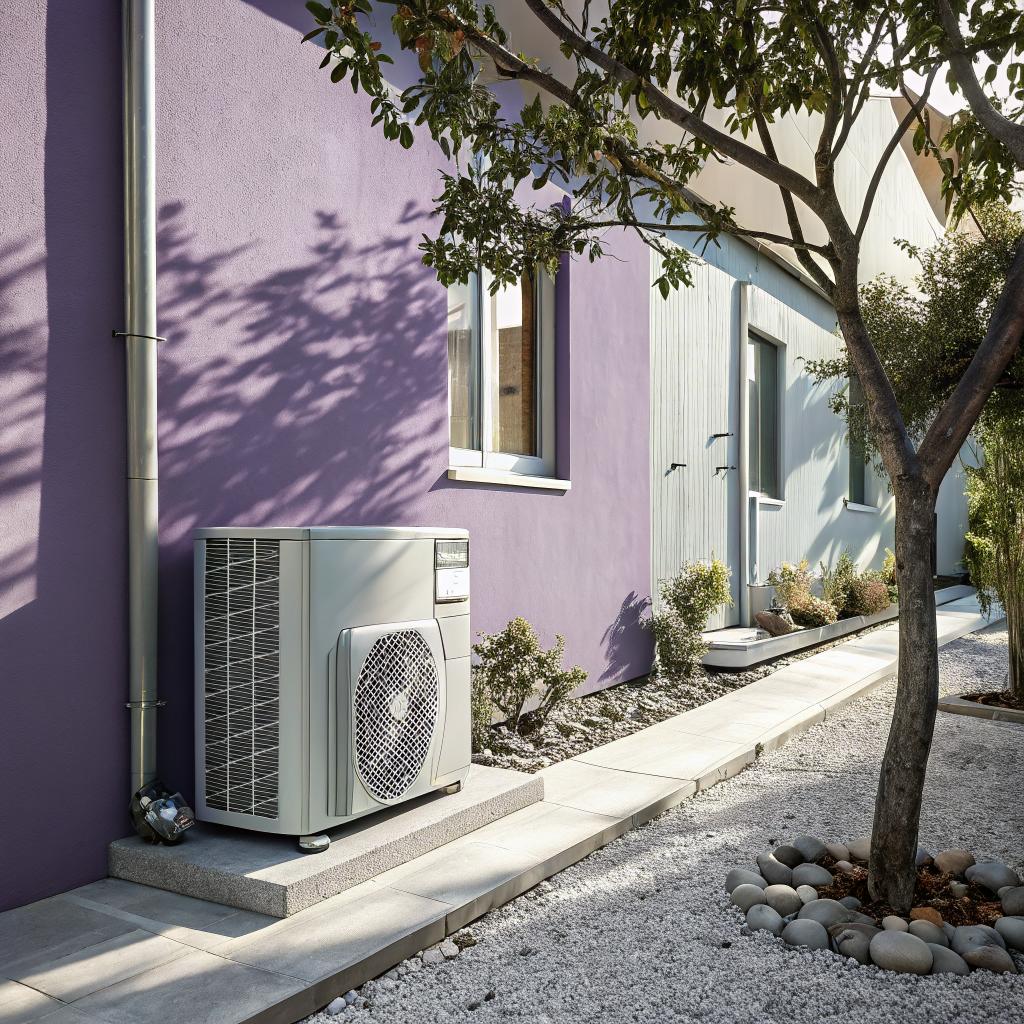
What if I told you that your air conditioner is closer to an old game console than you think?
Both are boxes full of electronics that collect dust, hate power surges, and always seem to fail at the worst possible time. The only difference is that when your Nintendo freezes, you reboot. When your AC freezes in Colorado Springs during a 95-degree afternoon, you start Googling emergency help and wondering how fast someone can show up at your door.
If you just want the simple answer: if your AC has stopped cooling, is making new loud noises, smells burned, or is leaking water or refrigerant, you should stop running it, shut it off at the thermostat, and call a local emergency HVAC tech. For many readers here, that usually means calling an emergency AC repair Colorado Springs service that can respond within a few hours, not sometime “next week.”
That is the direct answer.
Now, if you are the kind of person who has opinions about CRT monitors, still remembers the sound of a dial-up modem, or runs a homelab in the basement, there is a lot more you can do than just panic and wait. You do not need to become an HVAC technician, but you can treat your AC like the critical piece of home infrastructure it really is.
You can think of this as “smart cooling for nerds who hate being sweaty.”
Why tech lovers should care about AC emergencies more than most people
If you live in Colorado Springs, you already know how weird the weather is. Hot, very dry afternoons, random thunderstorms, then cool evenings. It can feel almost fine outside while your attic is cooking your wiring and your indoor temperature creeps up like a slow memory leak.
Most people see AC as “comfort.” Nice to have. Not critical.
For anyone deep in tech, that is not the full picture.
Your AC is quietly protecting:
- Your servers, NAS, and networking gear from heat stress
- Game consoles, GPUs, and high draw desktops
- Smart home hubs, Wi-Fi gear, PoE switches, and cameras
- Battery backups and chargers that already run warm
When the house gets too warm, it is not only you who suffers. Electronics age faster under heat. Solder joints expand and contract. Fans spin harder, clog faster. Power supplies fail earlier.
If your AC is down and your house is trending above 80–85°F for hours, you are not just uncomfortable. You are slowly overclocking your entire home by accident.
This is why, odd as it sounds, people into nostalgia and technology should probably take emergency AC repair more seriously than their neighbors.
You do not need to obsess over it. But you should have a plan.
When an AC problem is a real emergency, not just a minor annoyance
Not every AC glitch deserves a midnight call. Sometimes you can wait till morning. Sometimes you really should not.
A cooling problem becomes an emergency when any of these happen:
- You have no cooling at all while outdoor temps are high
- You smell burning or see smoke from vents or the outdoor unit
- The thermostat or air handler trips the breaker more than once
- You see ice forming on the refrigerant line or the outdoor unit stops and starts constantly
- Water is leaking from the indoor unit and soaking walls, ceiling, or near electrical
The “no cooling” one is obvious. The other ones are more like serious warning logs in a system dashboard. You can ignore them, but then do not be surprised when it crashes hard later.
If safety, water damage, or electrical damage is in play, treat it like an emergency. Cost can be sorted out. Fried wiring or mold inside walls is harder to fix than a weekend service bill.
For Colorado Springs in particular, same day help is not a luxury when a heat wave hits. Local companies get booked fast. If you know the signs and act early, you have a better chance of getting on the schedule before everyone else starts calling.
How tech people can “debug” an AC emergency without breaking anything
This is where the tech mindset helps. You already think in terms of logs, root cause, power, and airflow.
You should not be swapping refrigerant or opening sealed panels, but there are safe checks you can run before you call anyone.
1. Treat it like a power and connectivity problem first
Before you assume your AC is dead, run the same steps you would for an offline server.
- Check the thermostat. Is it set to “Cool”? Fan on “Auto”? Temperature set below the current room temperature?
- Look for a blank thermostat screen. If it is battery powered, swap batteries. If it is wired, check for a tripped breaker.
- Go to the electrical panel. Find the breakers marked “AC”, “Furnace”, or “Air Handler”. Reset any that are tripped, but only once. If it trips again, stop.
- Look at the outdoor unit. Is the disconnect (small box) beside it set to “On”?
You would be surprised how often someone bumps a switch or changes a setting and spends hours sweating for no reason. I once had a friend text me pictures of his AC unit at midnight. It “died” after a storm. Breaker was off. No magic.
2. Listen and observe like you are watching system metrics
You can pick up a lot just by using your senses, the same way you listen to a PC fan that suddenly gets loud.
Ask yourself:
- Does the outdoor unit start, or does it just click and buzz?
- Is the indoor blower running, but the air coming out feels warm or barely cool?
- Is there a new rattle, screech, or grinding sound?
- Do you smell something like burning plastic or an electrical odor?
- Is there visible ice on the pipes or the outdoor unit coil?
Write these down or type them into your phone before you call the repair company. That short “log file” of symptoms often helps the tech show up with the right parts and saves you a second visit.
The more concrete info you can give an HVAC tech, the more your call feels like a clear bug ticket and less like “something is wrong, no idea what.”
You do not need to diagnose the exact part. Plain language is enough: “outdoor unit hums but fan does not spin,” “air is barely cool and there is ice on the copper line,” and so on.
3. Safe things you can do while you wait for an emergency visit
There are a few simple actions that do not risk making anything worse. Think of these as low level fixes, like checking a cable before rewriting the kernel.
- Shut the AC off at the thermostat if you smell burning, see smoke, or the breaker keeps tripping.
- Switch the thermostat fan from “Auto” to “On” to move air, if the blower still works. This can help with comfort and sometimes with thawing a frozen coil.
- Change a very dirty air filter. If the filter is caked with dust, the AC is choking for air.
- Clear away leaves, tall grass, or trash from the outdoor unit so it can breathe.
That is about as far as you should go if the system is actively misbehaving. Anything deeper gets into safety and refrigerant law territory.
How Colorado Springs weather quietly kills AC systems
Life at higher altitude in Colorado Springs is great for many reasons. Your AC is not one of them.
The region hits AC systems in a few specific ways:
Dry air and big temperature swings
Afternoons are hot and very dry. Evenings can cool down fast. You get strong sun, but also sudden storms.
These swings mean compressors start and stop a lot, sometimes many times per day. That frequent cycling wears on capacitors, contactors, and motors.
Dry air also means there is less moisture removal load than in high humidity states, but people still expect “cold” air. This can lead to thermostat settings that are very low, especially during a heat wave, and the system runs longer than it was sized for.
Dust, pine needles, and altitude
Colorado Springs has a lot of dust and plant debris in the air. Over time, outdoor condensers clog with fine dirt. If you live near trees, needles get pulled against the coil.
At altitude, air is thinner than at sea level. The AC unit has to move more volume to dump the same amount of heat. When the coil is dirty on top of that, the unit runs hot, pressures go up, and weak parts fail first.
You do not see this in a day, just like you do not notice a fan slowly clogging in a PC case. It looks fine until one hot weekend where it all lines up badly.
Power events and storms
Thunderstorms bring voltage spikes and brief outages. Compressors really do not like trying to restart under high pressure right after a brownout.
A sudden power return can slam your outdoor unit with a hard start while it still has high pressure built up from just shutting off. Over time, that abuse adds up.
For tech people, a small whole home surge protector near the panel, or a dedicated surge protector for HVAC gear, is not a weird idea at all. It is the same logic you already use for your equipment rack.
DIY vs calling for emergency AC repair: where is the line?
Many of us like to tinker. There is a strong urge to grab a multimeter, open the panel, and start poking around. I am not going to say “never.” I am going to say “be honest with yourself.”
Here is a simple way to think about it:
| Type of task | Safe for most homeowners | Better left to HVAC pros |
|---|---|---|
| Thermostat settings and batteries | Yes | No |
| Air filter change | Yes | No |
| Clearing debris from outdoor unit | Yes | No |
| Cleaning coil fins with hose (gentle) | Sometimes | If coil is badly clogged or bent |
| Opening electrical panels, testing live voltage | No | Yes |
| Handling refrigerant lines, gauges, charging | No | Yes |
| Replacing contactors, capacitors, motors | Risky for non pros | Yes |
There are people with electrical backgrounds who do their own HVAC work. That does not mean it is a good default approach.
Also, there is a real cost angle. Guessing and swapping parts blindly can easily cost more than one calm trip from an experienced technician who does this every day.
If you would not solder a GPU under warranty, maybe do not pry open your AC during a heat wave either.
Why emergency AC repair appeals to tech brains more than we admit
There is something about a complex system failing that triggers a certain type of brain. You want to know what went wrong, not just that “a thing broke.”
When you talk to an HVAC tech, ask questions the same way you would during a postmortem at work.
Some useful ones:
- What part actually failed, and why does that usually happen?
- Was this caused by age, poor maintenance, or something in my setup or usage?
- Is there anything I can monitor that would warn me earlier next time?
- If money were tight, what is the minimum I should do in the next year to keep this system alive?
You might get short answers if the tech is in a rush, but many of them like talking shop. They work with compressors and control boards, not Kubernetes, but the mindset is not so different.
Treat AC failures less like “ugh, house stuff” and more like a real incident review. You will learn faster and avoid repeat issues.
You can even keep a simple text file with:
- Date of the issue
- Symptoms you observed
- Parts that were replaced
- Any advice from the tech
Over a few years, that tiny log becomes useful. It gives context when someone suggests you replace the whole system or add something like a heat pump.
Heat pumps, dual fuel, and where Colorado Springs cooling is heading
Since this site cares about nostalgia and the evolution of technology, it is hard to ignore where residential cooling is going.
Traditional AC is basically a one directional system. It moves heat out of your house. A heat pump can move heat out in summer and pull heat in during winter, using the same hardware.
In Colorado Springs, this is getting popular for a few reasons:
- Winters are cold, but not always brutal all season long
- Electric rates and gas rates move around over time
- People want flexible systems that do heating and cooling together
You often see setups like:
Standard heat pump
A standard air source heat pump uses outside air as the heat source and sink. It looks a lot like a regular outdoor AC unit but has reversing capability.
Pros for tech people:
- Single system for heating and cooling
- Often easier to monitor, sometimes with integrated smart controls
- Can pair with solar if you are experimenting with home energy
Limits:
- Efficiency drops in very cold weather
- Might need backup heat during extreme cold snaps
Dual fuel heat pumps
A dual fuel setup runs a heat pump until outdoor temps drop to a certain point, then switches to a gas furnace.
This is a very “tech mindset” kind of solution. You are combining two systems and letting a control board decide when to switch based on outdoor temperature and efficiency.
If you are already tracking your energy usage, you might find this kind of hybrid appealing. It has that mix of practicality and complexity that many tech people secretly enjoy.
Ground source (geothermal) heat pumps
Ground source heat pumps use stable ground temperature as the source of heat exchange. There is more drilling and plumbing involved, but performance is very steady.
In Colorado Springs, this is not as common, but some homeowners do install them for long term energy savings or because they like advanced systems.
If you are the type who once built water cooling loops for PCs, the idea of a buried loop field quietly cooling and heating your house might not sound strange at all.
How to think about AC emergencies as part of a bigger home tech setup
It is easy to put AC in its own mental bucket: “HVAC stuff, call a guy.” But that is a bit like treating your Internet connection as completely separate from everything else in your home.
In reality, your cooling system interacts with:
- Smart thermostats and sensors
- Home automation rules (“set back temp when I leave,” “pre-cool before guests arrive”)
- Door and window sensors that affect heat gain
- Ventilation systems and fans
If your AC fails a lot, it might not only be the unit itself. Some things tech lovers can check or adjust:
1. Smart thermostat settings that fight the hardware
It is tempting to stack rules and schedules in your thermostat app.
Rapid setpoint changes, frequent “eco” toggles, and aggressive setbacks can cause more short cycling. That is hard on compressors. Many manufacturers design around this, but not perfectly.
A simple, steady schedule often leads to fewer issues and better comfort than constantly chasing tiny efficiency gains through complex rules.
2. Airflow problems caused by “projects”
Have you ever closed a bunch of vents to “push more air” into a home office or lab? That can actually raise static pressure in the duct system and stress the blower motor.
If you are running a rack or cluster in a room that always runs hot, it is better to look into:
- Dedicated return air from that room
- A small ductless mini-split for that area
- Better rack level airflow
Rather than closing vents elsewhere and forcing the main AC system to do odd things.
3. Power and grounding quality
Your AC is another big electrical load on your house. In older homes, marginal wiring, shared circuits, or poor grounding can add noise and spikes that affect other gear.
If you see:
- Lights dim heavily every time the AC starts
- Random reboots of routers or servers when the compressor kicks in
- Frequent breaker trips around the same time
You might want an electrician to look at panel capacity, wire gauge, and grounding along with the HVAC contractor. It is a bit like balancing a PSU across multiple GPUs. You can make it “sort of work,” but stability suffers.
Choosing an emergency AC repair company like you would choose a hosting provider
Most people just search, click the first result, and hope.
You probably would not pick a production cloud provider that way. So why treat the system that protects all your home hardware with less care?
Some simple filters that map well to a tech mindset:
Response clarity
Do they give realistic response windows, or vague “sometime today” promises? Do they explain after hours rates clearly?
A good sign is a company that explains:
- Normal response times
- What counts as emergency vs standard
- How they handle parts that need to be ordered
Not just “we do 24/7” in big letters.
Communication style
You do not need a poet. You do want someone who can say:
- What failed
- What your options are
- Rough life left on the rest of the system
Without hiding behind jargon. If you ask a question and they act annoyed, that is a red flag. If you bombard them with obscure technical comparisons to data centers, that is also not ideal. Try to meet in the middle.
Repair vs replace bias
Some companies lean hard on “replace everything” when a system gets past a certain age. Others patch forever.
You probably want a middle ground. If someone pushes a full system change with a script-like pitch after a simple visit, it is fair to get another opinion.
On the flip side, if your AC is ancient, limping, uses old refrigerant, and has already eaten several big repairs, at some point the honest answer really is “you are scaling an old app way beyond what it was built for.”
Preventing the next emergency with small, boring habits
No one likes this part. It feels uninteresting compared to gear, consoles, or new gadgets. But small habits really reduce late night emergency calls.
Here is what matters most:
- Change filters on a schedule, not “when I remember.” Put a simple recurring reminder in your calendar.
- Keep the outdoor unit clear of debris. Twice a year, do a visual check and gentle cleaning.
- Have a pro inspect the system at least once a year before peak season.
- Do not run the system with obvious problems like loud grinding, constant tripping, or strong burned smells.
You do not need to enjoy this. You just need to treat it like backing up data. Kind of boring, but the one time you skip it is often when you regret it most.
Quick Q&A for tech lovers facing an AC emergency in Colorado Springs
Q: My AC stopped cooling on a 95°F day. How long can my gear handle a hot house?
Most consumer electronics tolerate short term heat fairly well. A few hours at 85–90°F is uncomfortable but not instantly harmful. The risk grows when:
- Temperatures stay high for many hours or days
- Equipment is in closed racks or closets with poor airflow
- You are pushing GPUs or CPUs hard (rendering, gaming, compiling)
If your AC fails, lower load on your most important gear, open doors to closets, and keep air moving with fans. Then get a repair scheduled as soon as you can.
Q: Can a smart thermostat cause or prevent emergencies?
It can go either way.
Pros:
- You notice problems faster because you see odd temperature patterns in the app
- You can confirm if the system is running while you are away
Cons:
- Bad wiring or a misconfigured thermostat can stop the system from starting
- Overly aggressive schedules can stress the equipment
If your AC dies right after you install or rewire a thermostat, that device jumps to the top of the suspect list.
Q: Is a heat pump a good idea for Colorado Springs, or should I stick with AC plus furnace?
This is one of those questions where people argue a lot, and I do not think either side is fully right.
Heat pumps can work very well in Colorado Springs, especially modern cold climate models. They cover most of the year on their own. Many setups use a dual fuel configuration so the gas furnace takes over when outdoor temps drop very low.
Traditional AC plus furnace is simpler and familiar, but it might cost more to run in shoulder seasons where a heat pump would do fine.
If you care about control, flexibility, and possibly pairing with solar later, a heat pump (or dual fuel system) is worth a serious look. If you care most about simplicity and long track records, a standard AC plus furnace still makes sense.
Q: What is the single best thing I can do today to avoid needing emergency AC repair this summer?
Pick a day on your calendar before peak heat and schedule a full system check with a local HVAC company. Not a quick visit, a proper checkout.
Then set a 2 or 3 month recurring reminder to check and change your filters. It is boring. But if you do just those two things, you cut a big chunk of risk.
Would you rather debug a dead AC at midnight during a Colorado Springs heat wave, or treat it like proactive system maintenance and keep your home lab, consoles, and brain running cool all season?
