

“The faint buzz of a spinning hard drive, the cold metal back of an iPhone 3G in your hand, and that first respring after running redsn0w. You remember watching the Apple logo hang for a second too long and thinking: did I just brick my phone?”
There is a certain kind of silence you only hear when you are staring at a boot screen. No notifications, no ringtones, just your own heartbeat and a glowing Apple logo. If you ever jailbroke an iPhone back in the iOS 4 or iOS 6 days, you know that feeling. Tiny glass slab, 3.5 inch LCD, chunky bezel, and your entire digital life on it… while you waited to see if that custom kernel patch actually worked.
Fast forward to now. You unlock your iPhone 15 or 16 or soon 17 with Face ID, swipe into an OLED screen brighter than your old laptop, and the biggest risk you take is installing a beta profile. The App Store is stacked. Widgets, custom lock screens, Focus modes, shortcut automations, side loading in some regions, web apps that behave like native tools. Apple quietly borrowed half the ideas that once lived in Cydia repos.
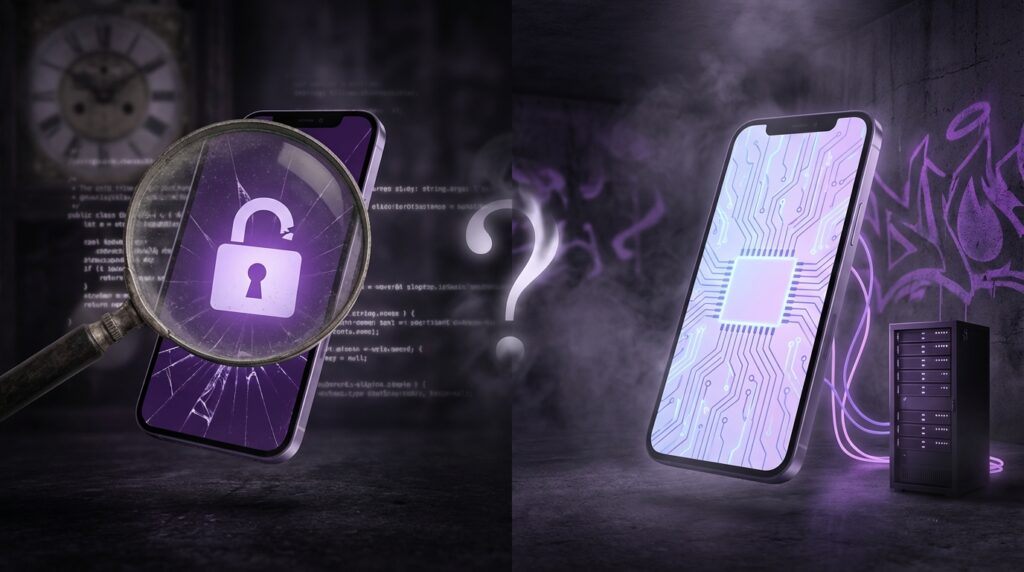
So here is the question: is jailbreaking iOS a dying art, or did it just slip underground, like a LAN party that moved from the school library to an anonymous warehouse?
The first time you saw Cydia
The first time I opened Cydia on an iPhone 3GS, the screen felt almost wrong. This was not “Apple.” Beige-ish interface, tiny fonts, stuff loading from random repos with names like BigBoss and ModMyi. The phone was slightly warm in my hand, that 135 gram weight suddenly feeling like a little server instead of a phone.
Up top, you still had that 480 x 320 pixel screen. If you held it at an angle, you could see the backlight bleed in the corners. You tapped with a physical click from that old glass digitizer, and behind that simple UI, root access was wide open. SpringBoard was no longer sacred.
Back then, jailbreaking was not “just” about piracy or free themes. It was about adding what iOS simply refused to give you:
– Tethering on carriers that blocked it
– Background processes before Apple gave you background audio or VOIP
– Custom icons, quick toggles, swipe gestures, file managers
You did not have a Control Center yet. You had SBSettings. You did not have Notification Center widgets. You had LockInfo.
“Retro Specs: iPhone 3GS (2009)
– 600 MHz Cortex-A8
– 256 MB RAM
– 480 x 320 screen
– 3 MP camera, no flash
– 3G, no LTE
And somehow we expected it to handle WinterBoard themes, background daemons, and a dozen MobileSubstrate tweaks at once.”
Maybe it was just nostalgia talking, but the limitations made the hacks feel clever. You were stealing features from the future, one tweak at a time.
From Geohot to checkm8: the golden age
The hacker names you whispered
You did not just “download a jailbreak.” You followed people.
– geohot
– comex
– Chronic Dev Team
– evad3rs
– Pangu
– TaiG
– CoolStar
If you were deep into it, you watched IRC logs, scrolled through Twitter threads, and refreshed jailbreak subreddits like they were stock tickers.
There was a cycle:
1. Apple drops a new iOS version.
2. Forums fill with “Do not update if you care about jailbreaking.”
3. Silence.
4. A screenshot leaks with Cydia on the new firmware.
5. Everyone screams fake.
6. The tool drops. Traffic melts some poor VPS somewhere.
The tools had names that felt like you were loading cheat codes: blackra1n, Spirit, redsn0w, greenpois0n, Absinthe, evasi0n. You ran them on clunky Windows laptops or Unibody MacBooks with fans at full speed.
You plugged in that 140 gram iPhone 4, held the stainless steel frame in your palms, pressed Power + Home at just the right timing to drop into DFU mode. Screen black, but still alive. The cable connector had that soft rubbery feel that would fray after a year. The moment the exploit kicked in, your terminal output filled with lines you barely understood. It felt like you were “rooting for real,” even though you were mostly following a step-by-step guide.
Cydia as the alternate App Store
Before Apple allowed subscription apps to do half of what they do today, Cydia felt like a parallel economy. You had:
– MyWi for tethering
– biteSMS for messaging upgrades
– Intelliscreen and LockInfo for better lock screens
– Activator for custom gestures
– WinterBoard and later Anemone for theming
– iFile for browsing the actual iOS file system
You typed on that tiny software keyboard, each keytap making that signature “plop” sound, to add repos like:
– http://apt.saurik.com
– http://apt.thebigboss.org
– http://repo.modmyi.com
Those were URLs you could probably still type today from memory.
“User Review from 2009:
‘I only jailbroke to get biteSMS. Quick reply is the one feature I cannot live without now. If Apple ever adds this, I might actually go back to stock.'”
It was not just about breaking rules. It was about filling gaps. Android users had widgets, launchers, file managers, and deep control. iOS users had polish, battery life, and stability. Jailbreaking tried to fuse both worlds into one slightly unstable Frankenphone.
Then vs now: what Apple folded in
To see why many people say jailbreaking is “dying,” you have to lay the old wish list against what modern iOS can already do.
| Feature / Desire | Then: Jailbreak Tweaks | Now: Stock iOS |
|---|---|---|
| Quick toggles (Wi-Fi, Bluetooth, etc.) | SBSettings, NCSettings | Control Center with toggles and sliders |
| Lock screen info | LockInfo, IntelliScreen | Notification Center, lock screen widgets |
| Custom icons & themes | WinterBoard, DreamBoard, Anemone | Shortcuts icons, Focus lock screens, wallpaper packs (still limited) |
| Quick reply to SMS | biteSMS, Messages+ | Native quick reply from notifications |
| File management | iFile, Filza | Files app, iCloud Drive, external drive support (sandboxed) |
| Tethering / hotspot | MyWi | Built‑in Personal Hotspot on most carriers |
| Screen recording | Display Recorder | Native screen recording toggle |
| Call blocking / spam control | CallFilter, iBlacklist | Built‑in call blocking & third‑party spam filters |
| Gesture navigation, swipe actions | Activator, Zephyr | System gestures, Back swipe, AssistiveTouch shortcuts |
You can see the pattern without me spelling it out too hard: a lot of what felt magical on a jailbroken iPhone 4 or 5 now feels normal on an iPhone 15.
That does not mean jailbreaking “caused” these changes directly every time, but Apple engineers clearly saw what people liked. When millions of users risk warranties just to gain quick toggles or lock screen widgets, that sends a signal.
Security walls get higher
From userland hacks to full chains
On those early devices, an exploit could be relatively simple. A bug in MobileSafari, a flaw in image parsing, a corrupt PDF. You visited a page, the phone crashed, and boom, you were in. Tools like JailbreakMe gave you a web-based jailbreak. No cables, no laptops.
The chips inside those phones were not built with today’s hardware protections. Over time, Apple stacked layer after layer:
– ASLR (Address Space Layout Randomization)
– DEP (Data Execution Prevention)
– Code signing enforcement
– Kernel Patch Protection
– SEP (Secure Enclave Processor)
– PAC (Pointer Authentication Codes)
– Lockdown on the boot chain
Suddenly you did not just need “an exploit.” You needed a chain: a way to get into userland, escape the sandbox, escalate to kernel, bypass code signing, and then keep the device in a jailbroken state across reboots.
Tools became:
– Semi-tethered: lost jailbreak on reboot, needed a computer
– Semi-untethered: lost jailbreak on reboot, needed an app run on device
– Rarely fully untethered: stayed jailbroken after reboot
Your shiny, flat-edged iPhone 12 or 13 with that 460 ppi OLED and stainless steel rails might weigh similar grams to the 4S, but its secure boot chain is a very different beast.
checkm8 and the weird immortality of some devices
In 2019, something wild happened: the checkm8 exploit. It targeted the BootROM of a whole family of Apple chips from A5 to A11 (iPhone 4S through iPhone X series).
The BootROM is burned into hardware. It cannot be patched with software. That gave older devices an odd kind of permanent jailbreak window, as long as you had a cable and a computer. Tools like checkra1n built on top of that.
Those old aluminum or glass-backed phones, with their 30-pin or early Lightning ports, suddenly gained long-term hacking value. The iPhone X, with its 5.8 inch OLED at 458 ppi and 174 gram weight, turned into a kind of eternal playground. It aged out of Apple’s mainline marketing, but gained near permanent “ownability.”
So while newer devices became harder to crack, some older ones kept this underground life. People started keeping a “jailbreak phone” on older firmware, separate from their main secure device.
“Retro Specs: iPhone X (2017, living on checkm8)
– A11 Bionic
– 3 GB RAM
– Face ID
– 5.8 inch OLED, 458 ppi
Outdated for some, but for BootROM exploit fans, this thing is basically a classic game console that never fully locks down.”
Why the mainstream walked away
App Store grew up
Back when you needed Cydia, the official App Store felt small. App caps, no background downloads, limited APIs, strict rejections for “duplicating built-in features.”
Over the years:
– Apps got deeper hardware access through official APIs
– Background tasks, push notifications, widget stacks, Siri intents
– Third-party keyboards, content blockers, health data, HomeKit, CarPlay
The reason many non-technical users jailbroke was simple: they wanted more apps and more control. When that need got filled by official features and a richer store, the risk-reward balance changed.
Jailbreaking could mean:
– Random resprings and crashes
– Worse battery life from unvetted tweaks
– Broken banking or streaming apps that detected jailbreak
– Delayed security updates because you had to stay on older firmware
For power users and hackers, that was a trade they were willing to make. For regular users, the cost started to feel too high for the benefit.
Security, privacy, and money
The value of an iPhone exploit climbed. We are not talking pocket change. Vulnerability brokers, security companies, state actors, all bidding for 0-days. If you found a serious kernel bug, you could sell it privately for serious money instead of releasing a free jailbreak.
So the economics shifted. Talented researchers who once posted tools for fun now had financial motives to stay quiet. Public jailbreaks started to feel rarer. When they did appear, they often supported:
– A narrow set of devices
– A tight firmware window
– Semi-untethered only
– Technical users willing to fiddle, re-sign apps, and fix conflicts manually
Combine that with Apple’s rapid patch cycles, and the window for easy one-click jailbreaks shrank.
The underground that never left
So is it dead? Not really. It just stopped waving its arms in the center of the tech press, and moved deeper into Github repos, Discord servers, and obscure forums.
The modern jailbreaker profile
The typical modern jailbreaker is different from the high school kid running blackra1n in the computer lab.
Today you are more likely to see:
– Security researchers testing assumptions about iOS protections
– Tweak developers building tools that Apple will never allow
– Theming fans who really, truly hate the default icon grid
– Retro iOS enthusiasts keeping an iPhone 6s or X alive just for fun
– People in regions where they need deep customization or unofficial networks
They know about SHSH blobs, SEP compatibility, and the difference between rootless and rootful jailbreaks. They keep one device frozen on a sweet spot firmware and use a second phone for banking and work.
Rootless era and new tooling
Apple’s tightening changed how jailbreaks themselves behave. Instead of fully ripping open the root file system, newer “rootless” jailbreaks live more gently inside user space. Projects like:
– Taurine
– unc0ver
– Dopamine
– palera1n
shifted to work around sealed system volumes and new security models. That reduced some risk, but also limited what could be changed.
The tool scene turned into a kind of cat-and-mouse game with Apple’s security team. When you read modern jailbreak release notes, they sound more like academic papers than geek blogs from 2011. References to PAC, tfp0, kernel primitives, trust caches. Less “click here for magic,” more “compile this, sideload that, here is the crash log.”
When nostalgia meets practicality
If you hold an original iPhone in one hand and an iPhone 15 in the other, the physical difference hits first.
– The original iPhone: 135 grams, thick curved aluminum back, 3.5 inch 320 ppi screen, one camera, no video recording at first.
– iPhone 15 Pro: titanium frame, larger high refresh screen, multiple cameras, LiDAR, crazy performance, USB‑C, Face ID.
But the software difference is just as large. Early iOS felt tight, controlled, almost underpowered. Modern iOS feels dense, full, sometimes crowded with toggles and menus.
Here is a comparison that frames the whole jailbreaking question in the larger arc of mobile history:
| Era | Then: Jailbreak Use Case | Now: Stock / Mainstream Alternative |
|---|---|---|
| 2007-2010 (iOS 1-4) | Basic needs: copy/paste, MMS, multitasking, better SMS, Wi-Fi tweaks | All built into modern iOS; App Store matured, messaging upgraded |
| 2011-2014 (iOS 5-7) | Personalization: themes, lock screen, toggles, notification upgrades | Control Center, Notification Center, widgets, Focus and lock screen styles |
| 2015-2018 (iOS 8-11) | Power tools: file managers, advanced automation, system hacks | Shortcuts app, Files, improved extensions, more open APIs |
| 2019+ (iOS 12+) | Niche hacking: security research, deep theming, legacy hardware fun | Limited official personalization, TestFlight, configuration profiles, Swift playgrounds, web-based tools |
The mainstream “need” for jailbreak faded because the gap between what Apple shipped and what people wanted narrowed a lot.
But gaps still exist. For some people, they just matter enough to keep the underground alive.
Why some users still jailbreak in 2026
Real control vs curated control
When you jailbreak, you break Apple’s curated model. You can:
– Inspect and change system UI elements at a deep level
– Inject code into apps for debugging or modification
– Install apps that violate App Store rules around payment, content, or API use
– Script behaviors that Shortcuts still cannot reach
This gives a certain feeling. “This is actually my computer.” That feeling is the same one some people get from running Linux on a ThinkPad, installing a custom ROM on a Pixel, or running homebrew on an old Switch.
Maybe Apple covers 95 percent of what most users need. For the last 5 percent, jailbreaking is still the only door.
The aesthetics obsession
Personalization on stock iOS is still controlled:
– You can shuffle icons, but not radically change layout without weird Shortcut tricks
– You can change lock screens and wallpapers, but not every piece of system chrome
– You can install alternative keyboards, but entire custom UI shells are off limits
The theming scene never fully disappeared. It just left the surface. On a jailbroken device, people still:
– Apply full icon packs
– Change system fonts
– Replace lock screen layouts
– Add custom animations
– Remove UI elements they hate
You can argue that this is “just” eye candy, but phones are the screens we stare at more than any other. Some people care how every pixel feels.
“User Review from 2013:
‘I know iOS 7 brings flat design and all that, but my jailbroken 4S with custom theme looks better to me. Maybe it is just the control I like, not even the design itself.'”
The hacker playground
For researchers, jailbroken devices are labs. They can:
– Trace system calls
– Inspect private APIs
– Test exploit ideas in a controlled environment
– Build low-level tools that only work with root access
Without that, iOS can feel like a black box. Apple has its own internal tools. Jailbreaking is, in a way, the community’s way of building DIY equivalents.
This is where the concept of “dying art” gets interesting. The skill set needed to craft a full jailbreak in 2026 is much higher than it was in 2010. Fewer people can do it. Those who can often have day jobs in security research, not forum fame. So the art did not just vanish. It specialized.
Risk, ethics, and the grey zone
Jailbreaking always sat in a grey area. Not illegal by itself in many places, but tied closely to copyright, warranty, and security debates.
There are three overlapping narratives:
1. Freedom: “I bought the device, I should control it fully.”
2. Security: “Opening the OS like this helps attackers and weakens protections.”
3. Commerce: “Locked platforms make more money and keep users in one store.”
Modern jailbreak discussions often carry more security awareness:
– People talk about protecting SSH with keys, not default passwords
– Tweaks from untrusted repos are treated with suspicion
– Many avoid installing anything with closed-source binaries from unknown authors
The old “install everything and see what happens” attitude is mostly gone. You can brick a thousand-dollar phone a lot faster than you could brick a used iPhone 3G you bought on Craigslist.
The nostalgia device vs the daily driver
This is where the “digital archivist” view kicks in. Instead of asking “Is jailbreaking dead?” a better question might be “Where does jailbreaking live now in the history of mobile?”
Look at this comparison between how people used to jailbreak and how many enthusiasts treat it now:
| Aspect | Then (iPhone 3G / 4 era) | Now (iPhone X / 11+ & beyond) |
|---|---|---|
| Main phone status | Often main daily phone | Often secondary or “hobby” phone |
| Age of device | Latest model or one gen back | Older hardware sweet-spot (e.g., iPhone X on checkm8) |
| Primary motivation | Missing basic features, App Store gaps | Theming, research, experimentation, nostalgia |
| Risk tolerance | High, even for non-technical users | Mostly high among technical crowd, low among mainstream |
| Community visibility | Large blogs, front page tech news | Discords, Github, niche subreddits, security conferences |
That iPhone 4 you once jailbroke to get tethering is now archived in YouTube teardown videos and on collector shelves. That modern iPhone X running checkra1n is not “needed” in the same way. It is wanted, the way people want a modded PSP or a rooted Android box.
The act of jailbreaking moved from “hack your daily driver because you are missing basic tools” to “tune this particular device because you enjoy stretching what it can do.”
Is it a dying art or an underground scene?
If you define “dying art” as “less visible, practiced by fewer people, and no longer central to the platform’s progression,” then yes, jailbreaking looks like that.
– Apple absorbed many user-facing features that once drove jailbreak adoption
– Security walls made the exploit chains harder and more costly
– The mainstream mostly settled for what stock iOS gives them
If you define “underground scene” as “small, persistent, skill-heavy, and mostly self-sustaining,” then jailbreaking fits that too.
– Research-focused developers still publish tools
– New tweaks still land for rootless setups
– Old devices with permanent exploits have active subcommunities
– Tutorials still teach newbies how to avoid boot loops and fix Safe Mode issues
The interesting twist is that both can be true at the same time. From the outside, it looks like a faded fad from the iOS 4 wallpaper days. From the inside, it feels like a more mature, quieter, knowledge-heavy space.
The click of that T9 keypad you remember from your Nokia days did not vanish when smartphones took over. It moved into retro phone collections, YouTube videos, and niche modding communities. The same trajectory is playing out here.
Jailbreaking is no longer the loud rebellion at the front of the smartphone story. It is the scribbled margin notes, the underground zine version of iOS, passed hand to hand by people who still like seeing what happens when you crack open that glowing slab and tell it, one more time, that root belongs to you.
