

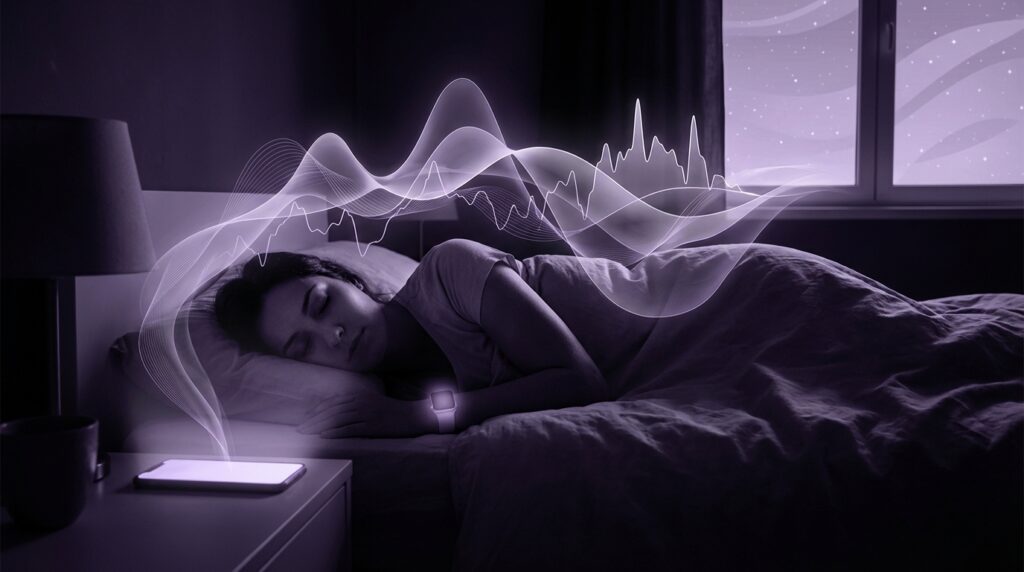
“The soft glow of a Nokia 6600 screen at 2 a.m., Snake paused, polyphonic ringtone set to ‘Numb’ by Linkin Park, while you wondered if four hours of sleep was ‘enough’ for school.”
You remember that glow, right? No sleep ring, no readiness score, just a vague sense that you were tired and an alarm set for way too early. Fast forward to now and your phone greets you in the morning with graphs, colors, and numbers judging your night like a tiny rectangular sleep coach. And you are here wondering: are these sleep tracking apps actually doing anything real for you, or are they just the modern version of that old green backlight, pretending to know how tired you are?
The strange part is, the promise has not changed that much. Back then, you stared at that small TFT display and guessed how much sleep you got based on how heavy your eyelids felt in first period. Now, your phone claims to know exactly when you slipped into REM at 3:17 a.m., how often you tossed, and how “restful” you were. Same you, same messy human sleep, just a lot more data. Maybe it is progress. Maybe it is just better graphics.
Sleep is messy physiology. Your phone is a glass slab with motion sensors, a microphone, sometimes a heart rate sensor if you are paired with a watch or band. The story of sleep tracking apps is the story of how we got from “I feel tired” to “Your sleep efficiency was 84%.” And, like most tech stories, it started with things that felt like toys and slowly crept toward medical-sounding confidence.
Back when ringtones were a serious status symbol and your operator logo hack felt like high tech, consumer sleep tracking meant one thing: did you stay up too late on MSN, AIM, or playing Java games, and can you survive tomorrow? Somewhere between those chunky plastic sliders and the first iPhone, sensors got smaller, accelerometers got cheap, and your pocket computer gained the ability to feel movement the way that old phones could only feel keypresses.
Retro Specs: Nokia 3310 Sleep “Tracking”
Year: 2000
Sleep tech: None
Method: “I think I went to bed at 1-ish”
Metrics: Number of times you hit “Snooze”
User feedback: “I’m tired.”
That leap, from subjective “I am tired” to accelerometer graphs, is where sleep tracking apps were born. And to understand if they work, you need to know two things: what your phone can actually sense, and what real sleep labs use as their gold standard. Once you see the gap, you can judge how much trust to put in that pretty graph on your lock screen.
How Sleep Labs Measure Sleep vs Your Phone
In a sleep lab, you get wired up like a low-budget sci-fi movie: electrodes on your scalp for brain waves, sensors near your eyes, chin, chest, legs, straps around your torso, oxygen sensor on your finger, sometimes a camera watching you all night. Not exactly App Store territory.
That full setup has a name: polysomnography. It tracks brain activity (EEG), eye movements, muscle tone, breathing, oxygen, heart rate, body position. When doctors say “This is your sleep,” they are usually talking about labels created from that thick wall of signals.
Your phone, by comparison, has:
– An accelerometer for movement
– Sometimes a gyroscope
– A microphone
– Sometimes a camera (rarely used all night, for obvious battery reasons)
– No direct brain data
– No direct muscle tone data
If you bring a smartwatch or band into the party, you add:
– Photoplethysmography (PPG) for heart rate
– Heart rate variability (HRV)
– More accurate movement on the wrist
From that limited set, apps try to guess:
– When you fell asleep
– When you woke up
– Time in bed vs “asleep”
– Sleep stages (light, deep, REM)
– How restful or fragmented your sleep was
– Sometimes even “readiness” or “recovery”
It is like trying to re-create a full symphony using only a drum track and a bass line. You can get the rhythm. The melody is mostly guesswork.
Retro Specs: Early Sleep Apps, 2009-2011
Platform: iPhone 3G / 3GS, early Android
Method: Phone on mattress tracking motion
Selling point: “Smart alarm” that wakes you during light sleep
User review, 2010: “My phone knows when I’m dreaming. Sort of? I think?”
So do they work? It depends what “work” means for you. If “work” means “perfectly replace a sleep lab,” the answer is no. If “work” means “help me build awareness and change habits,” now we are in more interesting territory.
Then vs Now: From Guesswork to “Sleep Science”
To see how far we have come, let us put the early 2000s phone experience next to a modern smartphone plus wearable pairing.
| Feature | Then: Nokia 3310 Era | Now: Flagship Phone + Wearable |
|---|---|---|
| Sleep detection | Manual: “I went to bed at 1 a.m.” | Automatic detection via motion + heart rate |
| Sleep stages | None. Just “I slept / I didn’t.” | Light, deep, REM labels inferred by algorithms |
| Sensors | Basic keypad, maybe vibration | Accelerometer, PPG, HRV, mic, optional SpO2 |
| Morning info | Missed calls and SMS count | Graphs, trends, “sleep score,” recovery score |
| Alarm style | Fixed-time alarm, monotone or polyphonic tone | Smart window alarms tied to presumed light sleep |
| Battery impact | Charging once every few days | Nightly or near-nightly charging sometimes required |
| Data history | Your vague memory of last week | Months or years of sleep logs, averages, seasonal changes |
The part that changed the game was the move from just movement to movement plus heart rate and HRV. Your nervous system shifts during different sleep stages. Heart rate tends to drop in deep sleep. HRV patterns shift, breathing changes, micro-movements differ.
That gives apps a lot more to work with. They still are not reading your brain directly, but they see the body side effects of what your brain is doing. The question is: how close can that get?
What Sleep Tracking Apps Actually Measure
Let us unpack what is going on under that clean UI.
1. Movement (Actigraphy)
The foundation is actigraphy: tracking movement as a proxy for sleep vs wake.
– Low movement for a while: probably asleep
– Big movements: probably awake or turning over
– Repeated patterns: sometimes linked to restlessness
Actigraphy has been used in research for years. When researchers compare actigraphy to full polysomnography:
– Total sleep time is often within 30 minutes over a whole night for many people
– Sleep vs wake detection is usually decent
– Fine-grained staging is where things start to wobble
For a phone on a mattress:
– It is picking up body movement transmitted through the bed
– It is also picking up partner movement, pet movement, or you reaching for your phone
For a watch or band:
– It is closer to your body
– Motion has less interference
– Still, if you lie still awake for 40 minutes doomscrolling inside your head, actigraphy can call that “sleep”
2. Heart Rate and HRV
Wearable-based apps use PPG to measure:
– Heart rate: beats per minute
– HRV: the tiny fluctuations between beats
During the night:
– Heart rate usually drops when you go from wake to sleep
– Deep sleep often shows lower heart rate
– REM sleep can bump heart rate up and make it more erratic
– HRV patterns change as your nervous system shifts between parasympathetic and sympathetic balance
Apps feed these patterns into models trained on data sets where people wore both consumer devices and had lab-grade polysomnography. From that, they learn to say “these movement + HR + HRV patterns often match lab-defined REM.”
But it is still pattern matching, not direct brain reading. Certain medications, alcohol, illness, heavy exercise, and stress can all change heart data in ways that trick the model.
3. Sound and Breathing Guesswork
Some phone-only apps listen with the microphone:
– Snoring patterns
– Long quiet gaps in snoring or breathing
– Rustling, partner noise, cars, neighbors
Combined with motion, they try to label:
– Time in bed vs out of bed
– Possible breathing issues
– Restless vs quiet sleep
It is very noisy data. A truck outside can show up as “movement” or “disturbance.” Sleeping with a fan on, air purifier hum, or shared room audio can confuse low-level algorithms.
4. The Algorithm Layer
Everything so far is raw. The secret sauce is:
– Machine learning models trained on sleep lab comparisons
– Heuristics like “nobody goes into deep sleep 2 minutes after lying down”
– Age, sex, and sometimes fitness-level based priors
– Smoothing techniques to avoid insane stage changes every 30 seconds
This is where you get those polished graphs that look like someone hand-drew your night. Underneath, it is a lot messier.
User Review from 2015
“I drank two Red Bulls at 10 p.m. and the app still says I had ‘excellent deep sleep.’ I mean, I don’t think so.”
So, How Accurate Are Sleep Tracking Apps?
Let us break “do they work” into parts.
Can They Tell When You Fell Asleep and Woke Up?
They are reasonably good at:
– Marking the rough window when you went to sleep
– Marking when you woke up and got up
– Estimating total sleep time over a night
For most people, margin of error can be:
– 15 to 45 minutes off total sleep time
– Sometimes worse for people who lie awake a lot in bed
If you go to bed and fall asleep quickly most nights, your app will often be close enough here to be useful.
Can They Accurately Track Sleep Stages?
This is the spicy question.
– Light vs deep vs REM vs wake: on average, consumer devices tend to be fair at best
– They can catch broad trends: “You had less deep sleep than usual last night”
– They are not reliable minute-by-minute stage truth
Lab studies that compare wearables to full polysomnography often find:
– Ok performance distinguishing sleep from wake
– Mixed performance distinguishing light vs deep
– Much weaker accuracy in spotting REM correctly for each epoch
So when your app says:
– “You had 1 hour 47 minutes of REM”
– It is better read as “something in that ballpark” than a precise stopwatch reading
Can They Diagnose Sleep Disorders?
Short answer: no, not on their own.
Conditions like:
– Obstructive sleep apnea
– Narcolepsy
– REM behavior disorder
– Periodic limb movement disorder
– Insomnia subtypes
need proper medical evaluation and lab or home test hardware designed for diagnosis.
Some apps and devices claim:
– “Possible breathing disturbances”
– “High snoring”
– “Low oxygen variations”
These can be helpful nudges to talk to a doctor, not final diagnosis.
Do They Help You Feel Better Rested?
This part is less about physics and more about psychology and behavior.
Healthy uses of sleep tracking:
– Get awareness of how late you really go to bed
– See how weekend vs weekday patterns differ
– Watch how caffeine, late heavy meals, or alcohol evenings correlate with sleep
– Keep an eye on your average sleep duration over weeks, not just last night
– Notice long trends: seasons, stress periods, shift changes
Less healthy uses:
– Obsessing over nightly scores
– Feeling anxious if your deep sleep bar is low
– Staying in bed “just to improve the score”
– Letting a bad score convince you your day is ruined
There is even a term floating around in research circles: orthosomnia. It describes people chasing perfect sleep data so intensely that it harms their actual sleep. Irony level: high.
Where Sleep Apps Actually Shine
If you strip away the marketing gloss and the sci-fi graphs, there are some clear strengths.
1. Building Habit Awareness
A phone that watches your nights for months can show:
– Your true average bedtime
– How often “just one more episode” becomes 1 a.m.
– That you only cross 7 hours of sleep when you stop checking email in bed
– That Sunday sleep-ins do not fully offset weekday short nights
You already know late nights hurt, but a simple weekly graph can be a nice reality check. Data can nudge your brain from “I think I’m fine” to “Oh, I am cutting 90 minutes three nights a week.”
2. Long-Term Patterns and Life Changes
Sleep apps are decent at showing the shape of your life:
– New job with early mornings
– New baby and fragmented nights
– Training for a marathon
– Switching from night to day shifts
They can reveal:
– Whether you are drifting toward shorter sleep over months
– How long your “sleep debt” hangs around
– Whether you actually go to bed earlier when you mean to
Here, precision is less important. You do not need a lab-grade reading to see that 6:10, 6:05, 5:58, 6:00, 5:52 hours per night over weeks is not trending well.
3. Morning Reflection Triggers
The act of checking your sleep can:
– Prompt you to think “How do I feel vs what the app says?”
– Bring awareness to bookending your day (bedtime and wake time)
– Create a tiny habit: review sleep, decide one thing you might change tonight
Used lightly, that is valuable. The numbers prompt questions. Your own body gives the real answers.
4. Smart Alarms (Sometimes)
Smart alarms try to:
– Wake you near a set time
– Pick a moment with more movement and lighter sleep indicators
– Avoid wrenching you out of deep sleep
When they work, people describe the wake-up as less abrupt. But the key here is:
– Their win comes from giving you a window (for example, “between 6:30 and 7:00”)
– And avoiding obvious deep-sleep segments, as guessed from movement and HR
They are not magical, they are just better than a single sharp beep at the worst possible moment.
Where Sleep Apps Fall Short
1. Precision Stage Labels
Your app’s colored hypnogram is gorgeous UI. The reality underneath:
– Light vs deep vs REM split on a single night is fuzzy
– Short blocks of “you woke up for 3 minutes” can just be motion noise
– That 10-minute REM block might actually have been lighter non-REM
Day-to-day, the error might not matter. Over weeks, broad averages can still be helpful. But it is easy to over-trust fine details that look exact.
2. People With Sleep Problems
If you:
– Take a long time to fall asleep
– Wake up often
– Have insomnia
– Have unusual sleep schedules
Then:
– Your app is more likely to count awake time in bed as light sleep
– Sleep efficiency numbers can be misleading
– Data can look “fine” while your experience feels awful
For these users, sleep apps can sometimes gaslight them unintentionally: “Look, you slept 7:10, you’re fine,” even when they spent an hour awake in the middle of the night.
3. Overconfidence and Over-Marketing
Some apps throw around words like:
– “Deep recovery optimization”
– “Clinically accurate staging”
– “Medical-grade insights”
The reality is more humble:
– They are based on decent but limited sensing
– They aim for “good enough” for consumer use, not diagnosis
– They can serve as early warning flags, not final verdicts
4. Tech Getting in the Way of Sleep
Remember the heavy feel of that old phone in your pocket? That thing rarely followed you under the pillow for hours. Today:
– You might check social feeds in bed because the phone is there to “track sleep”
– Notifications sneak in
– Blue light exposure drags your fall-asleep time later
If a sleep app keeps you in bed on your phone for 30 extra minutes, the trade-off gets shaky.
How To Read Your Sleep App Without Losing Your Mind
Think of your sleep tracker like this:
– A slightly forgetful friend, not a lab technician
– Useful for patterns and trends, not minute-level truth
– A mirror for habits, not a judge of your worth
A simple approach:
1. Look at weekly and monthly averages
– Don’t obsess over last night only
2. Compare how you feel vs the data
– “Score says 70. I actually feel fine. Good to know.”
3. Watch for consistent mismatches
– Always feeling wrecked when the app says “great”? That is a signal, not proof the app is right or wrong.
4. Use the nudges, ignore the drama
– “You sleep 45 minutes less on nights with late caffeine” is more helpful than “You had only 12% deep sleep.”
Phone-Only vs Wearable-Assisted Tracking
Let us compare old-school phone-on-mattress style with modern watch or ring based tracking.
| Aspect | Phone on Mattress | Wearable (Watch/Band/Ring) |
|---|---|---|
| Sensors used | Accelerometer, mic | Accelerometer, gyroscope, PPG HR + HRV, sometimes SpO2 |
| Who it “sees” | Whole bed motion, shared with partner/pet | Mostly you, on your wrist or finger |
| Stage accuracy | Limited, movement only | Better, still not lab-grade |
| Setup | Place phone, start app, remember not to knock it off | Wear device, sync to phone automatically |
| Battery | Heavy drain if screen/mic stay active | Requires regular charging, but night tracking is expected |
| Comfort | No device on body, but phone on bed | Device on body, some people dislike it |
| Ideal use case | Curious beginner, no wearable, simple habit tracking | People who want long-term trends, HR-based insights |
If you remember the clunky feel of that old slider phone in your pocket, wearing a watch at night might feel like a small throwback. Weight on your wrist, a slight plastic edge against your skin. The trade is that you get more signals about your internal state, not just whether your mattress jiggled.
What Research Says About Popular Sleep Trackers
When researchers test devices like Fitbit, Oura, Apple Watch, or other major players against polysomnography, common themes pop up:
– Good at:
– Total sleep time estimation
– Sleep vs wake distinction
– General sleep duration trends
– Mixed at:
– Stage breakdowns for individual nights
– Identifying REM for everyone consistently
– Weak at:
– Diagnosing specific sleep disorders
– Handling very irregular sleepers or certain conditions
Different devices perform differently, and newer models are usually better than older generations. Firmware updates can change algorithms over time too, which means the same hardware can “sleep differently” after an update, even if your nights did not change.
That alone tells you something: if a software update can shift your “deep sleep” by 20 minutes for the same kind of night, then the numbers were never perfect measurements in the first place. They are interpretations.
User Review from around 2020
“After the last update I magically started getting more REM sleep. Either my brain leveled up overnight, or they just changed the algorithm.”
When Sleep Tracking Helps The Most
There are clear cases where sleep tracking apps tend to shine.
1. People Who Underestimate Sleep Deprivation
Some people think they sleep “about 7 hours” but actually hit more like 5.5 to 6 on work nights. A tracker that:
– Shows a weekly average of 5:45
– Shows that peak “productivity days” actually follow 7+ hour nights
– Makes visible the pattern of Netflix till 1 a.m. five nights in a row
can be eye-opening.
2. People Tweaking Lifestyle Levers
If you are experimenting with:
– Cutting caffeine after 2 p.m.
– Shifting dinner earlier
– Keeping devices out of bed
– Evening walks
– Earlier fixed bedtimes
tracking can help you notice:
– Nights where you fell asleep faster
– Fewer prolonged awakenings
– More consistent wake times
– Higher subjective energy scores (if you log them)
The keyword is subjective. The app gives a rough score, but your own “How did I feel at 10 a.m. and 3 p.m.?” is the real metric.
3. Athletes and Active People Monitoring Recovery
For people training hard:
– HRV trends
– Resting heart rate
– Sleep duration patterns
combined with performance logs can reveal:
– Overreaching periods
– When a recovery week helped
– Nights where stress tracked into sleep
Here, again, trends beat precision. You do not need perfect staging to see that five 5-hour nights during a peak training block is asking for trouble.
When Sleep Tracking Can Backfire
1. Anxiety-Prone Sleepers
If you already:
– Worry about falling asleep
– Check the clock at night
– Count hours obsessively
then a sleep app can feed that loop:
– “Oh no, my score is only 62, I’m doomed”
– “I only got 14% deep sleep, this is bad”
– “If I do not hit 8 hours exactly the day will be ruined”
This can push you further from relaxed sleep and closer to performance anxiety. Your brain treats sleep like a test you keep failing.
2. People With Clinical Insomnia
Insomnia often has a:
– Mismatch between perceived sleep and actual sleep
– Strong cognitive component of worry and rumination
If your app constantly says:
– “You slept fine, 7 hours, good job”
while you feel exhausted, that mismatch can either:
– Make you doubt your own perception
– Or make you throw the whole idea of tracking in the trash
Sometimes stepping away from tracking is healthier for people doing cognitive behavioral therapy for insomnia. For those folks, the emphasis shifts from numbers to behaviors and beliefs.
What “Working” Should Mean For Sleep Apps
So when you ask “Do sleep tracking apps actually work?” a practical definition could be:
– They “work” if they help you:
– See your real sleep habits over time
– Gently adjust your behavior
– Feel better during the day
– Without making you anxious or obsessed
They “do not work” for you if:
– You sleep worse from checking them
– You ignore how you feel because “the app says I’m fine”
– You treat them like a doctor replacement
In that sense, they are a lot like those old ringtone customization menus.
Back in 2003, you spent 20 minutes setting the perfect monophonic version of “In Da Club” so your phone felt more like yours. It did not really change how calls worked under the hood, but it changed how you related to the device.
Now, sleep tracking does not change your sleeper hardware either. You still fall asleep the way you always have. But it can change how you relate to your nights: from foggy recollection to numbers, from vague “I should sleep more” to “If I get to bed by 11, I hit 7-plus.”
The trick is keeping that relationship healthy.
Retro Specs: User Review from 2005 (Hypothetical)
“If my Nokia could tell me how much I actually slept last night instead of just telling me how many messages I missed, high school would be a lot easier.”
What your Nokia could not do, your smartphone and watch now approximate. Not perfectly, not like a lab, but enough to give you an honest nudge. Whether that nudge is helpful or stressful depends less on the accelerometer and more on how you choose to read the numbers when that soft glow greets you in the morning.
