

“The faint buzz of a Nokia 3310 in your pocket, that tiny monochrome screen lighting up with ‘New message’… and somehow it felt like the whole world was pinging you.”
You remember that buzz, right? Back then, the most sensitive thing on your phone was maybe a flirty SMS or your high score in Snake. Today, that same rectangle in your pocket might be holding a five-figure crypto portfolio, a seed phrase, and direct access to DeFi protocols that would have melted 2005-era servers.
Same idea: you carry your life in your pocket. Completely different stakes.
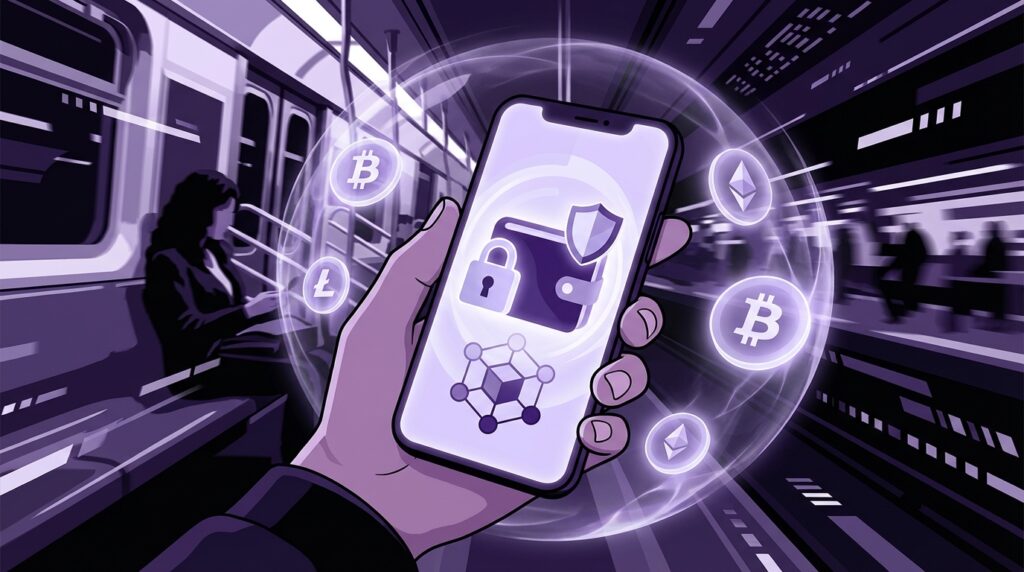
Crypto on mobile sounds convenient. Open an app on the train, swap a token, stake some coins, approve a transaction while waiting for coffee. But under that smooth glass screen sit the same old problems: weak security habits, rushed decisions, and devices that are still, at the end of the day, little plastic slabs that lose signal, crack, and sometimes die at 3%.
Maybe it is nostalgia talking, but there was something honest about typing a PIN on a physical keypad that clicked. Today we tap a fingerprint sensor and convince ourselves we are safe enough for a six-figure wallet. The truth lives somewhere between those two feelings.
The old phone vs the new crypto phone
“Retro Specs: Nokia 3310 (circa 2000)
– 84 x 48 pixel screen
– 1 MB-ish of storage
– No Wi-Fi, no app store, no browser
– Battery that seemed to last several geological ages”
That little brick was almost impossible to hack remotely because, honestly, there was not much to hack. No internet, no third-party apps, no external wallets. If someone wanted your “digital assets” on that thing, they had to physically grab it, crack your numeric PIN, and read your texts.
Fast forward to your current phone. That thin slab has more raw power than desktops from the early 2000s, and it is networked 24/7 through Wi-Fi, 5G, Bluetooth, and all sorts of background services.
Crypto wallets land right in the middle of this shift. On one side, you have the old-school world of paper wallets, cold storage, and air-gapped machines. On the other, you have mobile apps that feel like banking apps, with smooth animations, QR scanners, and notifications. The tension is simple:
You want the convenience of “check my balance in 2 taps” with the resilience of “my coins will still be here even if I drop my phone in a river.”
So the real question is not “Should I use crypto on mobile?” but “What is safe enough for the kind of money and the kind of usage I have?”
Before we touch best practices, it helps to understand how awkward mobile phones actually are as security devices.
The feel of a phone vs the feel of a hardware wallet
To make this real, imagine both devices in your hands.
One hand: your everyday smartphone. Glass front, maybe a slightly curved edge, a large OLED display that almost spills over the sides. It feels like a slab of screen. Warm from constant use, smudged with fingerprints. You swipe, tap, scroll. Your thumb knows exactly where the “back” gesture is without you thinking.
Other hand: a basic hardware wallet. Plastic, slightly rough texture, tiny screen, a couple of physical buttons. It feels like a calculator that never graduated high school. The screen has sharp, simple fonts, sometimes even looks pixelated compared to your phone. Every action feels slower and a little clunky.
“User Review from 2005:
‘I like pressing real buttons. Makes me think twice before I send something stupid.'”
That feeling is part of the security story.
Phones are built for convenience and speed. Hardware wallets are built for friction. With crypto on mobile, you are trying to layer friction on top of a device whose entire design screams “fast and easy.”
So the trick is not pretending your phone is perfect. The trick is deciding which part of your crypto life should live on the phone, and how to wrap it with enough friction that you do not wake up one day staring at an empty balance.
Then vs now: pocket brick vs pocket vault
Let us put some numbers and concepts side by side.
| Feature | Nokia 3310 (Then) | Modern Flagship with Mobile Crypto (Now) |
|---|---|---|
| Typical use | Calls, SMS, Snake | Banking, crypto wallets, DeFi, NFTs, 2FA |
| Network exposure | GSM for calls/SMS only | Wi-Fi, 4G/5G, Bluetooth, NFC, countless apps online |
| Attack surface | SIM cloning, physical theft | Malware, phishing, app exploits, SIM swap, insecure Wi-Fi |
| Local data sensitivity | Contacts, SMS history, maybe stored PINs | Seed phrases, private keys (hot wallets), exchange access, password managers |
| Main security control | 4-digit lock code | Biometrics, PIN, device encryption, secure enclave, app sandboxes |
| Battery expectation | Charge every 3-5 days | Charge daily or more |
| Risk if lost | Embarrassing texts exposed, minor financial harm | Direct loss of crypto, identity theft, account takeover |
That “attack surface” row is the part that bites.
When you run a crypto wallet on mobile, you are effectively storing keys on a device that spends its life talking to random networks, installing and updating software, and sitting in pockets, bags, and sometimes bathroom counters.
So let us treat this like what it is: a portable vault with a social media addiction.
How mobile wallets actually work behind the scenes
The hot vs cold mental model
Think of your crypto keys like cash drawers.
– A **cold wallet** is the safe in the basement of a bank. No internet, no apps, a pain to reach. Better for big savings.
– A **hot wallet** is the cash register at the front of a store. Connected, in reach, made for daily transactions.
Your mobile crypto wallet is a hot wallet. No matter what marketing copy says, if the wallet runs on an online smartphone, those keys are on a device that touches the internet regularly.
Some mobile wallets try to “feel” more secure by using the phone’s secure hardware modules. On iOS, that is the Secure Enclave. On many Android phones, that might be a Trusted Execution Environment or a hardware-backed keystore.
That gives you protection if someone grabs your unlocked phone for a few seconds and tries to copy files. It does not fix your habits. A phishing page can still trick you. A malicious app can still push weird transaction requests that you approve because you are distracted in a line at Starbucks.
Seed phrases and mobile reality
Seed phrases are where mobile convenience collides headfirst with human laziness.
A seed phrase is usually 12 or 24 words. On first wallet setup, your phone flashes those words on a bright, clean, perfectly readable screen.
At that point, people do things like:
– Screenshot the phrase.
– Email it to themselves “just in case”.
– Store it in Notes or Google Docs.
– Paste it into a chat with themselves.
From a usability angle, that feels natural. Your phone is already your memory extension. You trust it. From a security angle, you just turned the keys to your vault into an image or text file that syncs across clouds and sits on servers you do not control.
This is where the “retro” mindset helps. Think of that seed phrase like the SIM PIN you wrote on a piece of paper in 2003 and slid behind a drawer. The safest version is boring: analog, offline, and slightly inconvenient.
The threat model for crypto on the go
1. You, rushing through screens
You are standing in a noisy street, your phone buzzes, someone is talking to you, and you open a wallet notification that says:
“Approve transaction?”
You see some hex, a gas fee, and muscle memory takes over: tap, tap, approve.
That simple move is a bigger risk than half the theoretical exploits people argue about on Twitter.
Phishing dapps, fake token approvals, malicious signature requests all rely on hurried users. On desktop, at least you have more screen space and maybe a browser extension that yells at you. On mobile, the screen is cramped, and you might be squinting through sunlight reflections.
“User Review from 2005:
‘Accidentally sent 5 euro instead of 50 cent by typing too fast. Can’t believe my thumb betrayed me.'”
Now replace “5 euro” with “5 ETH” and the stakes start to hurt.
2. Malicious apps and sideloading
Android and iOS do try to keep things somewhat contained. Apps run in sandboxes, permissions are declared, and OS updates fix holes.
The weak link is human behavior.
– Sideloaded APKs on Android from random Telegram channels.
– “Wallet helper” apps that claim to boost yields or scan rugs.
– Keyboard apps that capture every keystroke, including your wallet password.
Each extra app is potential exposure. On an old 3310, your biggest risk from a weird “game” was a bad ringtone. On a modern Android, that “game” might ask for full storage access and network permissions.
3. SIM swap and mobile number takeover
Your phone is not just a device. It is tied to a SIM and a phone number.
Attackers know that many people still tie exchanges and wallet recoveries to phone numbers. SIM swaps are straightforward: convince or bribe a mobile carrier agent to port your number to a new SIM. Once that happens, your 2FA codes and recovery SMS messages go to them.
You might have a nicely secured mobile wallet, but if your exchange account or email is soft, an attacker can drain anything linked to those services.
4. Lost, stolen, or seized devices
Remember the weight of that old Nokia? You could lob it across the room and it would bounce. You knew where it was because it was a mini-brick in your pocket.
Modern phones are flat and smooth. They slip. They get left in cabs. They get grabbed on the street.
If your crypto wallet is on that phone, your entire strategy depends on:
– Whether the device is locked with strong security.
– Whether data at rest is encrypted.
– Whether your seed phrase or private key lives anywhere else on that device (like photos or screenshots).
There is also a different kind of risk: someone forcing you to unlock the device. Biometrics can be convenient here, and also risky. A forced thumb on a sensor is much easier than memorizing and revealing a long PIN under pressure.
Building a “mobile tier” in your crypto setup
The key is mental architecture.
Think of your crypto like layers:
– **Cold layer**: Long-term storage. Hardware wallets, paper backups, offline devices.
– **Warm layer**: Desktop wallets you use from home. Possibly connected to hardware wallets.
– **Hot mobile layer**: Phone wallet, used for smaller balances and daily moves.
You choose, in advance, what you are willing to hold in each layer.
How much should live on your phone?
Practical approach:
– Pick an amount where losing it would sting, but not destroy you.
– Treat that amount as your “daily spend / active trading / DeFi experiment” budget.
– Keep everything else in cold or warm storage that does not ride in your pocket.
This mirrors how you probably use cash and cards. You do not carry all your savings in a single wallet in your jeans. You keep some in the bank, some as cash, maybe some in another account.
Crypto on mobile works best when it follows that same thinking.
Practical safeguards for mobile crypto wallets
1. Lock the device like it matters
This sounds basic, but most failure stories start here.
– Use a long PIN or passcode, not a 4-digit number.
– Treat face unlock on some Android phones with care. Some can be fooled by photos.
– Combine biometrics with a strong passcode, not instead of one.
Then layer in:
– Find-my-device features enabled.
– Remote wipe for lost devices.
– Full-disk encryption (standard on iOS and modern Android).
This upgrades your phone from “lost and open” to “lost and almost useless” for an attacker.
2. Keep the OS boring and up to date
You want the boring, steady experience here.
– Stick to stock ROMs or major vendor ROMs on Android.
– Avoid random custom ROMs on your main crypto phone.
– Update the OS regularly to patch security holes.
Think of it like firmware on a hardware wallet. You probably keep that current. Treat your phone the same way if it holds keys.
3. Choose wallets with serious security models
When picking a mobile wallet, pay attention to:
– Is the code open source or heavily audited?
– Does it integrate with hardware wallets so your phone only signs messages from them?
– Does it lean on the phone’s secure hardware module for key storage?
You want clear documentation, not just marketing lines. If a wallet can connect to a physical hardware wallet via Bluetooth or USB and keep private keys off the phone altogether, that is worth a look.
4. Separate devices if the stakes are higher
One underrated move: use a dedicated “crypto phone.”
– Cheap but recent Android or older iPhone.
– No social apps, no random games, no personal email.
– Only wallets, 2FA, and maybe a secure browser.
It feels like carrying that old 3310 just for texts and calls. Simple, focused. Your main phone can do Instagram and memes; your crypto phone handles money.
You lower your risk just by not mixing everything into the same digital soup.
5. Treat the seed phrase like a physical object, not a file
Best practices that are boring on purpose:
– Write the phrase on paper or a metal backup plate.
– Store copies in safe places: safe boxes, trusted physical locations.
– Never store the seed in photos, screenshots, or cloud drives.
– Never paste the seed into a browser field on mobile.
If your mobile wallet ever asks you to re-enter a seed phrase into some random pop-up or browser window, your internal siren should go off. That is how many phishing attempts work.
6. Use hardware wallets on mobile when possible
Some hardware wallets pair nicely with phones:
– They connect using Bluetooth or USB-OTG.
– The mobile app broadcasts the transaction.
– The hardware wallet signs on its own tiny screen with physical buttons.
That combo can feel clumsy at first. You are juggling a phone and a gadget that looks straight out of the early MP3 player era. But this gives you the best of both worlds:
– Phone: interface, connectivity, QR scanning, dapps.
– Hardware wallet: private key storage and final approval.
The plastic feel and clicky buttons become a feature, not a bug.
Mobile dapps, browsers, and Web3 UX
In-app dapp browsers vs external browsers
Many wallets ship a built-in browser for Web3 dapps. You paste in a URL, connect your wallet, and interact.
Advantages:
– Tighter integration.
– Fewer steps to approve transactions.
– Sometimes better warnings for known phishing sites.
Risks:
– If that browser has a vulnerability, your whole flow inherits it.
– If you manually type or paste URLs incorrectly, you might land on fake clones.
External browsers with wallet connectors or deep links are similar. The key is to treat every “Connect wallet” button on mobile as if your entire balance is on the line. Because it usually is.
QR codes: fast, visual, and double-edged
QR codes feel magical. Point camera, scan, address filled in. No more copying and pasting long hex strings, no risk of typos.
But there are catches:
– A QR code can point to any address, including a malicious one.
– A phishing poster or screen can display a fake “donation” or “airdrop” address.
– QR payloads can include complex data, not only an address.
Best habits:
– Confirm the address with an independent source when sums are large.
– With hardware wallets, double-check the address on the tiny hardware screen, not just the phone display.
– Avoid scanning random QR codes in public spaces with the same phone that holds your wallet.
Think about how skeptical you would be if someone in 2003 told you, “Send money to this number I scribbled on a napkin.” That same skepticism applies to QR codes.
Mobile exchanges vs self-custody wallets
Custodial apps: Binance, Coinbase, centralized exchanges
Exchange apps feel familiar. Username, password, maybe SMS or app-based 2FA. The exchange holds the private keys.
Upside:
– If you lose your phone, you can log in on a new device.
– Some fraud detection and withdrawal limits may slow attackers.
– Easier for beginners to handle.
Downside:
– You don’t control the keys.
– If someone takes over your email and phone number, they might walk right through recovery flows.
– If the exchange halts withdrawals or gets compromised, you are just a user in a queue.
Non-custodial mobile wallets
These flip the model. You own the keys. The app is just the interface.
Upside:
– True control of your funds.
– No central party needed for spending or access.
Downside:
– Lose your seed phrase and you lose your funds.
– If an attacker gets your seed or imported private key, it is over instantly.
– No support team can restore anything.
This is why many experienced users treat mobile non-custodial wallets as their “spending” account and pair them with hardware wallets for the main stash.
The human layer: habits on the go
Check the context before approving
Create a little personal ritual:
– Before you tap “Approve”, pause for 2 seconds.
– Ask yourself: “What did I just try to do?”
– Check the token, amount, and contract, not just the gas fee.
On mobile, that short pause counters the muscle memory built by messaging apps and social feeds.
Use strong, unique passwords and proper 2FA
For exchange apps and any email tied to them:
– Use a password manager instead of memorizing.
– Use app-based 2FA (like Authy or Google Authenticator) instead of SMS.
– Protect the 2FA app itself with a PIN or biometrics.
Your phone already feels like a mini computer. Treat your crypto accounts like root-level access, not like yet another social account.
Think about physical situations
There is a difference between checking prices on a busy train and signing transactions.
It might sound strict, but a useful rule is:
– Check balances and prices anywhere.
– Sign meaningful transactions only in calmer, safer spots.
This echoes a weird throwback: older ATMs that were placed inside banks rather than on random corners. You went inside, felt a little more secure, and slowed down. You can recreate that “go inside” feeling by choosing your environment before you approve something big.
Where mobile crypto fits in the bigger tech story
Look at your phone again. The glass, the slim metal frame, the quiet weight in your hand. Under that surface:
– A secure enclave or hardware-backed keystore.
– Encrypted storage.
– A radio stack handling multiple networks.
– A bright display doing its best to show you something readable on a 6-inch diagonal.
Under your old Nokia’s plastic shell, things were simpler. Less power, fewer pathways for attackers, fewer ways to shoot yourself in the foot.
“Retro Specs: Early smartphone (circa 2007-2010)
– Resistive touchscreen that needed a firm press
– 320 x 480 or 480 x 800 pixels
– Tiny internal storage, maybe 8-16 GB
– App stores just starting to exist, few financial apps”
Back then, mobile banking started to show up, and the idea of sending money from your phone felt like science fiction that might break at any moment. Now we have entire financial ecosystems built around Web3, tokens, and mobile-first design.
Crypto on mobile sits right at the edge of two urges:
– The urge to make money feel like a notification: quick, casual, ambient.
– The urge to keep money guarded like a vault: heavy, deliberate, fenced off.
Maybe it is nostalgia when your brain hears the echo of a plastic keypad click every time you confirm a big transaction with a soft tap on glass. That old click forced your thumb to travel, to press, to commit.
Touchscreens took away that resistance. So you have to reintroduce it in your habits, your setups, and the tools you choose.
You can carry a modern vault in your pocket. You just have to treat this sleek rectangle a little more like that blocky Nokia that never pretended to be anything other than what it was: a simple tool that did a few things well, and asked you to think before you pressed “Send.”
